
 Create: Better SchematicsMods · 1.21
Adds in many fixes and new features to Create’s schematic system.
Kostenlos1 Downloads
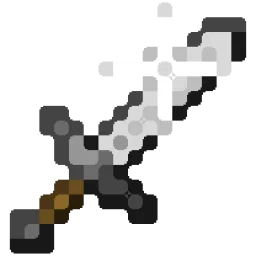
Better Effect Hud is a highly customizable Minecraft mod, that adds many features, like Timer and Potency widgets, a duration bar, a warning vignette and more!
Direkter Download von Modrinth · 1 Downloads
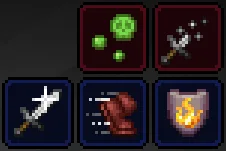
Better Effect HUD (Mod) stammt von FriedBacon0. Better Effect Hud is a highly customizable Minecraft mod, that adds many features, like Timer and Potency widgets, a duration bar, a warning vignette and more!
Unterstützt wird Minecraft 26.x. Auf Modrinth gibt es 1 Downloads. Das letzte Update erschien am 30.10.2026.
Die neueste ist 1.0.0, erschienen am 30.10.2026. Sie ist für Minecraft 26.3 gemacht. Sie läuft auf Fabric. Der Download ist 114 KB groß.
| Version | Veröffentlicht | Minecraft | Typ |
|---|---|---|---|
1.0.0 | 30.10.2026 | 26.3 | Release |
Better Effect Hud is a highly customizable Minecraft mod, that adds many features, like timer and potency widgets, a duration bar, a warning vignette and more!
All Features
Geschrieben von FriedBacon0. Mit Bildern auf Modrinth lesen.
Diese Mod läuft nur in deinem eigenen Spiel. Server brauchen sie nicht, du kannst sie also auf jedem Server nutzen.
Installiere Fabric für Minecraft 26.x.
Füge die benötigten Mods hinzu: Fabric API und Mod Menu.
Lade die .jar-Datei von Modrinth herunter und lege sie in den mods-Ordner deines .minecraft-Verzeichnisses.
Starte Minecraft mit dem Fabric-Profil.
Einfacher: Suche in Prism Launcher oder der Modrinth App in den Mods deiner Instanz nach Better Effect HUD und klicke auf Install. Loader und benötigte Mods werden für dich hinzugefügt.
| Ressource | Downloads | Versionen | Letztes Update | Preis |
|---|---|---|---|---|
| Better Effect HUDdie du angesehen hast | 1 | 26.x | vor 14 Tagen | Kostenlos |
| Create: Better SchematicsOurCreation | 1 | 1.21 | vor 3 Tagen | Kostenlos |
 InventoryHUD+DmitryLovin | 11.2M | 1.8 – 26.x | vor 19 Tagen | Kostenlos |
 Item Scrollermasa | 3.1M | 1.8 – 26.x | 28. Sept. 2026 | Kostenlos |
Ja. Better Effect HUD unterstützt Minecraft 26.x. Alle unterstützten Versionen: 26.x.
Ja. Better Effect HUD kannst du kostenlos bei Modrinth herunterladen.
Clientseitig. Better Effect HUD kommt in deinen eigenen mods-Ordner und funktioniert auf jedem Server, auch auf Servern ohne Mods.
Ja: Fabric API, Mod Menu. Installiere es vor Better Effect HUD.
Ja. Das letzte Update kam innerhalb des letzten Tages.
Am ähnlichsten sind Create: Better Schematics, InventoryHUD+ und Item Scroller. Alle Alternativen vergleichen
Create: Better SchematicsMods · 1.21Adds in many fixes and new features to Create’s schematic system.
InventoryHUD+Mods · 1.8 – 26.xAdds your main inventory, potion effects and your equipments to your HUD. And few other features.
Item ScrollerMods · 1.8 – 26.xA client mod that adds many shortcuts to move items easier and craft faster in inventory screens
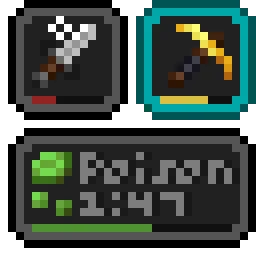 Status Effect BarsMods · 1.17 – 26.x
Adds customizable bars to the status effects overlay to show the remaining duration of effects.
 HyLobbyMods · 1.8 – 26.x
Minecraft mod for Hypixel adding lobby related features like middle click gui items, sound silencer and quickjoin
 Create Aeronautics: Freeze StaffMods · 1.21
Create Aeronautics Freeze Staff adds a single tool for taking a Simulated contraption out logic — recovering TPS on worlds with many contraptions.
Logg dich ein, um eine Bewertung zu schreiben.