
 Create: Better SchematicsMods · 1.21
Adds in many fixes and new features to Create’s schematic system.
Free1 downloads
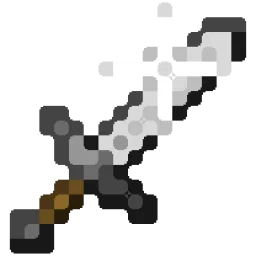
Better Effect Hud is a highly customizable Minecraft mod, that adds many features, like Timer and Potency widgets, a duration bar, a warning vignette and more!
Direct download from Modrinth · 1 downloads
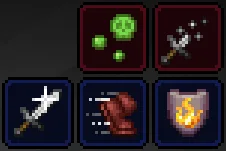
Better Effect HUD is a mod made by FriedBacon0. Better Effect Hud is a highly customizable Minecraft mod, that adds many features, like Timer and Potency widgets, a duration bar, a warning vignette and more!
It supports Minecraft 26.x. It has been downloaded 1 times on Modrinth. The last update came out on Oct 30, 2026.
The newest is 1.0.0, released on Oct 30, 2026. It is made for Minecraft 26.3. It runs on Fabric. The download is 114 KB.
| Version | Released | Minecraft | Type |
|---|---|---|---|
1.0.0 | Oct 30, 2026 | 26.3 | Release |
Better Effect Hud is a highly customizable Minecraft mod, that adds many features, like timer and potency widgets, a duration bar, a warning vignette and more!
All Features
Written by FriedBacon0. Read it with pictures on Modrinth.
This mod runs only on your own game. Servers do not need it, so you can use it on any server.
Install Fabric for Minecraft 26.x.
Add the mods it needs: Fabric API and Mod Menu.
Download the .jar file from Modrinth and put it in the mods folder of your .minecraft directory.
Start Minecraft with the Fabric profile.
Easier: in Prism Launcher or the Modrinth App, search for Better Effect HUD in your instance's mods and click Install. It adds the loader and the mods it needs for you.
Full guide: How to install Minecraft mods
| Resource | Downloads | Versions | Last update | Price |
|---|---|---|---|---|
| Better Effect HUDthe one you looked at | 1 | 26.x | 14 days ago | Free |
| Create: Better SchematicsOurCreation | 1 | 1.21 | 3 days ago | Free |
 InventoryHUD+DmitryLovin | 11.2M | 1.8 – 26.x | 19 days ago | Free |
 Item Scrollermasa | 3.1M | 1.8 – 26.x | Sep 28, 2026 | Free |
Yes. Better Effect HUD supports Minecraft 26.x. All supported versions: 26.x.
Yes. Better Effect HUD is free to download from Modrinth.
Client-side. Better Effect HUD goes in your own mods folder and works on any server, including servers without mods.
Yes: Fabric API, Mod Menu. Install it before Better Effect HUD.
Yes. The last update came out in the past day.
The closest ones are Create: Better Schematics, InventoryHUD+ and Item Scroller. Compare all alternatives
Create: Better SchematicsMods · 1.21Adds in many fixes and new features to Create’s schematic system.
InventoryHUD+Mods · 1.8 – 26.xAdds your main inventory, potion effects and your equipments to your HUD. And few other features.
Item ScrollerMods · 1.8 – 26.xA client mod that adds many shortcuts to move items easier and craft faster in inventory screens
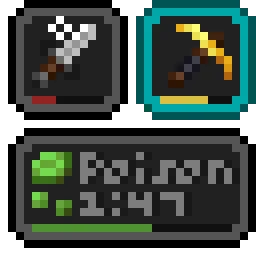 Status Effect BarsMods · 1.17 – 26.x
Adds customizable bars to the status effects overlay to show the remaining duration of effects.
 HyLobbyMods · 1.8 – 26.x
Minecraft mod for Hypixel adding lobby related features like middle click gui items, sound silencer and quickjoin
 Create Aeronautics: Freeze StaffMods · 1.21
Create Aeronautics Freeze Staff adds a single tool for taking a Simulated contraption out logic — recovering TPS on worlds with many contraptions.
Log in to leave a review.