
 Create: Better SchematicsMods · 1.21
Adds in many fixes and new features to Create’s schematic system.
Gratis1 descargas
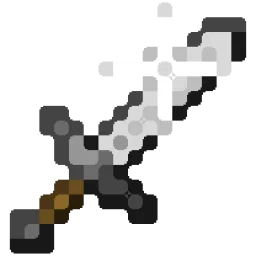
Better Effect Hud is a highly customizable Minecraft mod, that adds many features, like Timer and Potency widgets, a duration bar, a warning vignette and more!
Descarga directa desde Modrinth · 1 descargas
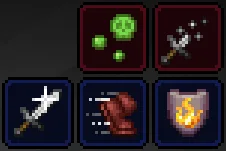
Better Effect HUD (mod) es obra de FriedBacon0. Better Effect Hud is a highly customizable Minecraft mod, that adds many features, like Timer and Potency widgets, a duration bar, a warning vignette and more!
Es compatible con Minecraft 26.x. Se ha descargado 1 veces en Modrinth. La última actualización salió el 30/10/2026.
La más reciente es 1.0.0, publicada el 30/10/2026. Está hecha para Minecraft 26.3. Funciona en Fabric. La descarga ocupa 114 KB.
| Versión | Publicado | Minecraft | Tipo |
|---|---|---|---|
1.0.0 | 30/10/2026 | 26.3 | Estable |
Better Effect Hud is a highly customizable Minecraft mod, that adds many features, like timer and potency widgets, a duration bar, a warning vignette and more!
All Features
Escrita por FriedBacon0. Léela con imágenes en Modrinth.
Este mod funciona solo en tu propio juego. Los servidores no lo necesitan, así que puedes usarlo en cualquier servidor.
Instala Fabric para Minecraft 26.x.
Añade los mods que necesita: API de Fabric y Mod Menu.
Descarga el archivo .jar desde Modrinth y ponlo en la carpeta mods de tu directorio .minecraft.
Inicia Minecraft con el perfil de Fabric.
Más fácil: en Prism Launcher o la Modrinth App, busca Better Effect HUD en los mods de tu instancia y haz clic en Install. Añade el loader y los mods que necesita por ti.
| Recurso | Descargas | Versiones | Última actualización | Precio |
|---|---|---|---|---|
| Better Effect HUDel que estabas viendo | 1 | 26.x | hace 14 días | Gratis |
| Create: Better SchematicsOurCreation | 1 | 1.21 | hace 3 días | Gratis |
 InventoryHUD+DmitryLovin | 11.2M | 1.8 – 26.x | hace 19 días | Gratis |
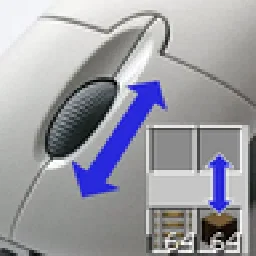 Item Scrollermasa | 3.1M | 1.8 – 26.x | 28 sept 2026 | Gratis |
Sí. Better Effect HUD es compatible con Minecraft 26.x. Todas las versiones compatibles: 26.x.
Sí. Better Effect HUD se puede descargar gratis desde Modrinth.
Del lado del cliente. Better Effect HUD va en tu propia carpeta mods y funciona en cualquier servidor, incluso en servidores sin mods.
Sí: Fabric API, Mod Menu. Instálalo antes de Better Effect HUD.
Sí. La última actualización salió en el último día.
Los más parecidos son Create: Better Schematics, InventoryHUD+ y Item Scroller. Comparar todas las alternativas
Create: Better SchematicsMods · 1.21Adds in many fixes and new features to Create’s schematic system.
InventoryHUD+Mods · 1.8 – 26.xAdds your main inventory, potion effects and your equipments to your HUD. And few other features.
Item ScrollerMods · 1.8 – 26.xA client mod that adds many shortcuts to move items easier and craft faster in inventory screens
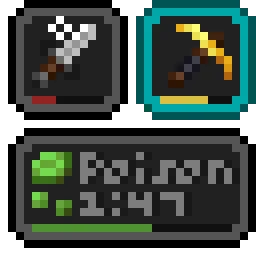 Status Effect BarsMods · 1.17 – 26.x
Adds customizable bars to the status effects overlay to show the remaining duration of effects.
 HyLobbyMods · 1.8 – 26.x
Minecraft mod for Hypixel adding lobby related features like middle click gui items, sound silencer and quickjoin
 Create Aeronautics: Freeze StaffMods · 1.21
Create Aeronautics Freeze Staff adds a single tool for taking a Simulated contraption out logic — recovering TPS on worlds with many contraptions.
Inicia sesión para dejar una reseña.