
 Create: Better SchematicsMody · 1.21
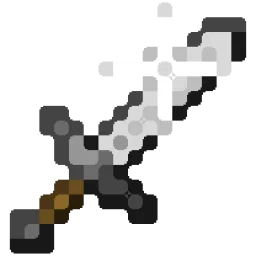
Adds in many fixes and new features to Create’s schematic system.
Za darmoPobrania: 1
Better Effect Hud is a highly customizable Minecraft mod, that adds many features, like Timer and Potency widgets, a duration bar, a warning vignette and more!
Bezpośrednie pobieranie z Modrinth · 1 pobrań
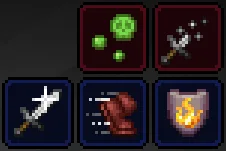
Better Effect HUD to mod, autor: FriedBacon0. Better Effect Hud is a highly customizable Minecraft mod, that adds many features, like Timer and Potency widgets, a duration bar, a warning vignette and more!
Obsługiwane wersje: Minecraft 26.x. Liczba pobrań w serwisie Modrinth: 1. Ostatnia aktualizacja: 30.10.2026.
Najnowsza to 1.0.0, wydana 30.10.2026. Jest zrobiona dla Minecraft 26.3. Działa na Fabric. Plik ma 114 KB.
| Wersja | Wydano | Minecraft | Typ |
|---|---|---|---|
1.0.0 | 30.10.2026 | 26.3 | Wydanie |
Better Effect Hud is a highly customizable Minecraft mod, that adds many features, like timer and potency widgets, a duration bar, a warning vignette and more!
All Features
Autor: FriedBacon0. Z obrazkami na Modrinth.
Ten mod działa tylko w twojej grze. Serwery go nie potrzebują, więc możesz go używać na każdym serwerze.
Zainstaluj Fabric dla Minecraft 26.x.
Dodaj potrzebne mody: API Fabric i Mod Menu.
Pobierz plik .jar z Modrinth i wrzuć go do folderu mods w katalogu .minecraft.
Uruchom Minecraft z profilem Fabric.
Prościej: w Prism Launcher lub Modrinth App wyszukaj Better Effect HUD w modach swojej instancji i kliknij Install. Loader i potrzebne mody zostaną dodane za ciebie.
| Zasób | Pobrania | Wersje | Aktualizacja | Cena |
|---|---|---|---|---|
| Better Effect HUDten, który oglądałeś | 1 | 26.x | 14 d. temu | Za darmo |
| Create: Better SchematicsOurCreation | 1 | 1.21 | 3 d. temu | Za darmo |
 InventoryHUD+DmitryLovin | 11.2M | 1.8 – 26.x | 19 d. temu | Za darmo |
 Item Scrollermasa | 3.1M | 1.8 – 26.x | 28 wrz 2026 | Za darmo |
Tak. Better Effect HUD działa w wersji Minecrafta 26.x. Wszystkie obsługiwane wersje: 26.x.
Tak. Better Effect HUD można pobrać za darmo z serwisu Modrinth.
Po stronie klienta. Better Effect HUD trafia do twojego folderu mods i działa na każdym serwerze, także bez modów.
Tak: Fabric API, Mod Menu. Zainstaluj to przed Better Effect HUD.
Tak. Ostatnia aktualizacja wyszła w ciągu ostatniej doby.
Najbliższe to Create: Better Schematics, InventoryHUD+ i Item Scroller. Porównaj wszystkie alternatywy
Create: Better SchematicsMody · 1.21Adds in many fixes and new features to Create’s schematic system.
InventoryHUD+Mody · 1.8 – 26.xAdds your main inventory, potion effects and your equipments to your HUD. And few other features.
Item ScrollerMody · 1.8 – 26.xA client mod that adds many shortcuts to move items easier and craft faster in inventory screens
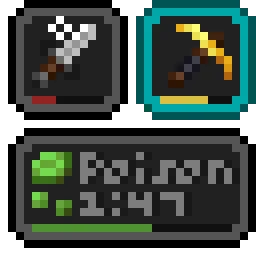 Status Effect BarsMody · 1.17 – 26.x
Adds customizable bars to the status effects overlay to show the remaining duration of effects.
 HyLobbyMody · 1.8 – 26.x
Minecraft mod for Hypixel adding lobby related features like middle click gui items, sound silencer and quickjoin
 Create Aeronautics: Freeze StaffMody · 1.21
Create Aeronautics Freeze Staff adds a single tool for taking a Simulated contraption out logic — recovering TPS on worlds with many contraptions.
Zaloguj się, aby wystawić opinię.