
 Create: Better SchematicsModlar · 1.21
Adds in many fixes and new features to Create’s schematic system.
Ücretsiz1 indirme
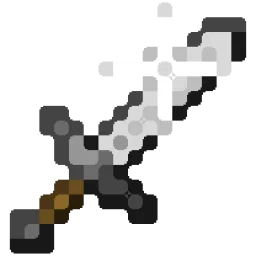
Better Effect Hud is a highly customizable Minecraft mod, that adds many features, like Timer and Potency widgets, a duration bar, a warning vignette and more!
Modrinth üzerinden doğrudan indirme · 1 indirme
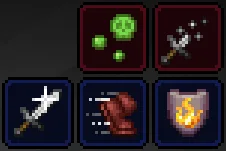
Better Effect HUD, FriedBacon0 tarafından yapılmış bir mod. Better Effect Hud is a highly customizable Minecraft mod, that adds many features, like Timer and Potency widgets, a duration bar, a warning vignette and more!
Desteklediği sürümler: Minecraft 26.x. Modrinth üzerinde 1 kez indirildi. Son güncelleme 30.10.2026 tarihinde çıktı.
En yenisi 30.10.2026 tarihinde çıkan 1.0.0. Minecraft 26.3 için yapıldı. Fabric üzerinde çalışır. İndirme boyutu 114 KB.
| Sürüm | Yayın tarihi | Minecraft | Tür |
|---|---|---|---|
1.0.0 | 30.10.2026 | 26.3 | Kararlı |
Better Effect Hud is a highly customizable Minecraft mod, that adds many features, like timer and potency widgets, a duration bar, a warning vignette and more!
All Features
Yazan: FriedBacon0. Resimli halini Modrinth sayfasında oku.
Bu mod yalnızca senin oyununda çalışır. Sunucuların buna ihtiyacı yok, bu yüzden her sunucuda kullanabilirsin.
Minecraft 26.x için Fabric kur.
İhtiyaç duyduğu modları ekle: Fabric API ve Mod Menu.
.jar dosyasını Modrinth üzerinden indir ve .minecraft klasöründeki mods klasörüne koy.
Minecraft'ı Fabric profiliyle başlat.
Daha kolayı: Prism Launcher veya Modrinth App'te instance'ının modlarında Better Effect HUD ara ve Install'a tıkla. Mod yükleyiciyi ve gereken modları senin için ekler.
| Kaynak | İndirmeler | Sürümler | Son güncelleme | Fiyat |
|---|---|---|---|---|
| Better Effect HUDbaktığın | 1 | 26.x | 14 gün önce | Ücretsiz |
| Create: Better SchematicsOurCreation | 1 | 1.21 | 3 gün önce | Ücretsiz |
 InventoryHUD+DmitryLovin | 11.2M | 1.8 – 26.x | 19 gün önce | Ücretsiz |
 Item Scrollermasa | 3.1M | 1.8 – 26.x | 28 Eyl 2026 | Ücretsiz |
Evet. Better Effect HUD, Minecraft 26.x sürümünü destekliyor. Desteklenen tüm sürümler: 26.x.
Evet. Better Effect HUD, Modrinth üzerinden ücretsiz indirilebilir.
İstemci tarafı. Better Effect HUD kendi mods klasörüne kurulur ve modsuz sunucular dahil her sunucuda çalışır.
Evet: Fabric API, Mod Menu. Bunu Better Effect HUD öncesinde kur.
Evet. Son güncelleme son 24 saat içinde çıktı.
En yakın olanlar Create: Better Schematics, InventoryHUD+ ve Item Scroller. Tüm alternatifleri karşılaştır
Create: Better SchematicsModlar · 1.21Adds in many fixes and new features to Create’s schematic system.
InventoryHUD+Modlar · 1.8 – 26.xAdds your main inventory, potion effects and your equipments to your HUD. And few other features.
Item ScrollerModlar · 1.8 – 26.xA client mod that adds many shortcuts to move items easier and craft faster in inventory screens
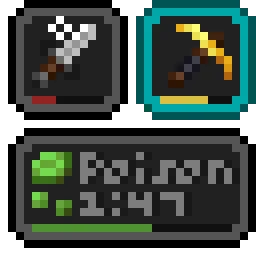 Status Effect BarsModlar · 1.17 – 26.x
Adds customizable bars to the status effects overlay to show the remaining duration of effects.
 HyLobbyModlar · 1.8 – 26.x
Minecraft mod for Hypixel adding lobby related features like middle click gui items, sound silencer and quickjoin
 Create Aeronautics: Freeze StaffModlar · 1.21
Create Aeronautics Freeze Staff adds a single tool for taking a Simulated contraption out logic — recovering TPS on worlds with many contraptions.
Yorum yazmak için giriş yap.