
 Create: Better SchematicsMods · 1.21
Adds in many fixes and new features to Create’s schematic system.
Gratuit1 téléchargements
Better Effect Hud is a highly customizable Minecraft mod, that adds many features, like Timer and Potency widgets, a duration bar, a warning vignette and more!
Téléchargement direct depuis Modrinth · 1 téléchargements
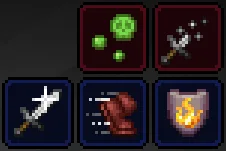
Better Effect HUD (mod) est une création de FriedBacon0. Better Effect Hud is a highly customizable Minecraft mod, that adds many features, like Timer and Potency widgets, a duration bar, a warning vignette and more!
Versions prises en charge : Minecraft 26.x. On compte 1 téléchargements sur Modrinth. La dernière mise à jour date du 30/10/2026.
La plus récente est 1.0.0, sortie le 30/10/2026. Elle est faite pour Minecraft 26.3. Elle fonctionne sur Fabric. Le téléchargement fait 114 KB.
| Version | Publié | Minecraft | Type |
|---|---|---|---|
1.0.0 | 30/10/2026 | 26.3 | Stable |
Better Effect Hud is a highly customizable Minecraft mod, that adds many features, like timer and potency widgets, a duration bar, a warning vignette and more!
All Features
Écrite par FriedBacon0. À lire avec les images sur Modrinth.
Ce mod fonctionne uniquement dans ton jeu. Les serveurs n'en ont pas besoin, tu peux donc l'utiliser sur n'importe quel serveur.
Installe Fabric pour Minecraft 26.x.
Ajoute les mods dont il a besoin : API Fabric et Mod Menu.
Télécharge le fichier .jar depuis Modrinth et place-le dans le dossier mods de ton répertoire .minecraft.
Lance Minecraft avec le profil Fabric.
Plus simple : dans Prism Launcher ou la Modrinth App, cherche Better Effect HUD dans les mods de ton instance et clique sur Install. Le loader et les mods requis sont ajoutés pour toi.
| Ressource | Téléchargements | Versions | Mise à jour | Prix |
|---|---|---|---|---|
| Better Effect HUDcelle que tu regardais | 1 | 26.x | il y a 14 jours | Gratuit |
| Create: Better SchematicsOurCreation | 1 | 1.21 | il y a 3 jours | Gratuit |
 InventoryHUD+DmitryLovin | 11.2M | 1.8 – 26.x | il y a 19 jours | Gratuit |
 Item Scrollermasa | 3.1M | 1.8 – 26.x | 28 sept. 2026 | Gratuit |
Oui. Better Effect HUD prend en charge Minecraft 26.x. Toutes les versions prises en charge : 26.x.
Oui. Better Effect HUD se télécharge gratuitement sur Modrinth.
Côté client. Better Effect HUD se place dans ton propre dossier mods et fonctionne sur n'importe quel serveur, même sans mods.
Oui : Fabric API, Mod Menu. Installe-le avant Better Effect HUD.
Oui. La dernière mise à jour date des dernières 24 heures.
Les plus proches sont Create: Better Schematics, InventoryHUD+ et Item Scroller. Comparer toutes les alternatives
Create: Better SchematicsMods · 1.21Adds in many fixes and new features to Create’s schematic system.
InventoryHUD+Mods · 1.8 – 26.xAdds your main inventory, potion effects and your equipments to your HUD. And few other features.
Item ScrollerMods · 1.8 – 26.xA client mod that adds many shortcuts to move items easier and craft faster in inventory screens
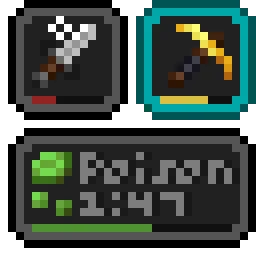 Status Effect BarsMods · 1.17 – 26.x
Adds customizable bars to the status effects overlay to show the remaining duration of effects.
 HyLobbyMods · 1.8 – 26.x
Minecraft mod for Hypixel adding lobby related features like middle click gui items, sound silencer and quickjoin
 Create Aeronautics: Freeze StaffMods · 1.21
Create Aeronautics Freeze Staff adds a single tool for taking a Simulated contraption out logic — recovering TPS on worlds with many contraptions.
Connecte-toi pour laisser un avis.