
 Better Scaffolding VisibilityRessourcenpakete · 1.16 – 26.x
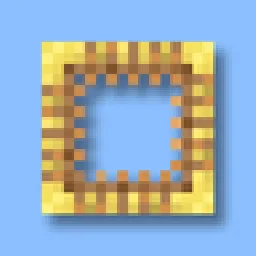
Better Scaffolding removes the middle texture for better visibility. A simple resource pack that makes climbing easier to see where you're going.
Kostenlos434,311 Downloads

A lightweight Fullbright resource pack that improves visibility in dark areas, caves, and underground environments while keeping Minecraft's vanilla textures…
Direkter Download von Modrinth · 12 Downloads
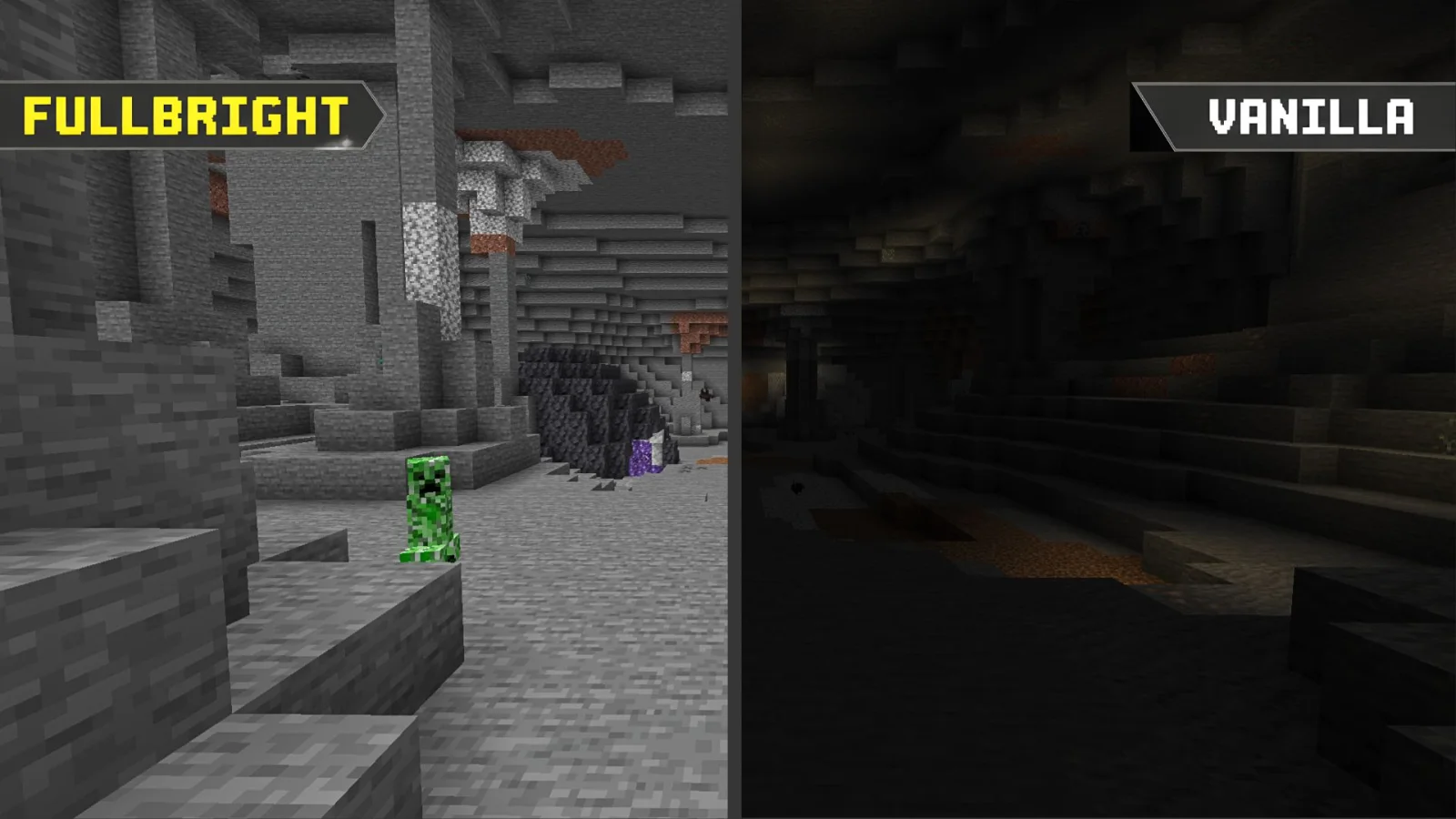
Fullbright Essentials (Ressourcenpaket) stammt von Legend242900. A lightweight Fullbright resource pack that improves visibility in dark areas, caves, and underground environments while keeping Minecraft's vanilla textures…
Unterstützt wird Minecraft 1.21 – 26.x. Auf Modrinth gibt es 12 Downloads. Das letzte Update erschien am 07.11.2026.
Fullbright Essentials hat seit 07.11.2026 10 Versionen auf Modrinth veröffentlicht. 10 davon erschienen im letzten Jahr. Die neueste ist 26.3, erschienen am 07.11.2026. Sie ist für Minecraft 26.3 gemacht. Sie läuft auf Minecraft. Der Download ist 11 KB groß.
| Version | Veröffentlicht | Minecraft | Typ |
|---|---|---|---|
26.3 | 07.11.2026 | 26.3 | Release |
26.2 | 07.11.2026 | 26.2 | Release |
26.1.x | 07.11.2026 | 26.1, 26.1.1, 26.1.2 | Release |
1.21.11 | 07.11.2026 | 1.21.11 | Release |
1.21.9-10 | 07.11.2026 | 1.21.9, 1.21.10 | Release |
See clearly. Explore without limits.
Experience Minecraft with enhanced visibility using Fullbright Essentials, a lightweight, vanilla-friendly resource pack designed to make dark environments significantly easier to see.
Explore caves, mine underground, navigate dark areas, and enjoy your world without struggling with limited visibility. Whether you're playing Survival, building, exploring, or engaging in PvP, Fullbright Essentials helps you see more while preserving Minecraft's familiar visual identity.
Featured Preview
Additional Information:
Choose your preferred platform and download the version that matches your Minecraft installation!
Encountered a bug, visual glitch, or installation issue?
Discord: @legend242900
Feel free to contact me for assistance, report bugs, or share feedback. All suggestions and bug reports are appreciated!
Enjoy better visibility with Fullbright Essentials! ☀️
Geschrieben von Legend242900. Mit Bildern auf Modrinth lesen.
Lade die .zip-Datei von Modrinth herunter. Entpacke sie nicht.
Öffne in Minecraft Optionen, dann Ressourcenpakete, dann Paketordner öffnen.
Lege die .zip-Datei in diesen Ordner und gehe zurück ins Spiel.
Schiebe Fullbright Essentials in die rechte Liste und klicke auf Fertig.
Es ist für Minecraft 1.21 – 26.x gemacht. Auf anderen Versionen markiert Minecraft es als inkompatibel, oft funktioniert es aber trotzdem.
| Ressource | Downloads | Versionen | Letztes Update | Preis |
|---|---|---|---|---|
| Fullbright Essentialsdie du angesehen hast | 12 | 1.21 – 26.x | vor 9 Tagen | Kostenlos |
| Better Scaffolding VisibilityAvrok | 434K | 1.16 – 26.x | 31. Dez. 2025 | Kostenlos |
 BetterFullbrightnidal_mc | 8 | 1.21 | vor 9 Tagen | Kostenlos |
 Vanilla Experience+Kryqu | 1.8M | 1.18 – 26.x | 21. Sept. 2026 | Kostenlos |
Ja. Fullbright Essentials unterstützt Minecraft 26.x. Alle unterstützten Versionen: 26.x, 1.21.
Ja. Fullbright Essentials kannst du kostenlos bei Modrinth herunterladen.
Ja. Das letzte Update kam innerhalb des letzten Tages.
Am ähnlichsten sind Better Scaffolding Visibility, BetterFullbright und Vanilla Experience+. Alle Alternativen vergleichen
Better Scaffolding VisibilityRessourcenpakete · 1.16 – 26.xBetter Scaffolding removes the middle texture for better visibility. A simple resource pack that makes climbing easier to see where you're going.
BetterFullbrightRessourcenpakete · 1.21this texture pack allow you to see very clairly on darken place
Vanilla Experience+Ressourcenpakete · 1.18 – 26.xIt improves, refines, and fixes various aspects while keeping the Vanilla style.
 Ben's BundlesRessourcenpakete · 1.20 – 26.x
3D Bundle item in hand while keeping the vanilla 2D sprite in the GUI
 FullbrightRessourcenpakete · 1.8 – 26.x
Simple fullbright resource pack compatible with 26.4 for Vanilla,Optifine,Vulkan and Sodium.
 Fresh EnvironmentRessourcenpakete · 1.20 – 26.x
Subtle visual tweaks including better rain and snow, cloud variation and more
Logg dich ein, um eine Bewertung zu schreiben.