
 AppleSkinMods · 1.12 – 26.x
Food/hunger-related HUD improvements
Gratis98,598,963 descargas

MineBhop: Bunny Hop & Air Strafe
Descarga directa desde Modrinth · 78 descargas
MineBhop (mod) es obra de gerakOD. MineBhop: Bunny Hop & Air Strafe.
Es compatible con Minecraft 1.20. Se ha descargado 78 veces en Modrinth. La última actualización salió el 30/10/2026.
La más reciente es 1.1, publicada el 30/10/2026. Está hecha para Minecraft 1.20 – 1.20.6. Funciona en Forge. La descarga ocupa 75 KB.
| Versión | Publicado | Minecraft | Tipo |
|---|---|---|---|
1.1 | 30/10/2026 | 1.20 – 1.20.6 | Estable |
Source-style bunny hopping for Minecraft singleplayer. Hold space, strafe with A/D, turn your mouse the same way, and your speed builds up with every jump. It’s the same idea as CS or TF2.
Features
Two bhop modes
Strafe: real air strafing. Speed only goes up if you strafe and turn your mouse properly. Holding W won’t do it.
Simple: for casual play. Every jump adds a bit of speed (you choose how much).
No speed loss on landing: chain your jumps and keep your momentum.
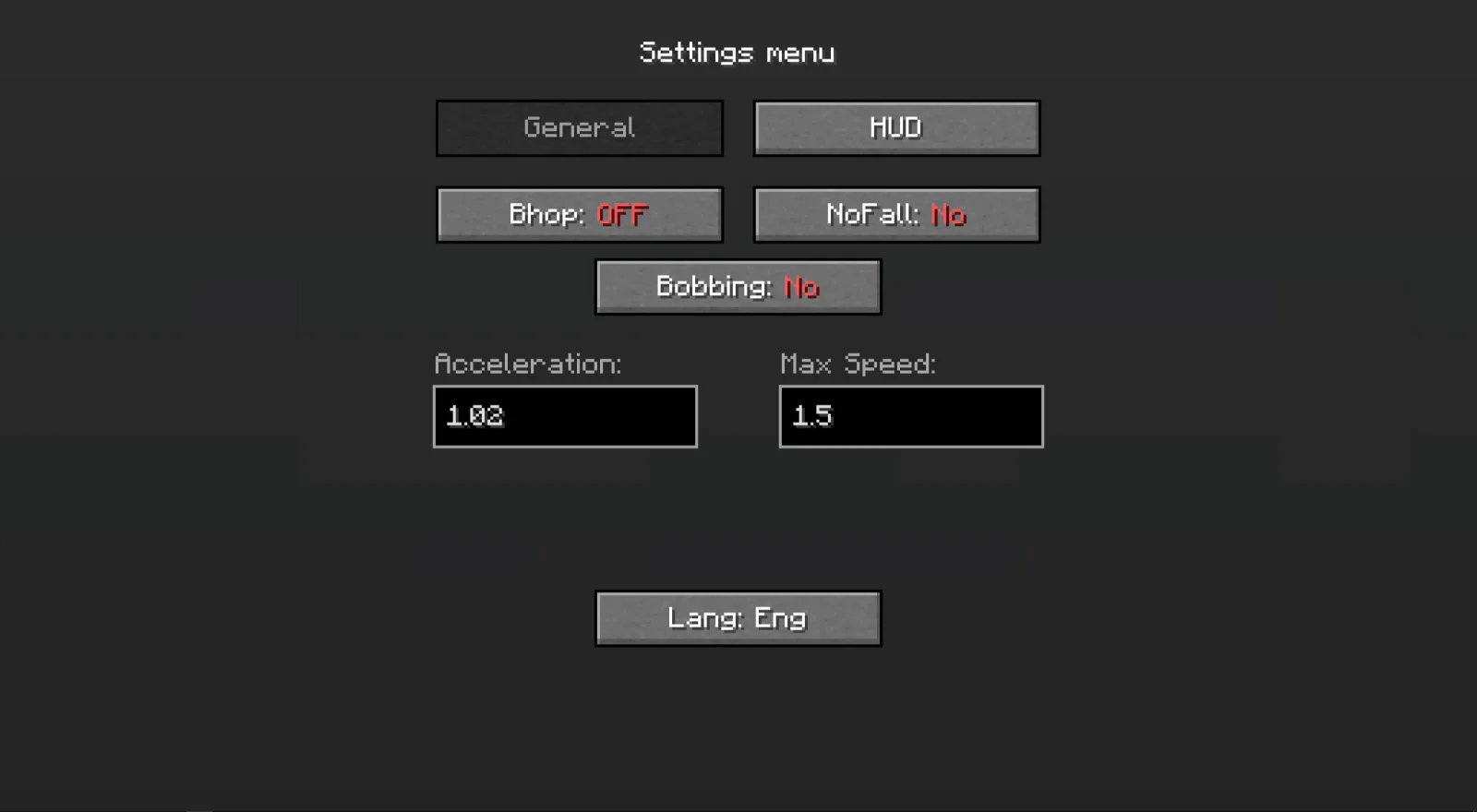
Adjustable: strafe power, speed boost per jump and max speed (in blocks/sec) are all in the menu.
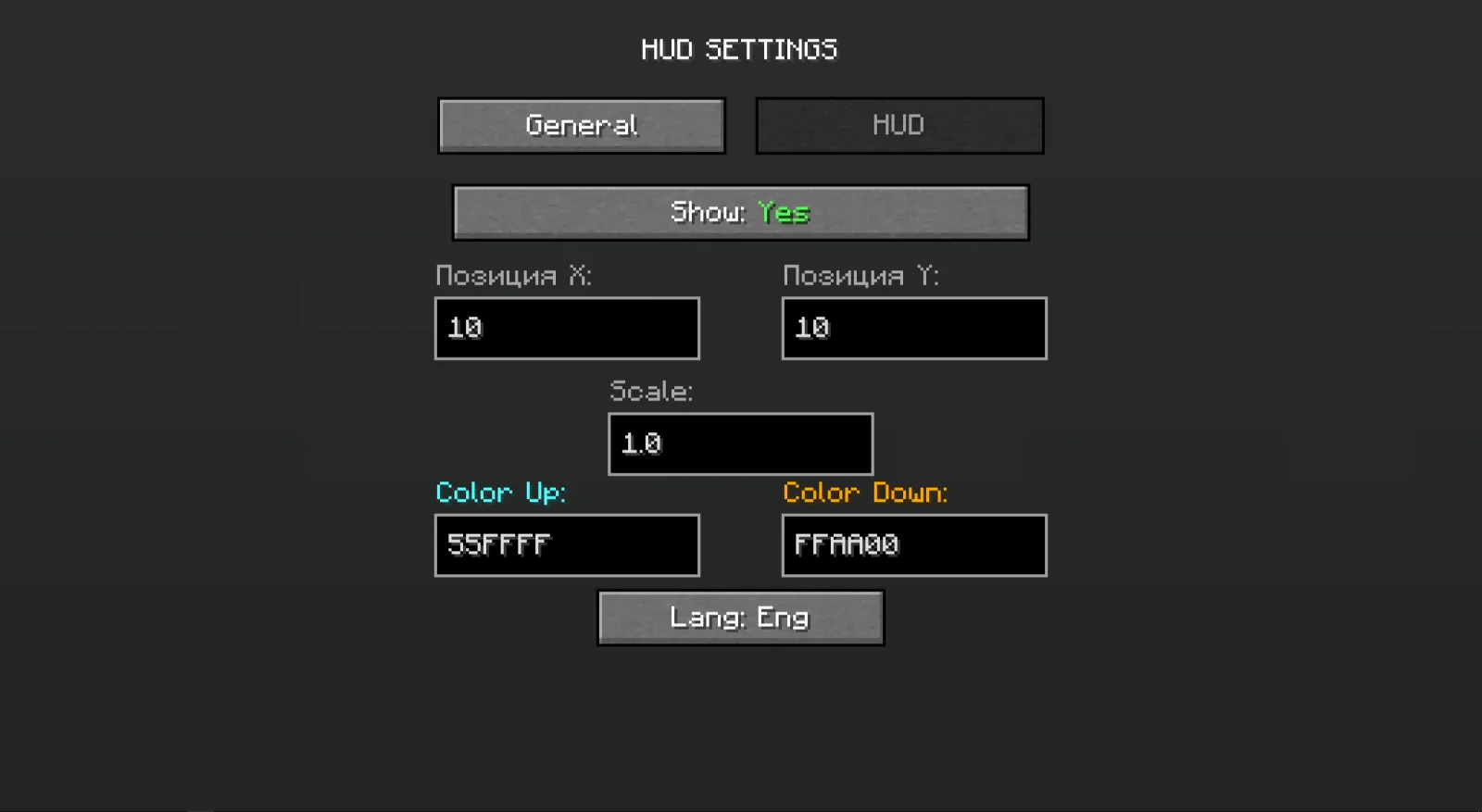
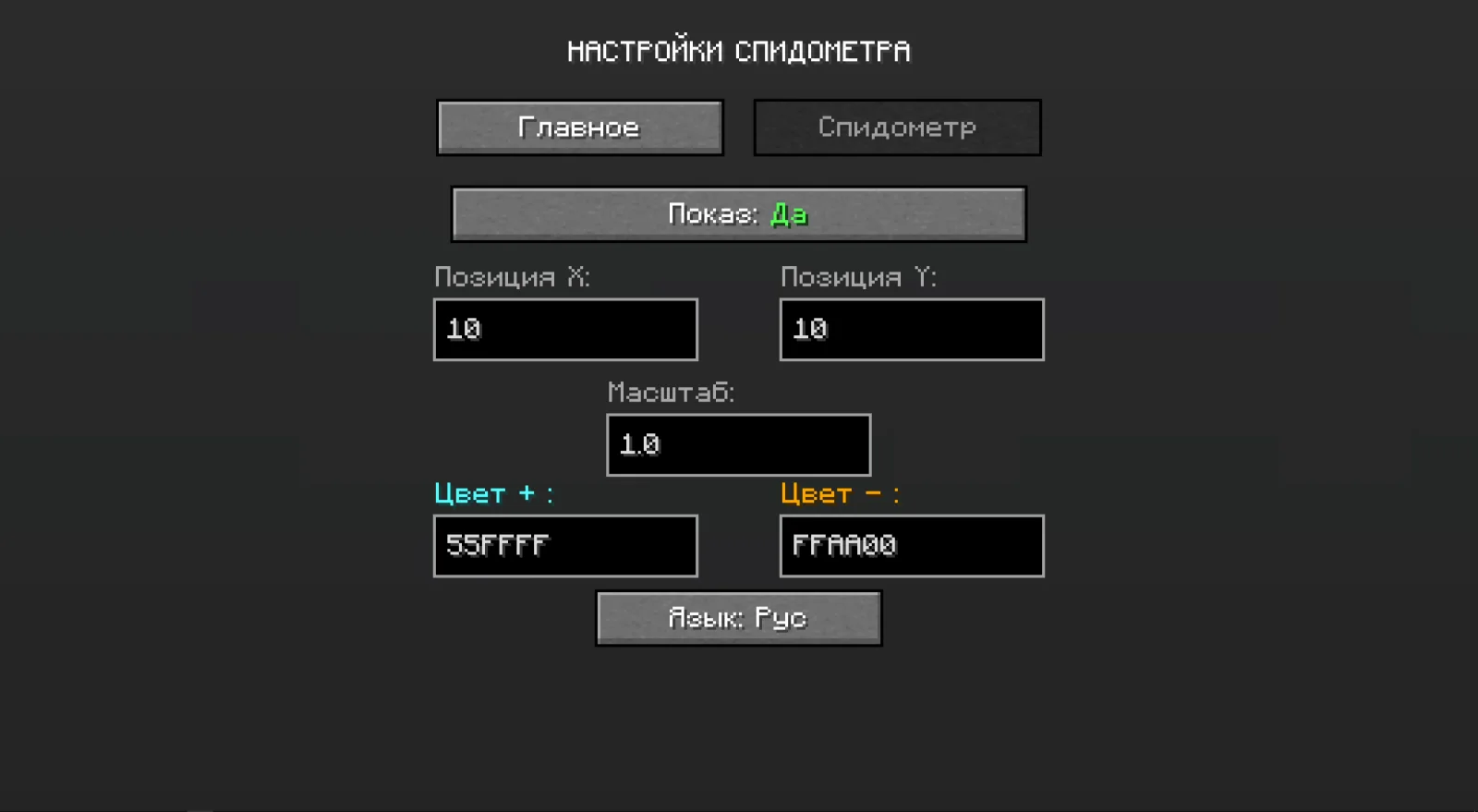
Speedometer: drag it anywhere on the screen, scroll to resize, turn on shadow or background, and pick colors with a small color picker. The color can shift in steps from slow to fast, or you can keep one color.
Extras: no fall damage, an option to turn off view bobbing, and Russian/English menus.
Settings are saved between game sessions.
Controls
G: settings
B: turn bhop on/off
Both can be changed in Minecraft’s Controls menu.
Singleplayer only
Bhop and no fall damage only work in singleplayer. On multiplayer servers (LAN included) movement stays vanilla, and only the speedometer keeps working. The mod is client-side only and doesn’t need to be installed on servers.
Details
Minecraft 1.20.1
Forge
Escrita por gerakOD. Léela con imágenes en Modrinth.
Este mod funciona solo en tu propio juego. Los servidores no lo necesitan, así que puedes usarlo en cualquier servidor.
Instala Forge para Minecraft 1.20.
Descarga el archivo .jar desde Modrinth y ponlo en la carpeta mods de tu directorio .minecraft.
Inicia Minecraft con el perfil de Forge.
Más fácil: en Prism Launcher o la Modrinth App, busca MineBhop en los mods de tu instancia y haz clic en Install. Añade el loader y los mods que necesita por ti.
| Recurso | Descargas | Versiones | Última actualización | Precio |
|---|---|---|---|---|
| MineBhopel que estabas viendo | 78 | 1.20 | hace 12 días | Gratis |
| AppleSkinsqueek502 | 98.6M | 1.12 – 26.x | 18 sept 2026 | Gratis |
 VeinMiner HotkeyMiraculixx | 74.4M | 1.20 – 26.x | hace 23 días | Gratis |
 BetterF3TreyRuffy | 36.4M | 1.16 – 26.x | 4 oct 2026 | Gratis |
Todavía no. La versión más reciente que admite es Minecraft 1.20.
Sí. MineBhop se puede descargar gratis desde Modrinth.
Del lado del cliente. MineBhop va en tu propia carpeta mods y funciona en cualquier servidor, incluso en servidores sin mods.
Sí. La última actualización salió en el último día.
Los más parecidos son AppleSkin, VeinMiner Hotkey y BetterF3. Comparar todas las alternativas
AppleSkinMods · 1.12 – 26.xFood/hunger-related HUD improvements
VeinMiner HotkeyMods · 1.20 – 26.xVeinminer Addon - Use a hotkey to veinmine with a dynamic crosshair & block highlighting
BetterF3Mods · 1.16 – 26.xBetterF3 is a mod that replaces Minecraft's original debug HUD with a highly customizable, more human-readable HUD.
 SupplementariesMods · 1.16 – 1.21
Vanilla+ additions: Jars, signposts, faucets, weather vanes spring launchers, sconces, planters, lights, decoration and automation
 Nature's CompassMods · 1.12 – 26.x
Allows you to locate biomes anywhere in the world.
 QuarkMods · 1.12 – 1.21
A Quark is a very small thing. This mod is a collection of small things...
Inicia sesión para dejar una reseña.