
 Ashen + Eating Animation SupportPacks de texturas · 1.19 – 1.21
A small, 16x pack adding compatibility between Ashen 16x and Eating Animation
Gratis1,251,842 descargas
This is a support pack that converts Lootr Mod textures to match the awesome Excalibur ResourcePack.
Descarga directa desde Modrinth · 1,973,777 descargas
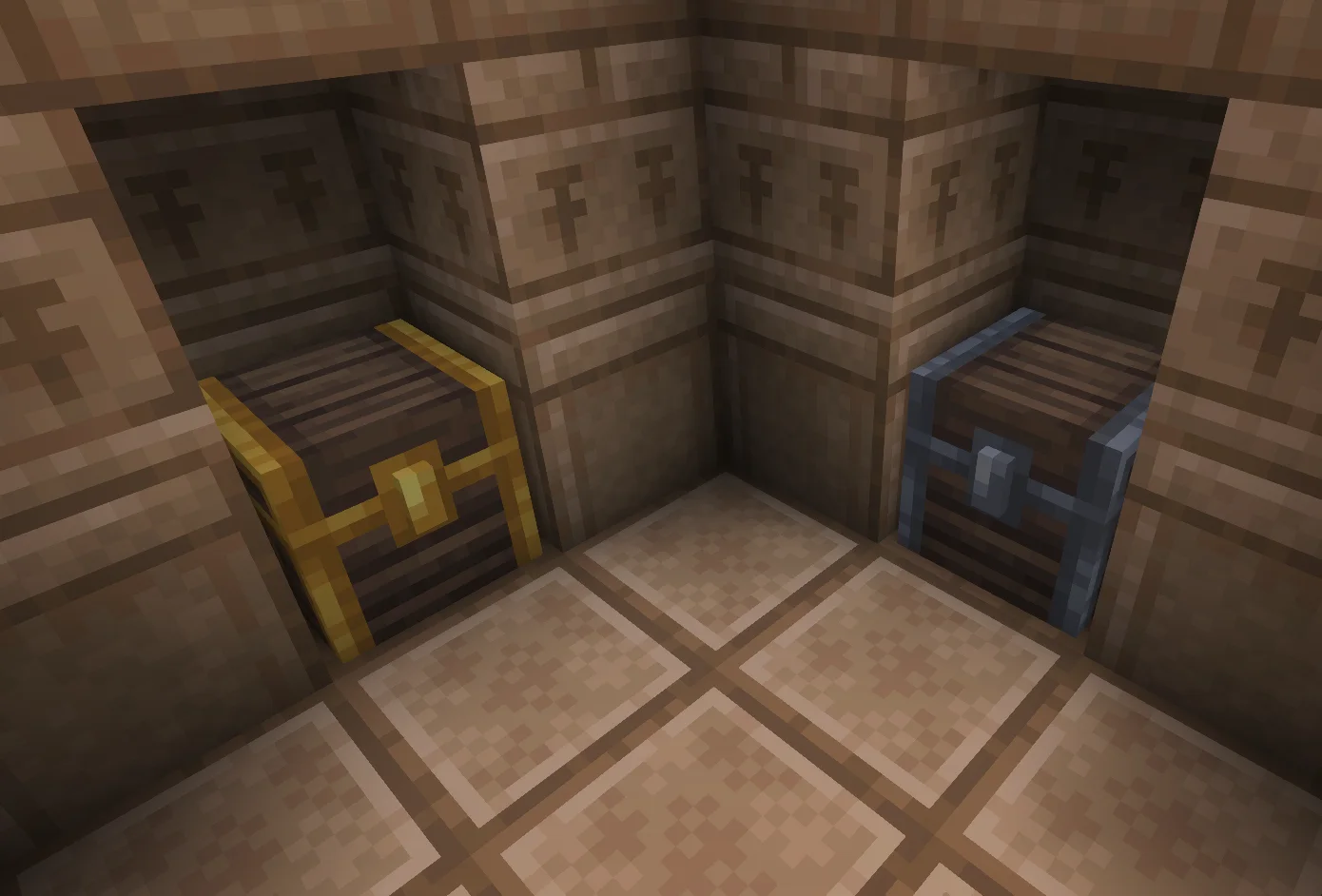
Excalibur (pack de texturas) es obra de pablito_o. This is a support pack that converts Lootr Mod textures to match the awesome Excalibur ResourcePack.
Es compatible con Minecraft 1.20 – 1.21. Se ha descargado 1,973,777 veces en Modrinth. La última actualización salió el 16/09/2025.
La más reciente es 1.1, publicada el 16/09/2025. Está hecha para Minecraft 1.20.1 – 1.21.1. Funciona en Minecraft. La descarga ocupa 76 KB.
| Versión | Publicado | Minecraft | Tipo |
|---|---|---|---|
1.1 | 16/09/2025 | 1.20.1 – 1.21.1 | Estable |
This is a support pack that converts Lootr Mod textures to match the awesome Excalibur resourcePack.
_This pack contains_
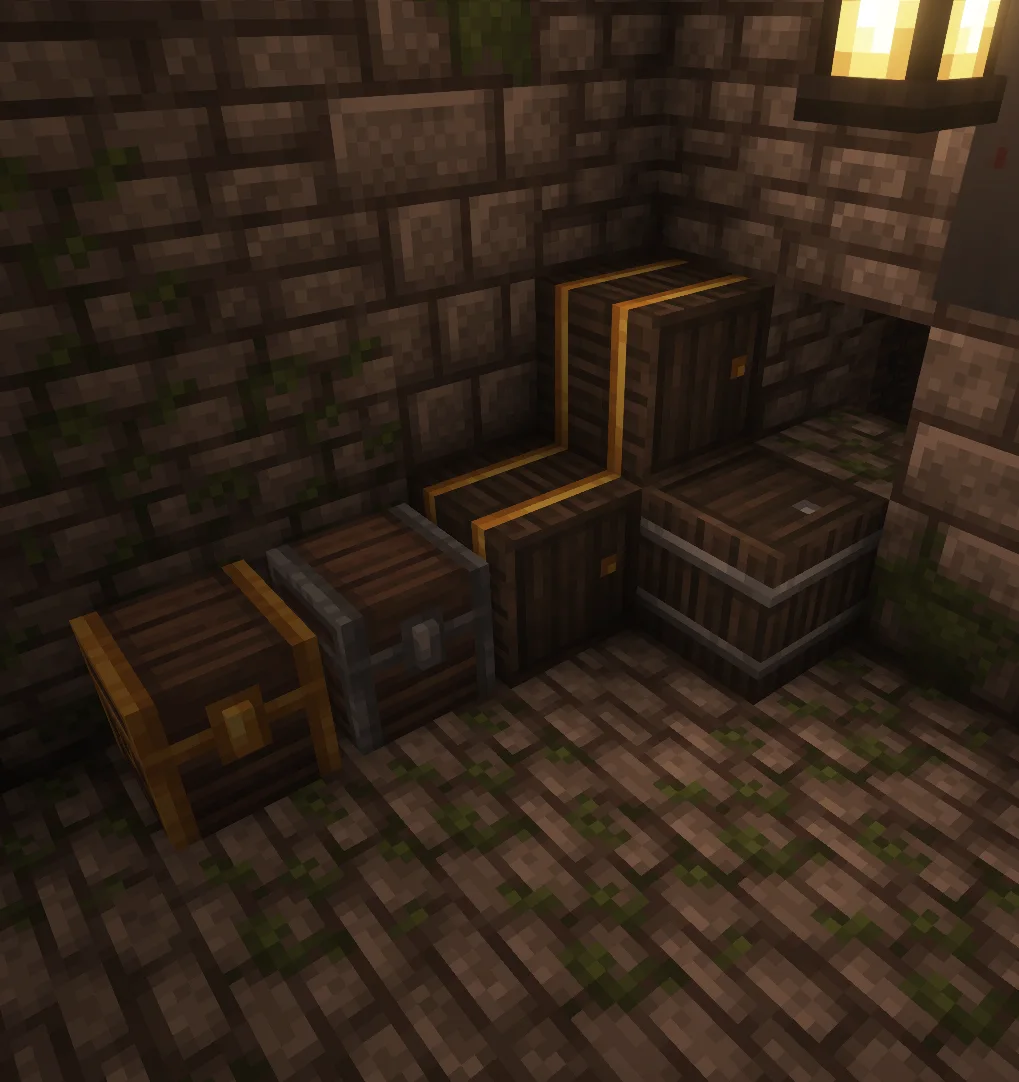
All Containers from Lootr have been retextured to match Excalibur style/theme.
_Installation :_
Ingame
\-> Click "Options…"
\-> Click "Resource Packs…"
\-> Click "Open Resource Pack Folder"
\-> Drag and Drop the Excalibur\_Lootr.zip file into the "resourcepacks" folder
\-> Move the Excalibur Lootr Support resource pack from the left column to the right
\-> Make sure that the support pack is placed above the original Excalibur resource pack
\-> Select "Done"
_Models showcase_
_Credits_
Maffhew : Author of Excalibur resourcepack
Noobanidus : Author of the mod Lootr
Escrita por pablito_o. Léela con imágenes en Modrinth.
Descarga el archivo .zip desde Modrinth. No lo descomprimas.
En Minecraft, abre Opciones, luego Paquetes de recursos y luego Abrir carpeta de paquetes.
Suelta el archivo .zip en esa carpeta y vuelve al juego.
Mueve Excalibur a la lista de la derecha y pulsa Hecho.
Está hecho para Minecraft 1.20 – 1.21. En otras versiones Minecraft lo marca como incompatible, pero a menudo funciona igual.
| Recurso | Descargas | Versiones | Última actualización | Precio |
|---|---|---|---|---|
| Excaliburel que estabas viendo | 2M | 1.20 – 1.21 | 16 sept 2025 | Gratis |
| Ashen + Eating Animation SupportAim_Boot | 1.3M | 1.19 – 1.21 | 17 sept 2024 | Gratis |
 Sophie's Hypixel Skyblock EnchantsBentcheesee | 1.2M | 1.21 – 26.x | hace 1 día | Gratis |
 BlockPixelJakobzero | 143K | 1.20 – 26.x | hace 12 días | Gratis |
Todavía no. La versión más reciente que admite es Minecraft 1.21.
Sí. Excalibur se puede descargar gratis desde Modrinth.
Sí. La última actualización salió en el último día.
Los más parecidos son Ashen + Eating Animation Support, Sophie's Hypixel Skyblock Enchants y BlockPixel. Comparar todas las alternativas
Ashen + Eating Animation SupportPacks de texturas · 1.19 – 1.21A small, 16x pack adding compatibility between Ashen 16x and Eating Animation
Sophie's Hypixel Skyblock EnchantsPacks de texturas · 1.21 – 26.xA resource pack that grants Enchant Books custom textures for Hypixel Skyblock.
BlockPixelPacks de texturas · 1.20 – 26.xThis is a Minecraft pixel texture pack created by Jakob.zero, characterized by using variously sized block patterns as the foundation for its pixel textures…
 Glowing Emissive OresPacks de texturas · 1.16 – 26.x
Adds emissive ore textures to 314 mods and vanilla, no other resource pack supports as many! Updates add additional mod support, requests are welcome :)
 Radical Cobblemon Trainer Textures PlusPacks de texturas · 1.20 – 1.21
A resource pack for the latest version of the Radical Cobblemon Trainers mod.
 Ashen + Visuality SupportPacks de texturas · 1.19 – 1.21
A small, 16x pack adding compatibility between Ashen 16x and Visuality
Inicia sesión para dejar una reseña.