
 Ashen + Eating Animation SupportTexture packs · 1.19 – 1.21
A small, 16x pack adding compatibility between Ashen 16x and Eating Animation
Free1,250,482 downloads
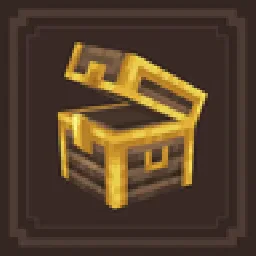
This is a support pack that converts Lootr Mod textures to match the awesome Excalibur ResourcePack.


Excalibur is a texture pack made by pablito_o. This is a support pack that converts Lootr Mod textures to match the awesome Excalibur ResourcePack.
It supports Minecraft 1.20 – 1.21. It has been downloaded 1,968,481 times on Modrinth. The last update came out on Sep 16, 2025.
The newest is 1.1, released on Sep 16, 2025. It is made for Minecraft 1.20.1 – 1.21.1. It runs on Minecraft. The download is 76 KB.
| Version | Released | Minecraft | Type |
|---|---|---|---|
1.1 | Sep 16, 2025 | 1.20.1 – 1.21.1 | Release |
This is a support pack that converts Lootr Mod textures to match the awesome Excalibur resourcePack.
_This pack contains_
All Containers from Lootr have been retextured to match Excalibur style/theme.
_Installation :_
Ingame
\-> Click "Options…"
\-> Click "Resource Packs…"
\-> Click "Open Resource Pack Folder"
\-> Drag and Drop the Excalibur\_Lootr.zip file into the "resourcepacks" folder
\-> Move the Excalibur Lootr Support resource pack from the left column to the right
\-> Make sure that the support pack is placed above the original Excalibur resource pack
\-> Select "Done"
_Models showcase_
_Credits_
Maffhew : Author of Excalibur resourcepack
Noobanidus : Author of the mod Lootr
Written by pablito_o. Read it with pictures on Modrinth.
Download the .zip file from Modrinth. Do not unzip it.
In Minecraft, open Options, then Resource Packs, then Open Pack Folder.
Drop the .zip file into that folder and go back to the game.
Move Excalibur to the right-hand list and click Done.
It is made for Minecraft 1.20 – 1.21. On other versions Minecraft marks it as incompatible, but it often still works.
| Resource | Downloads | Versions | Last update | Price |
|---|---|---|---|---|
| Excaliburthe one you looked at | 2M | 1.20 – 1.21 | Sep 16, 2025 | Free |
| Ashen + Eating Animation SupportAim_Boot | 1.3M | 1.19 – 1.21 | Sep 17, 2024 | Free |
 Sophie's Hypixel Skyblock EnchantsBentcheesee | 1.2M | 1.21 – 26.x | 15 hours ago | Free |
 Glowing Emissive OresDeftestHawk | 538K | 1.16 – 26.x | 10 days ago | Free |
Not yet. The newest version it supports is Minecraft 1.21.
Yes. Excalibur is free to download from Modrinth.
Yes. The last update came out in the past day.
The closest ones are Ashen + Eating Animation Support, Sophie's Hypixel Skyblock Enchants and Glowing Emissive Ores. Compare all alternatives
Ashen + Eating Animation SupportTexture packs · 1.19 – 1.21A small, 16x pack adding compatibility between Ashen 16x and Eating Animation
Sophie's Hypixel Skyblock EnchantsTexture packs · 1.21 – 26.xA resource pack that grants Enchant Books custom textures for Hypixel Skyblock.
Glowing Emissive OresTexture packs · 1.16 – 26.xAdds emissive ore textures to 314 mods and vanilla, no other resource pack supports as many! Updates add additional mod support, requests are welcome :)
 BlockPixelTexture packs · 1.20 – 26.x
This is a Minecraft pixel texture pack created by Jakob.zero, characterized by using variously sized block patterns as the foundation for its pixel textures…
 Radical Cobblemon Trainer Textures PlusTexture packs · 1.20 – 1.21
A resource pack for the latest version of the Radical Cobblemon Trainers mod.
 Ashen + Visuality SupportTexture packs · 1.19 – 1.21
A small, 16x pack adding compatibility between Ashen 16x and Visuality
Log in to leave a review.