
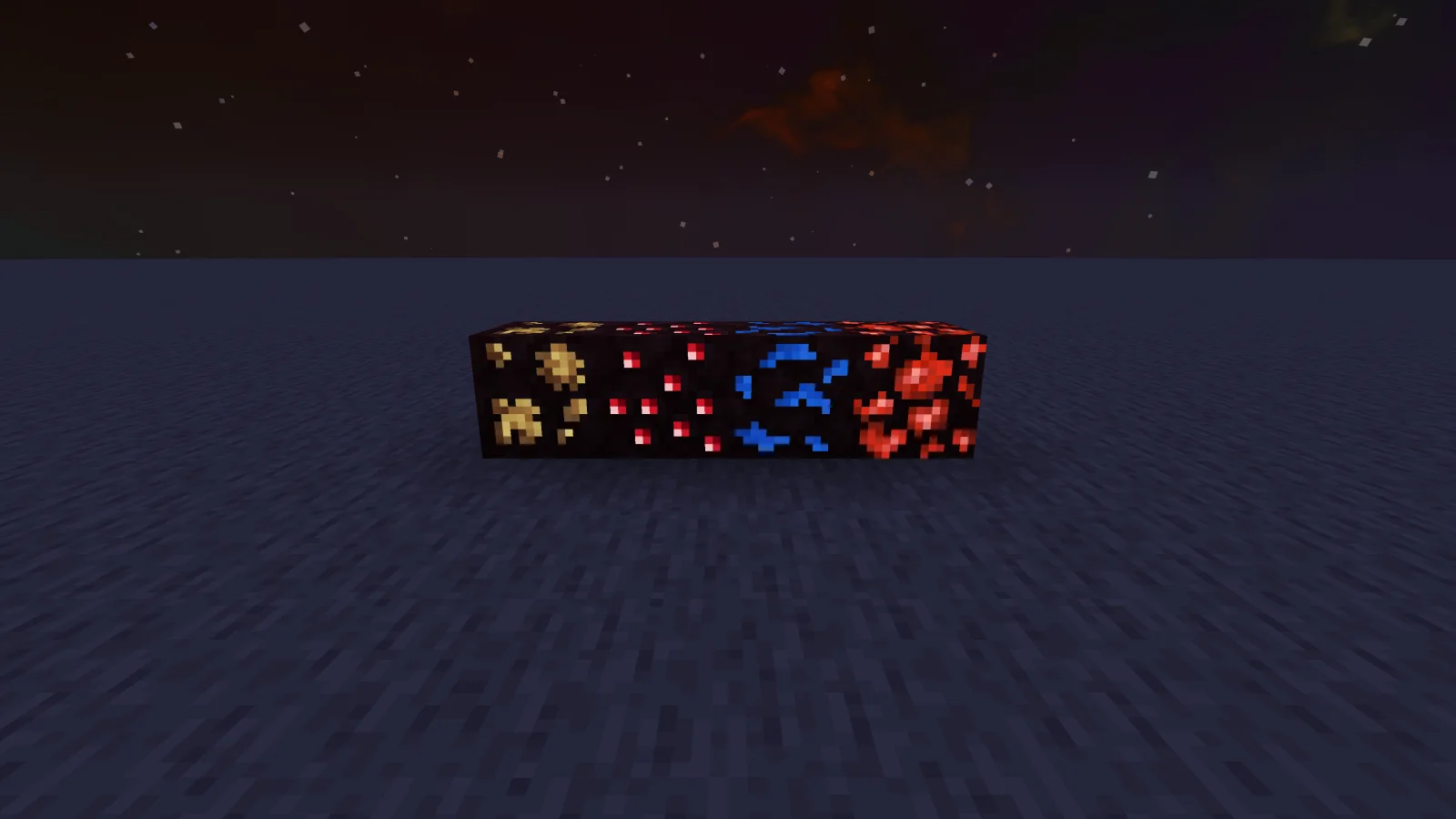
 Subtly Glowing OresTexture packs · 1.17 – 26.x
Adds an emissive colored outline to the ores! Works with most resource packs!
Free1,122,261 downloads
Adds emissive ore textures to 314 mods and vanilla, no other resource pack supports as many! Updates add additional mod support, requests are welcome :)
Direct download from Modrinth · 541,290 downloads
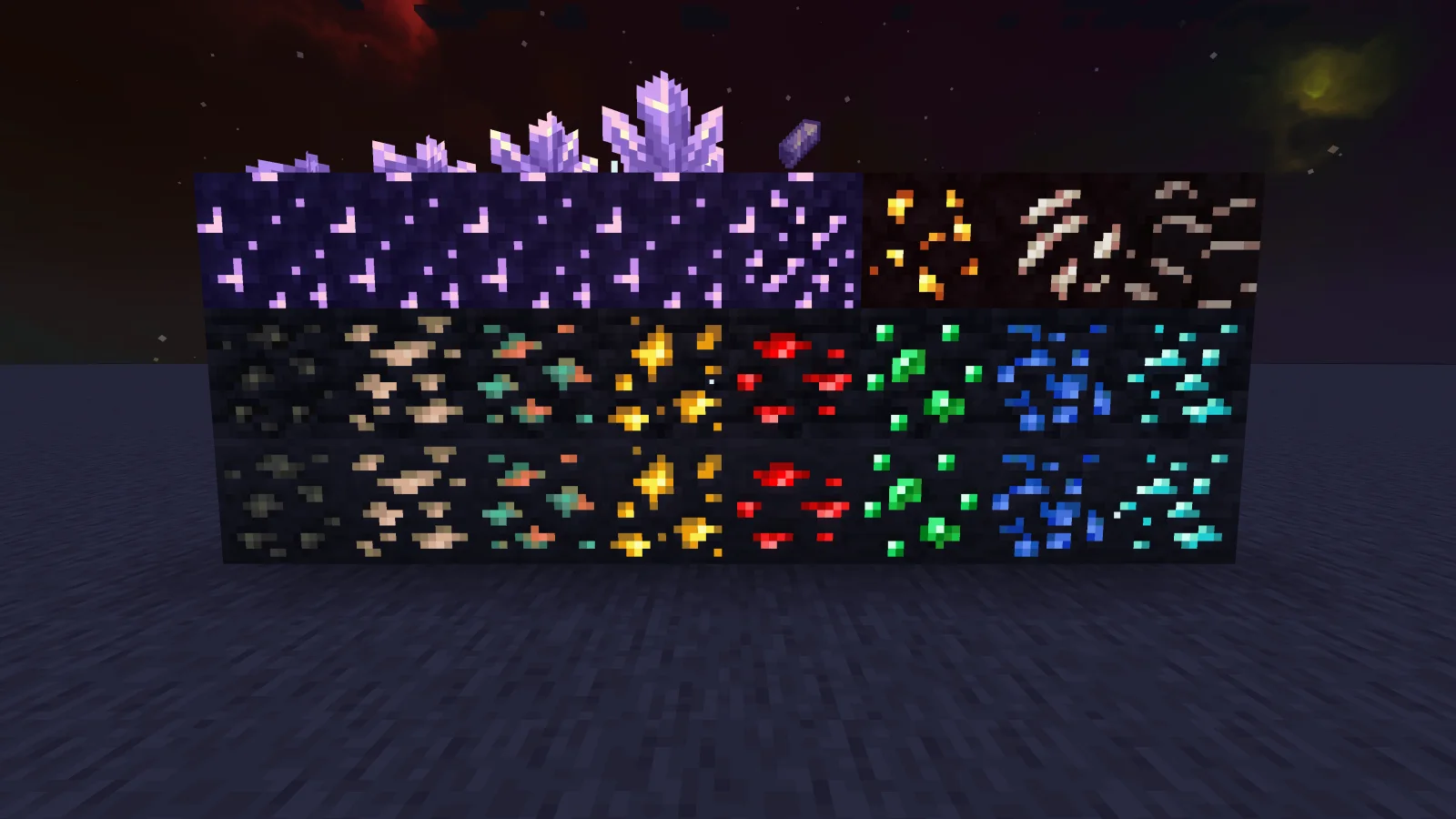
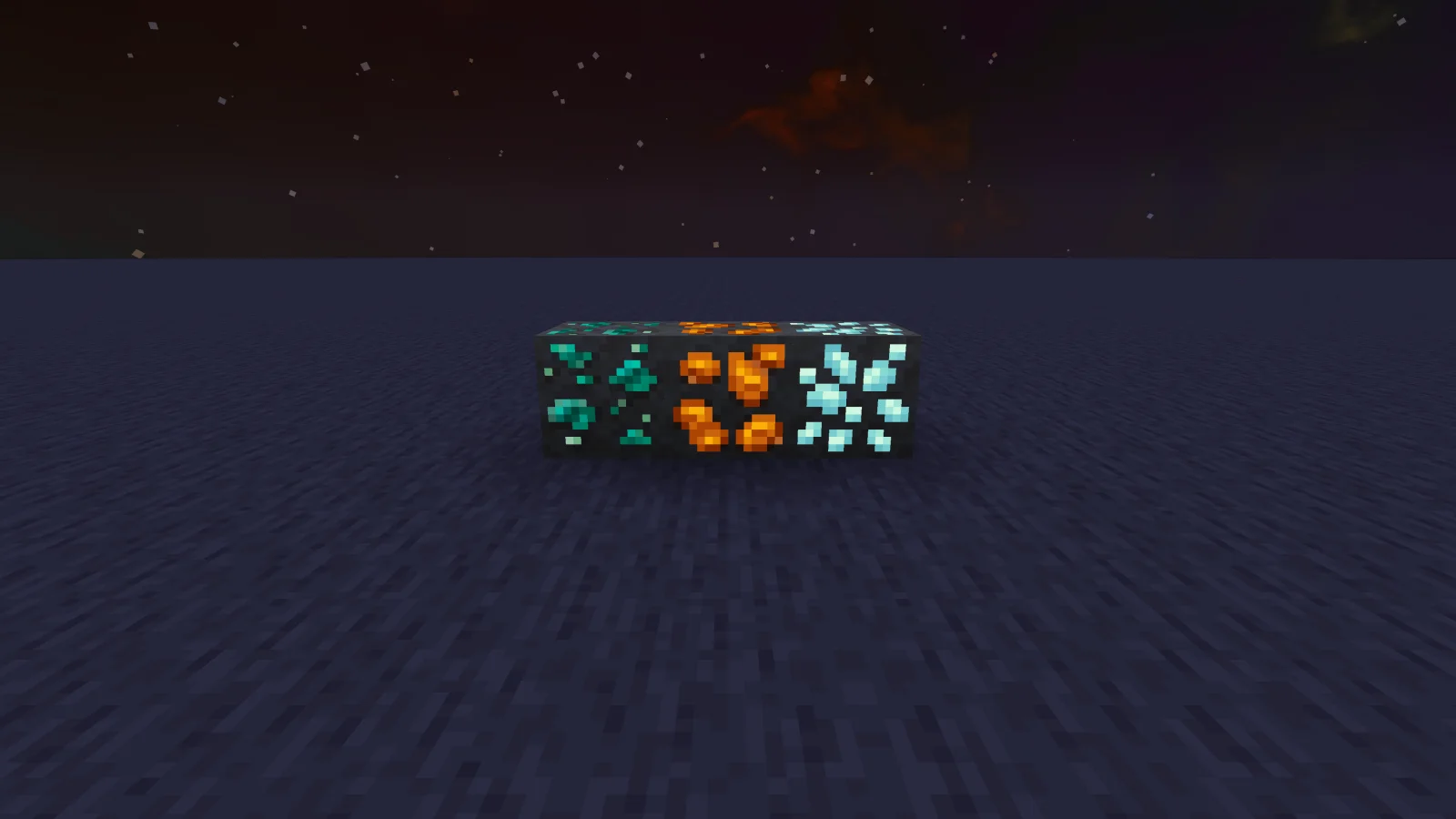
Glowing Emissive Ores is a texture pack made by DeftestHawk. Adds emissive ore textures to 314 mods and vanilla, no other resource pack supports as many! Updates add additional mod support, requests are welcome :).
It supports Minecraft 1.16 – 26.x. It has been downloaded 541,290 times on Modrinth. The last update came out on Oct 31, 2026.
Glowing Emissive Ores has had 126 releases on Modrinth since Mar 23, 2024. 31 of them came out in the past year. The newest is v1.117.0, released on Oct 31, 2026. It is made for Minecraft 1.18 – 1.21.11. It runs on Minecraft. The download is 8.3 MB.
| Version | Released | Minecraft | Type |
|---|---|---|---|
v1.117.0 | Oct 31, 2026 | 1.18 – 1.21.11 | Release |
v1.116.0 | Oct 25, 2026 | 1.18 – 1.21.11 | Release |
v1.115.0 | Oct 11, 2026 | 1.18 – 1.21.11 | Release |
v1.114.0 | Sep 26, 2026 | 1.18 – 1.21.11 | Release |
v1.113.0 | Sep 10, 2026 | 1.18 – 1.21.11 | Release |
Adds emissive ore textures to 314 mods and vanilla, no other resource pack supports as many! Updates add additional mod support, requests are welcome :)
My vision
I plan to add support for as many mods as possible, so you can use it in almost all modpacks. I have designed this resource pack to be highly compatible with different mod versions.
If you notice any ores from the supported mods don't glow or use outdated textures, then please leave a comment with the mod name, mod loader and minecraft version you are using.
Check out the mod version of this resource pack, It's optimized to load only the assets needed for your installed mods, drastically reducing load times compared with this resource pack version. It also has an in-game config for adjusting the brightness or disabling individual ores and doesn't require any 3rd party emissive mods.
Requirements
You can use the filter tool on my website to quickly find the requirement options available for your modpack’s modloader and Minecraft version:
https://deftesthawk.github.io/glowing-emissive-ores/requirements-filter/
NeoForge Requirements
Forge Requirements
Fabric/Quilt Requirements
Note: versions of Sodium lower than 0.6 are known to cause Z-fighting issues when combined with Continuity.
Help
You can find setup instructions and troubleshooting help on my website:
https://deftesthawk.github.io/glowing-emissive-ores/help/
Supported Mods
You can browse and search the full list of supported mods on my website:
https://deftesthawk.github.io/glowing-emissive-ores/supported/
Please consider donating to my Ko-Fi, I've put a lot of time into creating/updating this resource pack.
Support for 3rd party resource packs
Written by DeftestHawk. Read it with pictures on Modrinth.
Download the .zip file from Modrinth. Do not unzip it.
In Minecraft, open Options, then Resource Packs, then Open Pack Folder.
Drop the .zip file into that folder and go back to the game.
Move Glowing Emissive Ores to the right-hand list and click Done.
It is made for Minecraft 1.16 – 26.x. On other versions Minecraft marks it as incompatible, but it often still works.
Full guide: How to install Minecraft resource packs
| Resource | Downloads | Versions | Last update | Price |
|---|---|---|---|---|
| Glowing Emissive Oresthe one you looked at | 541K | 1.16 – 26.x | 13 days ago | Free |
| Subtly Glowing Oresrobotkoer | 1.1M | 1.17 – 26.x | Apr 19, 2026 | Free |
 Cobblemon Emissive Texturesblaize36 | 147K | 1.20 – 1.21 | Mar 14, 2025 | Free |
 Dramatic Skysthebaum64 | 11.5M | 1.8 – 26.x | Sep 19, 2026 | Free |
Yes. Glowing Emissive Ores supports Minecraft 26.x. All supported versions: 26.x, 1.21, 1.20, 1.19, 1.18, 1.17, 1.16.
Yes. Glowing Emissive Ores is free to download from Modrinth.
Yes. The last update came out in the past day.
The closest ones are Subtly Glowing Ores, Cobblemon Emissive Textures and Dramatic Skys. Compare all alternatives
Subtly Glowing OresTexture packs · 1.17 – 26.xAdds an emissive colored outline to the ores! Works with most resource packs!
Cobblemon Emissive TexturesTexture packs · 1.20 – 1.21This pack adds emmisive textures to ores and items from Cobblemon, Ascension Megamons and Hulis Z-Crystals
Dramatic SkysTexture packs · 1.8 – 26.xDramatic Skys is an add on pack that will make the skies in your game HD with realistic clouds and lighting. This pack works with any other resource pack…
 New Glowing OresTexture packs · 1.17 – 26.x
Makes ores glow to make them more visible, and also adds connected outlines to them so you don't miss a single block. Mod support available
 My plugins resource packTexture packs · 1.19 – 1.21
Adds all the textures required in my plugin.
 Better Ores 3DTexture packs · 1.17 – 26.x
This resource pack allows you to have 3D and glowing ores.
Log in to leave a review.