
 Subtly Glowing OresPaczki tekstur · 1.17 – 26.x
Adds an emissive colored outline to the ores! Works with most resource packs!
Za darmoPobrania: 1,123,006
Adds emissive ore textures to 314 mods and vanilla, no other resource pack supports as many! Updates add additional mod support, requests are welcome :)
Bezpośrednie pobieranie z Modrinth · 541,290 pobrań
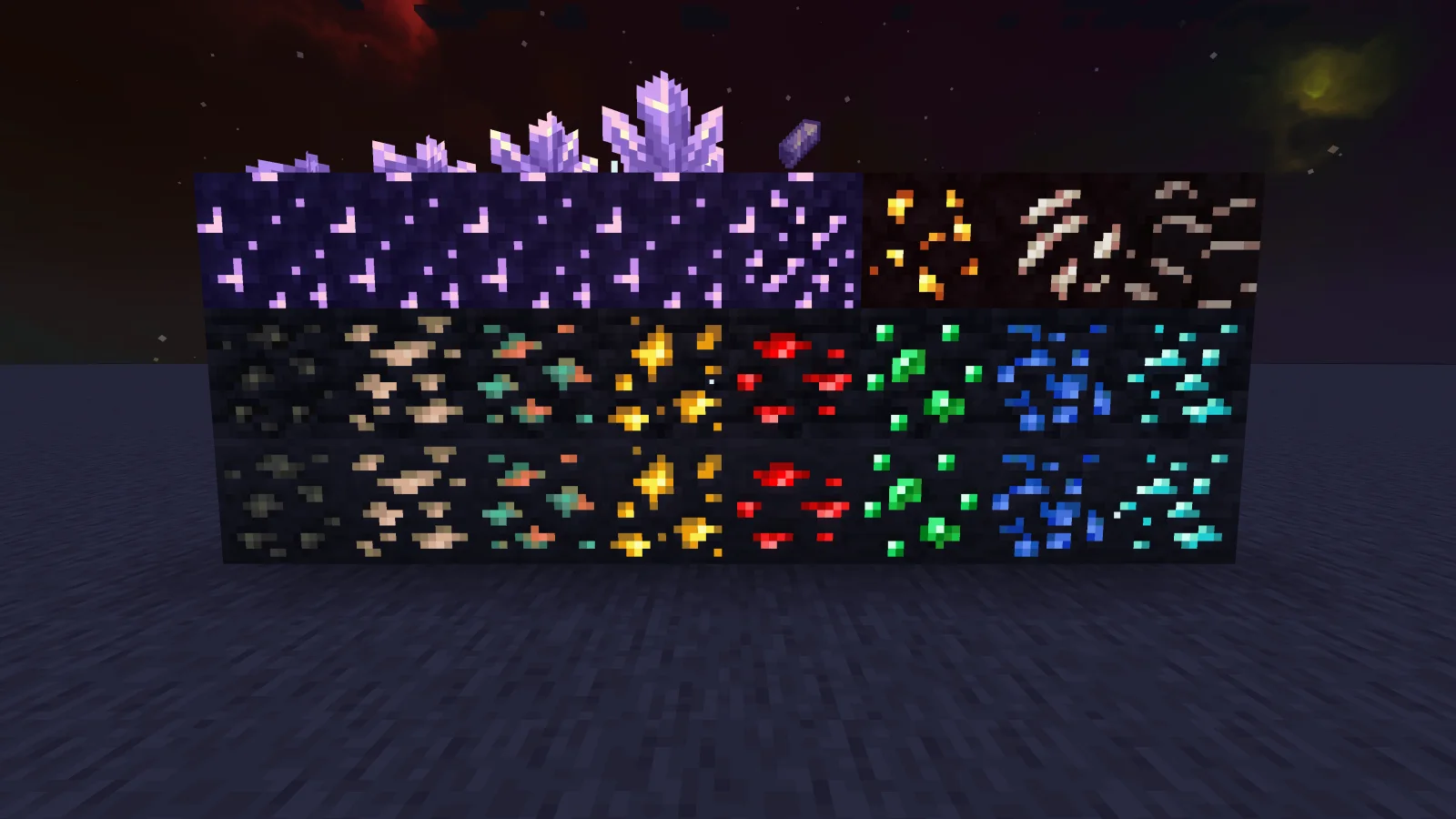
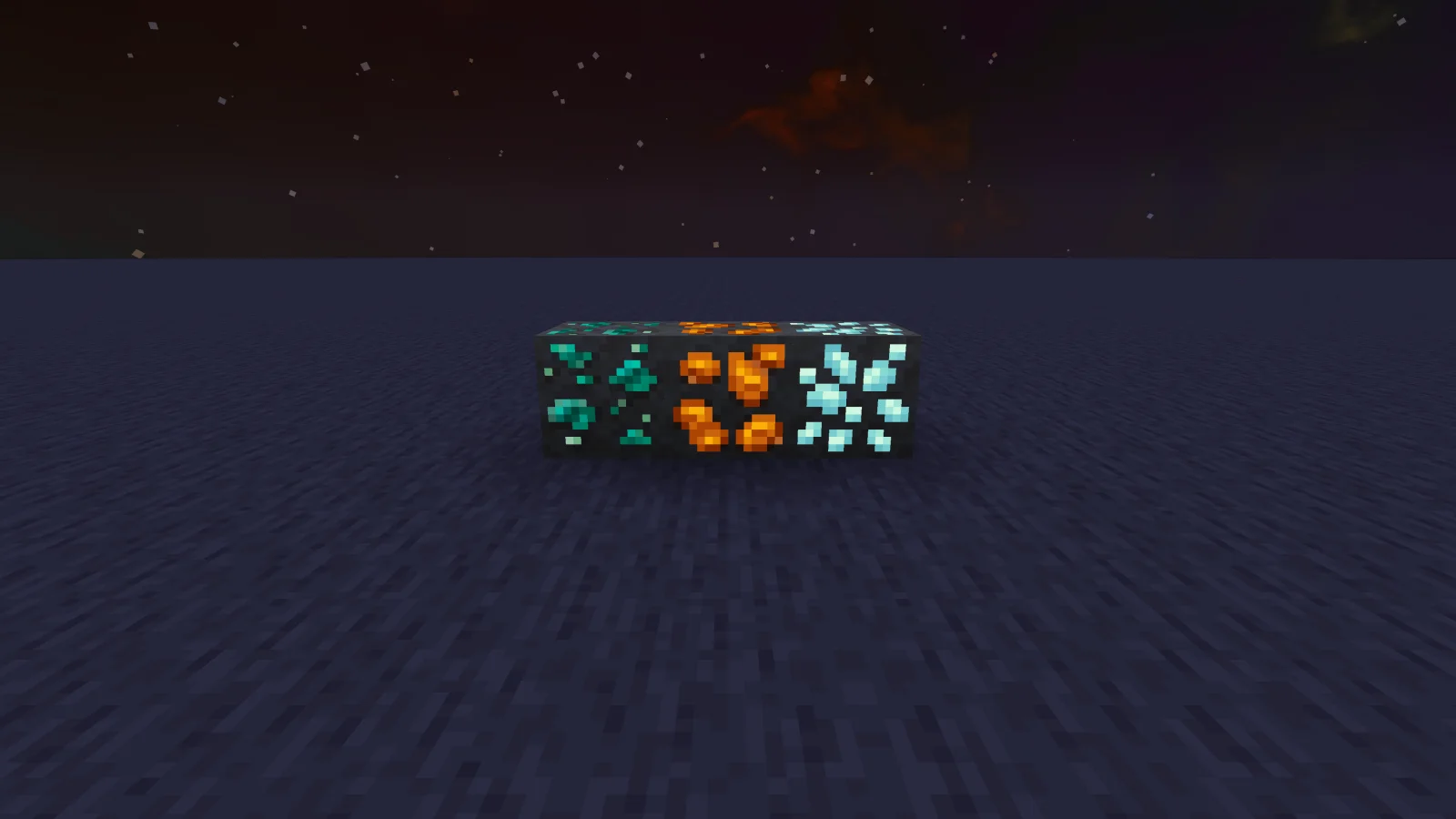
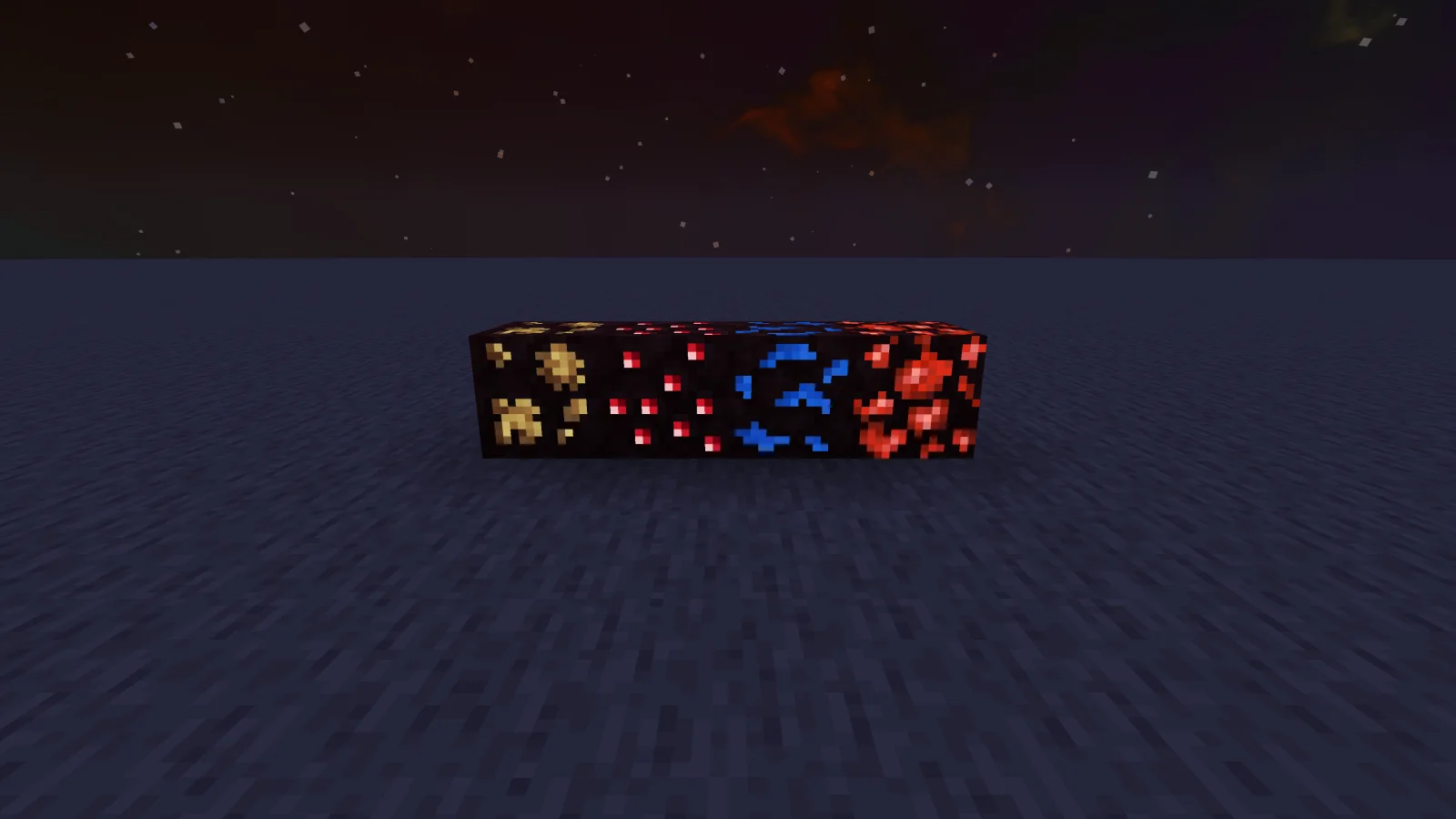
Glowing Emissive Ores to paczka tekstur, autor: DeftestHawk. Adds emissive ore textures to 314 mods and vanilla, no other resource pack supports as many! Updates add additional mod support, requests are welcome :).
Obsługiwane wersje: Minecraft 1.16 – 26.x. Liczba pobrań w serwisie Modrinth: 541,290. Ostatnia aktualizacja: 31.10.2026.
Glowing Emissive Ores ma 126 wydań na Modrinth od 23.03.2024. 31 z nich wyszło w ostatnim roku. Najnowsza to v1.117.0, wydana 31.10.2026. Jest zrobiona dla Minecraft 1.18 – 1.21.11. Działa na Minecraft. Plik ma 8.3 MB.
| Wersja | Wydano | Minecraft | Typ |
|---|---|---|---|
v1.117.0 | 31.10.2026 | 1.18 – 1.21.11 | Wydanie |
v1.116.0 | 25.10.2026 | 1.18 – 1.21.11 | Wydanie |
v1.115.0 | 11.10.2026 | 1.18 – 1.21.11 | Wydanie |
v1.114.0 | 26.09.2026 | 1.18 – 1.21.11 | Wydanie |
v1.113.0 | 10.09.2026 | 1.18 – 1.21.11 | Wydanie |
Adds emissive ore textures to 314 mods and vanilla, no other resource pack supports as many! Updates add additional mod support, requests are welcome :)
My vision
I plan to add support for as many mods as possible, so you can use it in almost all modpacks. I have designed this resource pack to be highly compatible with different mod versions.
If you notice any ores from the supported mods don't glow or use outdated textures, then please leave a comment with the mod name, mod loader and minecraft version you are using.
Check out the mod version of this resource pack, It's optimized to load only the assets needed for your installed mods, drastically reducing load times compared with this resource pack version. It also has an in-game config for adjusting the brightness or disabling individual ores and doesn't require any 3rd party emissive mods.
Requirements
You can use the filter tool on my website to quickly find the requirement options available for your modpack’s modloader and Minecraft version:
https://deftesthawk.github.io/glowing-emissive-ores/requirements-filter/
NeoForge Requirements
Forge Requirements
Fabric/Quilt Requirements
Note: versions of Sodium lower than 0.6 are known to cause Z-fighting issues when combined with Continuity.
Help
You can find setup instructions and troubleshooting help on my website:
https://deftesthawk.github.io/glowing-emissive-ores/help/
Supported Mods
You can browse and search the full list of supported mods on my website:
https://deftesthawk.github.io/glowing-emissive-ores/supported/
Please consider donating to my Ko-Fi, I've put a lot of time into creating/updating this resource pack.
Support for 3rd party resource packs
Autor: DeftestHawk. Z obrazkami na Modrinth.
Pobierz plik .zip z Modrinth. Nie rozpakowuj go.
W Minecraft otwórz Opcje, potem Paczki zasobów, a potem Otwórz folder paczek.
Wrzuć plik .zip do tego folderu i wróć do gry.
Przenieś Glowing Emissive Ores na listę po prawej i kliknij Gotowe.
Jest zrobiona pod Minecraft 1.16 – 26.x. Na innych wersjach Minecraft oznacza ją jako niezgodną, ale często i tak działa.
| Zasób | Pobrania | Wersje | Aktualizacja | Cena |
|---|---|---|---|---|
| Glowing Emissive Oresten, który oglądałeś | 541K | 1.16 – 26.x | 14 d. temu | Za darmo |
| Subtly Glowing Oresrobotkoer | 1.1M | 1.17 – 26.x | 19 kwi 2026 | Za darmo |
 Cobblemon Emissive Texturesblaize36 | 147K | 1.20 – 1.21 | 14 mar 2025 | Za darmo |
 Dramatic Skysthebaum64 | 11.5M | 1.8 – 26.x | 19 wrz 2026 | Za darmo |
Tak. Glowing Emissive Ores działa w wersji Minecrafta 26.x. Wszystkie obsługiwane wersje: 26.x, 1.21, 1.20, 1.19, 1.18, 1.17, 1.16.
Tak. Glowing Emissive Ores można pobrać za darmo z serwisu Modrinth.
Tak. Ostatnia aktualizacja wyszła w ciągu ostatniej doby.
Najbliższe to Subtly Glowing Ores, Cobblemon Emissive Textures i Dramatic Skys. Porównaj wszystkie alternatywy
Subtly Glowing OresPaczki tekstur · 1.17 – 26.xAdds an emissive colored outline to the ores! Works with most resource packs!
Cobblemon Emissive TexturesPaczki tekstur · 1.20 – 1.21This pack adds emmisive textures to ores and items from Cobblemon, Ascension Megamons and Hulis Z-Crystals
Dramatic SkysPaczki tekstur · 1.8 – 26.xDramatic Skys is an add on pack that will make the skies in your game HD with realistic clouds and lighting. This pack works with any other resource pack…
 New Glowing OresPaczki tekstur · 1.17 – 26.x
Makes ores glow to make them more visible, and also adds connected outlines to them so you don't miss a single block. Mod support available
 My plugins resource packPaczki tekstur · 1.19 – 1.21
Adds all the textures required in my plugin.
 Better Ores 3DPaczki tekstur · 1.17 – 26.x
This resource pack allows you to have 3D and glowing ores.
Zaloguj się, aby wystawić opinię.