
 Cut ThroughMods · 1.18 – 26.x
Cleanly swing through transparent blocks like tall grass to hit mobs without breaking said block.
Gratis19,034,947 descargas
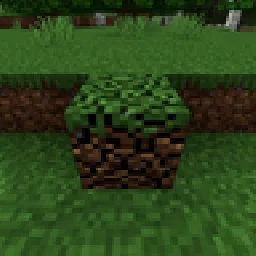
Mine blocks together without losing progress when you stop.
Descarga directa desde Modrinth · 347 descargas
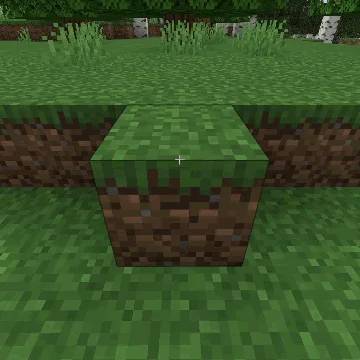
Multi Mine Fabric (mod) es obra de navzary. Mine blocks together without losing progress when you stop.
Es compatible con Minecraft 1.21. Se ha descargado 347 veces en Modrinth. La última actualización salió el 22/10/2026.
Multi Mine Fabric ha publicado 2 versiones en Modrinth desde el 22/10/2026. 2 salieron en el último año. La más reciente es Multi_Mine-v1.1, publicada el 22/10/2026. Está hecha para Minecraft 1.21, 1.21.1. Funciona en Fabric. La descarga ocupa 229 KB.
| Versión | Publicado | Minecraft | Tipo |
|---|---|---|---|
Multi_Mine-v1.1 | 22/10/2026 | 1.21, 1.21.1 | Estable |
Multi_Mine-v1 | 22/10/2026 | 1.21, 1.21.1 | Estable |
Saves breaking progress when you stop mining. You can pause and continue later, let another player continue from where you left off, or work together to break the same block faster. Damaged blocks regenerate over time! Configurable settings!
Changes how block breaking works by saving your mining progress
instead of resetting it as soon as you stop.
You can stop mining, switch tools, walk away, and continue mining from where you left off. Each block keeps its own damage, and the cracks stay visible so you can see how close it is to breaking.
Damaged blocks slowly repair themselves after a configurable delay.
Multiple players can also mine the same block at the same time. The first player mines at normal speed, and each extra player adds 50% more mining speed by (default).
Default Config (multi-mine.txt):
{
"RegenDelay":100, - how long after you stop mining before regeneration starts.
"RegenAmount":0.1, - how much mining progress is restored each regeneration step.
"RegenCooldown":50, - how often regeneration happens after it starts.
"PlayerMultiplier":0.5 - how much extra mining speed each additional player contributes.
}
20 ticks = 1 second
Escrita por navzary. Léela con imágenes en Modrinth.
Este mod hace falta en el servidor y en cada jugador que entra.
Instala Fabric para Minecraft 1.21.
Descarga el archivo .jar desde Modrinth y ponlo en la carpeta mods de tu directorio .minecraft.
Inicia Minecraft con el perfil de Fabric.
Más fácil: en Prism Launcher o la Modrinth App, busca Multi Mine Fabric en los mods de tu instancia y haz clic en Install. Añade el loader y los mods que necesita por ti.
| Recurso | Descargas | Versiones | Última actualización | Precio |
|---|---|---|---|---|
| Multi Mine Fabricel que estabas viendo | 347 | 1.21 | hace 21 días | Gratis |
| Cut ThroughFuzs | 19M | 1.18 – 26.x | 23 sept 2026 | Gratis |
 Cursor CrosshairJacobStar_ | 125 | 26.x | 27 sept 2026 | Gratis |
 Progressive Miningadonismercado2007_ | 22 | 26.x | 17 sept 2026 | Gratis |
Todavía no. La versión más reciente que admite es Minecraft 1.21.
Sí. Multi Mine Fabric se puede descargar gratis desde Modrinth.
Ambos. El servidor y cada jugador necesitan Multi Mine Fabric instalado.
Sí. La última actualización salió en el último día.
Los más parecidos son Cut Through, Cursor Crosshair y Progressive Mining. Comparar todas las alternativas
Cut ThroughMods · 1.18 – 26.xCleanly swing through transparent blocks like tall grass to hit mobs without breaking said block.
Cursor CrosshairMods · 26.xFree your crosshair from the center of the screen and control it with your mouse—interact with blocks, entities, and hotbar slots without moving the camera.
Progressive MiningMods · 26.xProgressive Mining is a Minecraft 26.2 mod for Fabric and NeoForge that rewards mining consecutive blocks from the same ore family: each block adds 5% mining…
 Not Enough CrashesMods · 1.16 – 26.x
When crashing, you can go back to the title screen and keep playing, without needing to restart, alongside other things to make crashes more pleasant.
 Fabric Seasons: ExtrasMods · 1.19 – 1.21
Custom blocks and items to make your Fabric Seasons experience better.
 SoundsMods · 1.20 – 26.x
It's what it says on the tin. A complete upgrade to Minecraft's SFX with over 170 new sound effects for UIs, items, blocks and more.
Inicia sesión para dejar una reseña.