
 Cut ThroughMods · 1.18 – 26.x
Cleanly swing through transparent blocks like tall grass to hit mobs without breaking said block.
Free19,014,421 downloads
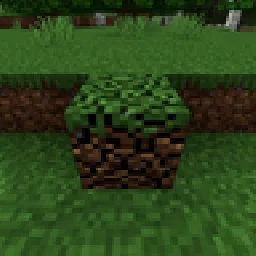
Mine blocks together without losing progress when you stop.
Direct download from Modrinth · 3 downloads
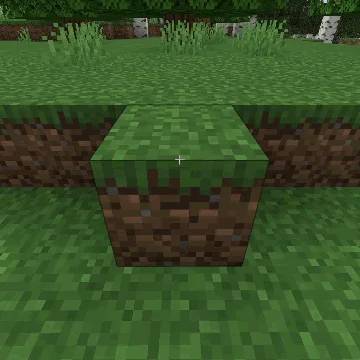
Multi Mine Fabric is a mod made by navzary. Mine blocks together without losing progress when you stop.
It supports Minecraft 1.21. It has been downloaded 3 times on Modrinth. The last update came out on Oct 22, 2026.
Multi Mine Fabric has had 2 releases on Modrinth since Oct 22, 2026. 2 of them came out in the past year. The newest is Multi_Mine-v1.1, released on Oct 22, 2026. It is made for Minecraft 1.21, 1.21.1. It runs on Fabric. The download is 229 KB.
| Version | Released | Minecraft | Type |
|---|---|---|---|
Multi_Mine-v1.1 | Oct 22, 2026 | 1.21, 1.21.1 | Release |
Multi_Mine-v1 | Oct 22, 2026 | 1.21, 1.21.1 | Release |
Saves breaking progress when you stop mining. You can pause and continue later, let another player continue from where you left off, or work together to break the same block faster. Damaged blocks regenerate over time! Configurable settings!
Changes how block breaking works by saving your mining progress
instead of resetting it as soon as you stop.
You can stop mining, switch tools, walk away, and continue mining from where you left off. Each block keeps its own damage, and the cracks stay visible so you can see how close it is to breaking.
Damaged blocks slowly repair themselves after a configurable delay.
Multiple players can also mine the same block at the same time. The first player mines at normal speed, and each extra player adds 50% more mining speed by (default).
Default Config (multi-mine.txt):
{
"RegenDelay":100, - how long after you stop mining before regeneration starts.
"RegenAmount":0.1, - how much mining progress is restored each regeneration step.
"RegenCooldown":50, - how often regeneration happens after it starts.
"PlayerMultiplier":0.5 - how much extra mining speed each additional player contributes.
}
20 ticks = 1 second
Written by navzary. Read it with pictures on Modrinth.
This mod is needed on both the server and every player who joins.
Install Fabric for Minecraft 1.21.
Download the .jar file from Modrinth and put it in the mods folder of your .minecraft directory.
Start Minecraft with the Fabric profile.
Easier: in Prism Launcher or the Modrinth App, search for Multi Mine Fabric in your instance's mods and click Install. It adds the loader and the mods it needs for you.
Full guide: How to install Minecraft mods
| Resource | Downloads | Versions | Last update | Price |
|---|---|---|---|---|
| Multi Mine Fabricthe one you looked at | 3 | 1.21 | 20 days ago | Free |
| Cut ThroughFuzs | 19M | 1.18 – 26.x | Sep 23, 2026 | Free |
 Cursor CrosshairJacobStar_ | 111 | 26.x | Sep 27, 2026 | Free |
 Progressive Miningadonismercado2007_ | 22 | 26.x | Sep 17, 2026 | Free |
Not yet. The newest version it supports is Minecraft 1.21.
Yes. Multi Mine Fabric is free to download from Modrinth.
Both. The server and every player need Multi Mine Fabric installed.
Yes. The last update came out in the past day.
The closest ones are Cut Through, Cursor Crosshair and Progressive Mining. Compare all alternatives
Cut ThroughMods · 1.18 – 26.xCleanly swing through transparent blocks like tall grass to hit mobs without breaking said block.
Cursor CrosshairMods · 26.xFree your crosshair from the center of the screen and control it with your mouse—interact with blocks, entities, and hotbar slots without moving the camera.
Progressive MiningMods · 26.xProgressive Mining is a Minecraft 26.2 mod for Fabric and NeoForge that rewards mining consecutive blocks from the same ore family: each block adds 5% mining…
 Not Enough CrashesMods · 1.16 – 26.x
When crashing, you can go back to the title screen and keep playing, without needing to restart, alongside other things to make crashes more pleasant.
 Fabric Seasons: ExtrasMods · 1.19 – 1.21
Custom blocks and items to make your Fabric Seasons experience better.
 SoundsMods · 1.20 – 26.x
It's what it says on the tin. A complete upgrade to Minecraft's SFX with over 170 new sound effects for UIs, items, blocks and more.
Log in to leave a review.