
 MineBridgePlugins · 1.20 – 26.x
MineBridge connects Minecraft and Discord with seamless two-way chat, configurable channels, bot filtering, and safe message handling for your community.
Gratis57 descargas

Two-way Minecraft and Telegram bridge: one long-poll connection, a rate-limited queue, player self-mute with a moderation channel, and several servers on one…
Descarga directa desde Modrinth · 2 descargas
Origen y titularidad. Esta página se generó automáticamente a partir de datos públicos que Modrinth ofrece a través de su API pública. El nombre, las descripciones, las imágenes, las marcas y todo el demás contenido de este proyecto pertenecen a Stil00000 y a sus respectivos titulares. CraftRank no es el autor de este proyecto y no está afiliado, respaldado ni patrocinado por su autor ni por Modrinth.
Alojamiento y distribución. CraftRank no aloja, almacena, sube ni distribuye los archivos de descarga de este proyecto, y no conserva ningún archivo de ese tipo en sus servidores. Todas las descargas las proporciona directamente Modrinth desde sus propios servidores; el botón Descargar solo enlaza al archivo allí. La licencia indicada en Modrinth es MIT.
Uso de API públicas. Modrinth, Hangar (PaperMC) y SpigotMC (a través de la API de Spiget) ponen sus API a disposición pública de sitios web y aplicaciones de terceros. Los Términos de uso de Modrinth otorgan a los usuarios de la API una licencia para descargar, mostrar y consultar contenido a través de sus propios servicios (sección “API Usage”), y los creadores que publican en Modrinth conceden a Modrinth y a sus licenciatarios el derecho a mostrar y distribuir su contenido a terceros (sección “User Contributions”). CraftRank utiliza estas API conforme a las normas publicadas de las plataformas: se identifica en cada solicitud y respeta sus límites de uso.
Sin garantía. La información de esta página se ofrece "tal cual", sin ninguna garantía. Descargar y usar este proyecto es bajo su propia responsabilidad y está sujeto a la licencia y las condiciones de su autor.
Avisos de derechos de autor (DMCA). Solo el titular de los derechos de autor o alguien autorizado a actuar en su nombre puede presentar un aviso, y debe hacerlo una persona mayor de edad o su padre, madre o tutor legal. Un aviso válido enviado a abuse@craftrank.org debe incluir: el enlace de esta página; la obra presuntamente infringida; su nombre completo, dirección postal, teléfono y correo electrónico; una declaración de que cree de buena fe que el uso no está autorizado por el titular, su agente o la ley; una declaración, bajo pena de perjurio, de que el aviso es exacto y de que usted es el titular o está autorizado a actuar en su nombre; y su firma física o electrónica. Los avisos incompletos no se tramitan. Los avisos válidos se atienden en un plazo de 48 horas, sin necesidad de pasar por Google.
Avisos falsos. Quien afirme a sabiendas y falsamente que un material es infractor responde de los daños causados, incluidas las costas y los honorarios de abogados (17 U.S.C. § 512(f)). Los avisos presentados de mala fe o por quien no es titular de los derechos quedan registrados y serán impugnados.
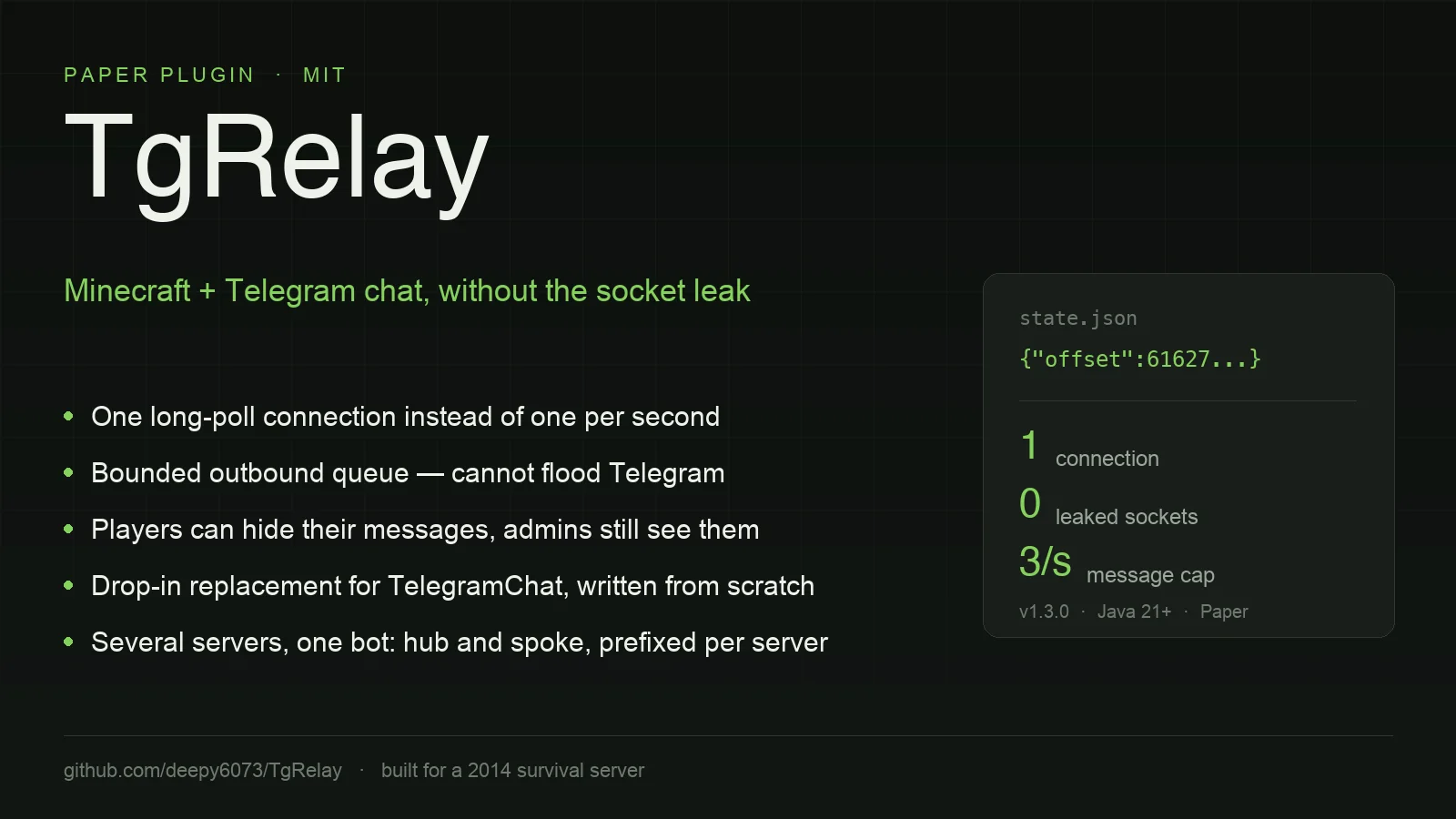
Stil00000 creó TgRelay (plugin) para servidores Paper / Spigot. Two-way Minecraft and Telegram bridge: one long-poll connection, a rate-limited queue, player self-mute with a moderation channel, and several servers on one…
Es compatible con Minecraft 1.21 – 26.x. Se ha descargado 2 veces en Modrinth. Eso lo sitúa en el puesto 122 de los 128 plugins de chat de voz y sociales de esta lista. La última actualización salió el 25/10/2026.
La más reciente es 1.3.0, publicada el 24/10/2026. Está hecha para Minecraft 1.21 – 26.1.2. Funciona en Paper y Purpur. La descarga ocupa 45 KB.
| Versión | Publicado | Minecraft | Tipo |
|---|---|---|---|
1.3.0 | 24/10/2026 | 1.21 – 26.1.2 | Estable |
Los comandos que aparecen en la página de TgRelay en Modrinth:
/tgrelayTgRelay es de código abierto. Su última versión en GitHub es TgRelay 1.13.4 — one console line per outage, publicada el 18/11/2026.
Telegram outages are now one console line, not one per timed-out poll.
On a slow home line a long poll can time out every couple of minutes; the console was printing a
line for each of them while the admins (correctly) stayed silent. Now the console gets a line when
the outage is confirmed — the same poll-failures / outage-seconds threshold the notices use —
and a line when the link is back. Admin notices keep their behaviour exactly as before.
Also: firstFailureAt is cleared on any recovery, not only after a confirmed outage, so a slow
flap does not carry over into the next one.
Full Changelog: v1.13.3...v1.13.4
Antes: TgRelay 1.13.3 — no notice per dropped handshake (30/10/2026), TgRelay 1.13.2 — heads from Mojang (29/10/2026).
TgRelay is a Paper plugin that connects Minecraft chat to Telegram — a group, a channel or a private chat — without leaking a network socket every second. It was written for Losos World, a survival server running since 2014, after the classic TelegramChat plugin pushed the machine into "No buffer space available" with thousands of leaked connections.
If your server needs Minecraft chat in Telegram (and Telegram messages in Minecraft), this is the drop-in replacement that will not take the box down after a week.
The old TelegramChat plugin (1.0.21, December 2022; SpigotMC page) calls getUpdates in a tight loop and leaves every socket behind: about 2.3 new connections per second, several thousand per hour. Windows eventually runs out of ephemeral ports and everything else starts failing — Bedrock players get dropped, RCON stalls, plugins lose access to Mojang.
TgRelay does it properly:
Telegram gives a bot exactly one getUpdates reader, so installing the plugin on a second server with the same token does not work: the two pollers steal updates from each other and one server's chat randomly disappears. The usual advice is "run a second bot" — which is a second chat in every player's list.
TgRelay makes one server the hub instead. It owns the bot; every other server is a spoke that talks to it over loopback HTTP with a shared secret:
server: { name: "Losos" }
relay:
mode: hub
token: "a-long-random-string"
bind: "127.0.0.1:8765"
spokes: ["127.0.0.1:8766"]
format:
from-minecraft: "[%server%] %player%: %message%"
server: { name: "Build" }
relay:
mode: spoke
token: "a-long-random-string"
bind: "127.0.0.1:8766"
hub: "127.0.0.1:8765";
One chat gets both worlds, and every line says where it came from:
[Losos] Steve: hi there
[Build] Alex: testing the roof
With no relay and server sections the plugin runs exactly like a single-server install — the feature is opt-in.
A player can keep their own messages out of the public chats:
Muted messages are not deleted. They are forwarded to a moderation channel with a [mute] prefix, so admins keep the full picture while everyone else sees nothing:
Linking is a one-time code (/tgrelay link), because Telegram knows user ids while Minecraft knows nicknames — a stranger cannot claim somebody else's account by typing a nickname.
bot:
token: "123456:AA..." # from @BotFather
chats:
For a group, add the bot to the group first — otherwise Telegram answers chat not found, which is exactly the failure that made the old plugin spin.
Command · Who · What
/tgrelay off / on · players · hide or restore your own messages
/tgrelay link / unlink · players · pair or unpair a Telegram account
/tgrelay status · players and admins · your state; admins also see the relay counters
/tgrelay reload · tgrelay.admin · re-read config.yml
/tgrelay testmute · tgrelay.admin · send a test message through the moderation route
This plugin is maintained in the open and it is shaped by the people who run it. If something is missing — a different relay target, per-world filters, a web dashboard, a locale you need — open an issue or a pull request on GitHub. Bug reports with a log excerpt are especially welcome.
TgRelay powers the Telegram bridge of Losos World — a survival server that has been running since 2014 without a single wipe, without private zones and without donations.
The plugin is not tied to that server in any way: any Paper server can run it with its own bot token.
TgRelay is not affiliated with Mojang or Microsoft.
Escrita por Stil00000. Léela con imágenes en Modrinth.
Asegúrate de que tu servidor use Paper y Spigot en Minecraft 1.21 – 26.x.
Descarga el archivo .jar desde Modrinth y ponlo en la carpeta plugins de tu servidor.
Reinicia el servidor. Evita /reload, muchos plugins no lo llevan bien.
Escribe /plugins en la consola: TgRelay debería aparecer en verde. Sus archivos de configuración se crean en la carpeta plugins al primer arranque.
Guía completa: Cómo instalar plugins en un servidor de Minecraft
| Recurso | Descargas | Versiones | Última actualización | Precio |
|---|---|---|---|---|
| TgRelayel que estabas viendo | 2 | 1.21 – 26.x | 25 oct 2026 | Gratis |
| MineBridgearidrochatterjee | 57 | 1.20 – 26.x | hace 3 días | Gratis |
 Bedrock Simple VoicePietris | 2,637 | 1.20 – 26.x | hace 9 días | Gratis |
 Rest SonarRestStudio | 12 | 1.21 – 26.x | hace 13 días | Gratis |
Sí. TgRelay es compatible con Minecraft 26.x. Todas las versiones compatibles: 26.x, 1.21.
Sí. TgRelay se puede descargar gratis desde Modrinth.
TgRelay funciona en servidores Paper y Spigot.
Sí. TgRelay es un plugin de servidor: va en la carpeta plugins del servidor, no en la carpeta mods del juego de un jugador.
Sí. La última actualización salió en el último día.
Los más parecidos son MineBridge, Bedrock Simple Voice y Rest Sonar. Comparar todas las alternativas
MineBridgePlugins · 1.20 – 26.xMineBridge connects Minecraft and Discord with seamless two-way chat, configurable channels, bot filtering, and safe message handling for your community.
Bedrock Simple VoicePlugins · 1.20 – 26.xProximity voice chat for Bedrock & Java via Simple Voice Chat — in the browser or Android app. No extra web port needed (free relay or self-hosted).
Rest SonarPlugins · 1.21 – 26.xServer-side Minecraft anti-bot connection filtering with configurable per-IP and subnet rate limits, adaptive flood protection, temporary blocks, and admin…
 DiscordRelayPlugins · 1.21 – 26.x
Seamless bidirectional chat bridge between Minecraft and Discord. Relay messages, player events, server startup/shutdown
 justPollsPlugins · 26.x
Timed in-game polls with a clickable dialog menu, SQLite/MariaDB storage and Discord webhook results.
 Simple Voice Chat Discord BridgePlugins · 1.16 – 26.x
A mod and plugin to make a bridge between Simple Voice Chat and Discord to allow for players without the mod to hear and speak.
Inicia sesión para dejar una reseña.