
 Bad Apple ShadersShaders · 1.8 – 26.x
[🚨WORKS ON EVERYTHING🚨] | A shader that makes the game render similarly to "Bad Apple".
Gratuit115,487 téléchargements
Render your game as a pencil sketch, a cartoon, and everything in between. All in Vanilla Minecraft.
Téléchargement direct depuis Modrinth · 10,780 téléchargements


Papercraft (pack de shaders) est une création de AlphaLeoli. Render your game as a pencil sketch, a cartoon, and everything in between. All in Vanilla Minecraft.
Versions prises en charge : Minecraft 1.21 – 26.x. On compte 10,780 téléchargements sur Modrinth. La dernière mise à jour date du 23/11/2025.
Papercraft a publié 3 versions sur Modrinth depuis le 15/08/2025. L'une d'elles est sortie au cours de l'année passée. La plus récente est 1.0.2, sortie le 23/11/2025. Elle est faite pour Minecraft 1.21.2 – 26.2. Elle fonctionne sur Minecraft. Le téléchargement fait 1.7 MB.
| Version | Publié | Minecraft | Type |
|---|---|---|---|
1.0.2 | 23/11/2025 | 1.21.2 – 26.2 | Stable |
1.0.1 | 10/10/2025 | 1.21.2 – 1.21.10 | Stable |
1.0.0 | 15/08/2025 | 1.21.2 – 1.21.8 | Stable |
Make sure to look at the gallery for more images and previews for how the pack looks ingame!
This is a highly customizable texture pack for Minecraft versions 1.21.2 and upwards. As you can see from the images above, it renders your game as if it was drawn on a piece of paper. This is done in Vanilla Minecraft, which means you don't need to install any mod or client in order for it to work. All you need to do is turn on the texture pack.
There are multiple different visual effects you can achieve by editting the settings of the texture pack. You can achieve the default paper look, or you could also go to the other end of things and make your game look like a cartoon. There are instructions below on how to configure the texture pack.
Join My Discord
Check out The Repository
Écrite par AlphaLeoli. À lire avec les images sur Modrinth.
Installe Iris (avec Sodium) ou OptiFine pour ta version de Minecraft : les shaders ont besoin de l'un des deux.
Télécharge le fichier .zip depuis Modrinth. Ne le décompresse pas.
Dans Minecraft, ouvre Options, puis Paramètres vidéo, puis Shaders, et clique sur Ouvrir le dossier des shaders.
Dépose le fichier .zip dans ce dossier, choisis Papercraft dans la liste et clique sur Terminé.
Les shaders sollicitent beaucoup la carte graphique. Si le jeu ralentit, choisis un profil plus bas dans leurs réglages.
| Ressource | Téléchargements | Versions | Mise à jour | Prix |
|---|---|---|---|---|
| Papercraftcelle que tu regardais | 11K | 1.21 – 26.x | 23 nov. 2025 | Gratuit |
| Bad Apple Shadersblryface | 115K | 1.8 – 26.x | 11 déc. 2025 | Gratuit |
 Aurora's ShadersCrafterAurora | 949K | 1.20 – 1.21 | 28 mars 2025 | Gratuit |
 Vanilletix Shadersara_mat | 379K | 1.13 – 26.x | 11 mai 2026 | Gratuit |
Oui. Papercraft prend en charge Minecraft 26.x. Toutes les versions prises en charge : 26.x, 1.21.
Oui. Papercraft se télécharge gratuitement sur Modrinth.
Oui. La dernière mise à jour date des dernières 24 heures.
Les plus proches sont Bad Apple Shaders, Aurora's Shaders et Vanilletix Shaders. Comparer toutes les alternatives
Bad Apple ShadersShaders · 1.8 – 26.x[🚨WORKS ON EVERYTHING🚨] | A shader that makes the game render similarly to "Bad Apple".
Aurora's ShadersShaders · 1.20 – 1.21Based on Complimentary Unbound, a beautifully colorful Vanilla+ shader meant for making the game look good while maintaining good performance and vanilla feel.
Vanilletix ShadersShaders · 1.13 – 26.xA shader pack that is created to improve the graphics of your game, leaving it in vanilla style
 Energy Shaders JavaShaders · 1.20 – 26.x
Energy Shaders for Java. A vanilla Minecraft shaderpack that aims on making the game more vibrant and aesthetic. Giving Minecraft a completely new Style. No…
 Tricked ShadersShaders · 1.8 – 26.x
Based on Mellow Shader, a modified version to reduce brightness and make the game look better while maintaining good performance and vanilla feel.
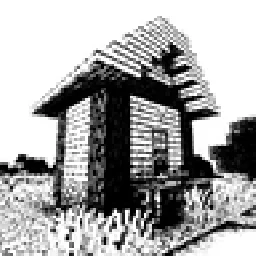 Bitmap Vanilla ShaderShaders · 1.21 – 26.x
Renders the game with only the colors black and white (bitmap).
Connecte-toi pour laisser un avis.