
 Toggle Item FrameMods · 1.21 – 26.x
Hide and disable item frames from being interacted with!
Gratuit12 téléchargements

Allows you to disable specific sounds you don't like. Perfect for people with Misophonia!
Téléchargement direct depuis Modrinth · 4,502,939 téléchargements
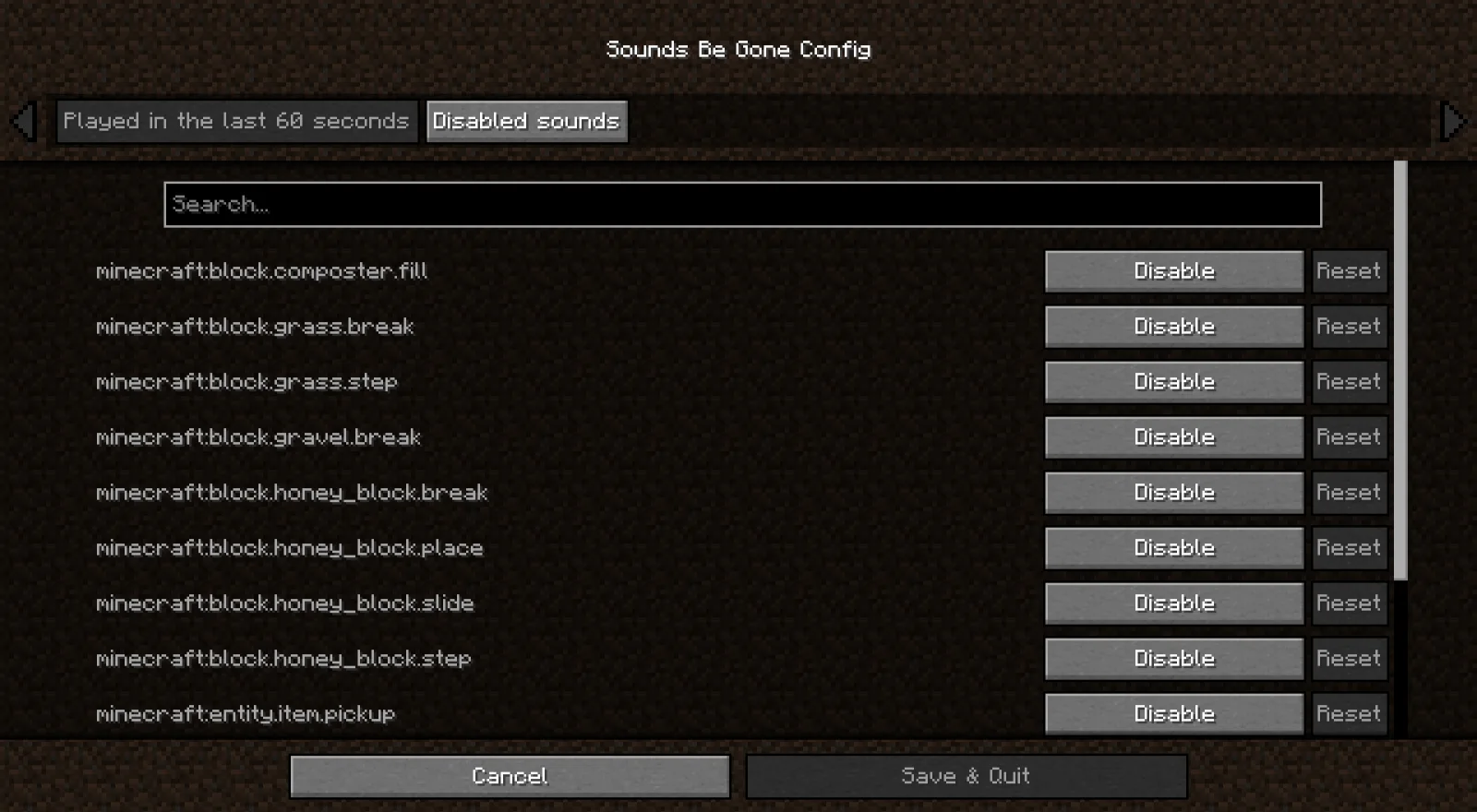
Sounds Be Gone (mod) est une création de meza. Allows you to disable specific sounds you don't like. Perfect for people with Misophonia!
Versions prises en charge : Minecraft 1.19 – 26.x. On compte 4,502,939 téléchargements sur Modrinth. La dernière mise à jour date du 19/09/2026.
Sounds Be Gone a publié 193 versions sur Modrinth depuis le 13/06/2023. 89 sont sorties au cours de l'année passée. La plus récente est 1.6.0+fabric-26.3, sortie le 19/09/2026. Elle est faite pour Minecraft 26.3. Elle fonctionne sur Fabric. Le téléchargement fait 5.9 MB.
| Version | Publié | Minecraft | Type |
|---|---|---|---|
1.6.0+fabric-26.3 | 19/09/2026 | 26.3 | Stable |
1.6.0+neoforge-26.3 | 19/09/2026 | 26.3 | Stable |
1.6.0+neoforge-26.2 | 19/09/2026 | 26.2 | Stable |
1.6.0+fabric-26.2 | 19/09/2026 | 26.2 | Stable |
1.6.0+fabric-26.1.2 | 19/09/2026 | 26.1, 26.1.1, 26.1.2 | Stable |
Sounds Be Gone est open source. Sa dernière version sur GitHub est v1.6.0, publiée le 19/09/2026.
Avant : v1.5.2 (24/06/2026), v1.5.1 (09/05/2026).
Inspired by my own misophonia, Sounds Be Gone keeps Minecraft playable when specific noises are overwhelming. The mod passively records every sound you have heard in the past minute and lets you mute any of them permanently with a couple of clicks. Everything is client-side, so your preferences affect only your game.
Some sounds are useful in small doses but miserable when Minecraft repeats them constantly. Mark those sounds as Infrequent instead of disabling them.
Infrequent sounds still play sometimes. Sounds Be Gone checks each playback attempt and only lets a percentage of those attempts through. The default frequency is 10%, and you can change it from the Infrequent sounds category in the config screen.
This is not just a flat random toggle. When the same sound fires repeatedly, Sounds Be Gone counts recent attempts for that sound and lowers the chance for each attempt in the burst. A sound that only happens occasionally stays close to your configured percentage, while a sound that is spamming the client is suppressed more aggressively.
Use Infrequent for sounds where silence would remove useful feedback, but normal playback is too much. Examples include repeated ambient loops, machine noises, villager chatter, or any modded sound that you only want to hear once in a while.
Using mmm? Run mmm add curseforge 874633 to install the latest build.
Using mmm? Run mmm add modrinth FOIvwGKz to install the latest build.
Sounds Be Gone collects anonymous telemetry to understand which Minecraft versions and mod loaders are still in active use. This helps prioritize support, testing, and build tooling. The data never includes personal information or gameplay analytics.
Thanks to all the supporters who make this project possible!
Écrite par meza. À lire avec les images sur Modrinth.
Ce mod fonctionne uniquement dans ton jeu. Les serveurs n'en ont pas besoin, tu peux donc l'utiliser sur n'importe quel serveur.
Installe Fabric, Quilt, Forge et NeoForge pour Minecraft 1.19 – 26.x.
Ajoute les mods dont il a besoin : API Fabric et API Cloth Config.
Télécharge le fichier .jar depuis Modrinth et place-le dans le dossier mods de ton répertoire .minecraft.
Lance Minecraft avec le profil Fabric.
Plus simple : dans Prism Launcher ou la Modrinth App, cherche Sounds Be Gone dans les mods de ton instance et clique sur Install. Le loader et les mods requis sont ajoutés pour toi.
| Ressource | Téléchargements | Versions | Mise à jour | Prix |
|---|---|---|---|---|
| Sounds Be Gonecelle que tu regardais | 4.5M | 1.19 – 26.x | 19 sept. 2026 | Gratuit |
| Toggle Item Framenomad_dev | 12 | 1.21 – 26.x | 10 oct. 2026 | Gratuit |
 API Radical Cobblemon Trainershd42 | 8.1M | 1.21 | 12 oct. 2026 | Gratuit |
 Better Compatibility CheckerGaz492 | 7.3M | 1.16 – 26.x | 19 sept. 2026 | Gratuit |
Oui. Sounds Be Gone prend en charge Minecraft 26.x. Toutes les versions prises en charge : 26.x, 1.21, 1.20, 1.19.
Oui. Sounds Be Gone se télécharge gratuitement sur Modrinth.
Côté client. Sounds Be Gone se place dans ton propre dossier mods et fonctionne sur n'importe quel serveur, même sans mods.
Oui : Mod Menu, Fabric API, Cloth Config API. Installe-le avant Sounds Be Gone.
Oui. La dernière mise à jour date des dernières 24 heures.
Les plus proches sont Toggle Item Frame, API Radical Cobblemon Trainers et Better Compatibility Checker. Comparer toutes les alternatives
Toggle Item FrameMods · 1.21 – 26.xHide and disable item frames from being interacted with!
API Radical Cobblemon TrainersMods · 1.21Trainer management and battle API for Cobblemon.
Better Compatibility CheckerMods · 1.16 – 26.xChanges the default server compatibility check to compare modpack versions
 TrashSlotMods · 1.18 – 26.x
Adds a draggable trash slot to all inventory screens. Press T to toggle.
 SeasonHud-FabricMods · 1.16 – 26.x
Display the current season on the Hud or under the minimap
 Better ModListMods · 1.20 – 26.x
enhances neoforge modlist by adding options to hide mods, libraries, adding badges to mods to define what it does and more. as well as making it look better.
Connecte-toi pour laisser un avis.