
 Toggle Item FrameМоды · 1.21 – 26.x
Hide and disable item frames from being interacted with!
БесплатноЗагрузок: 12
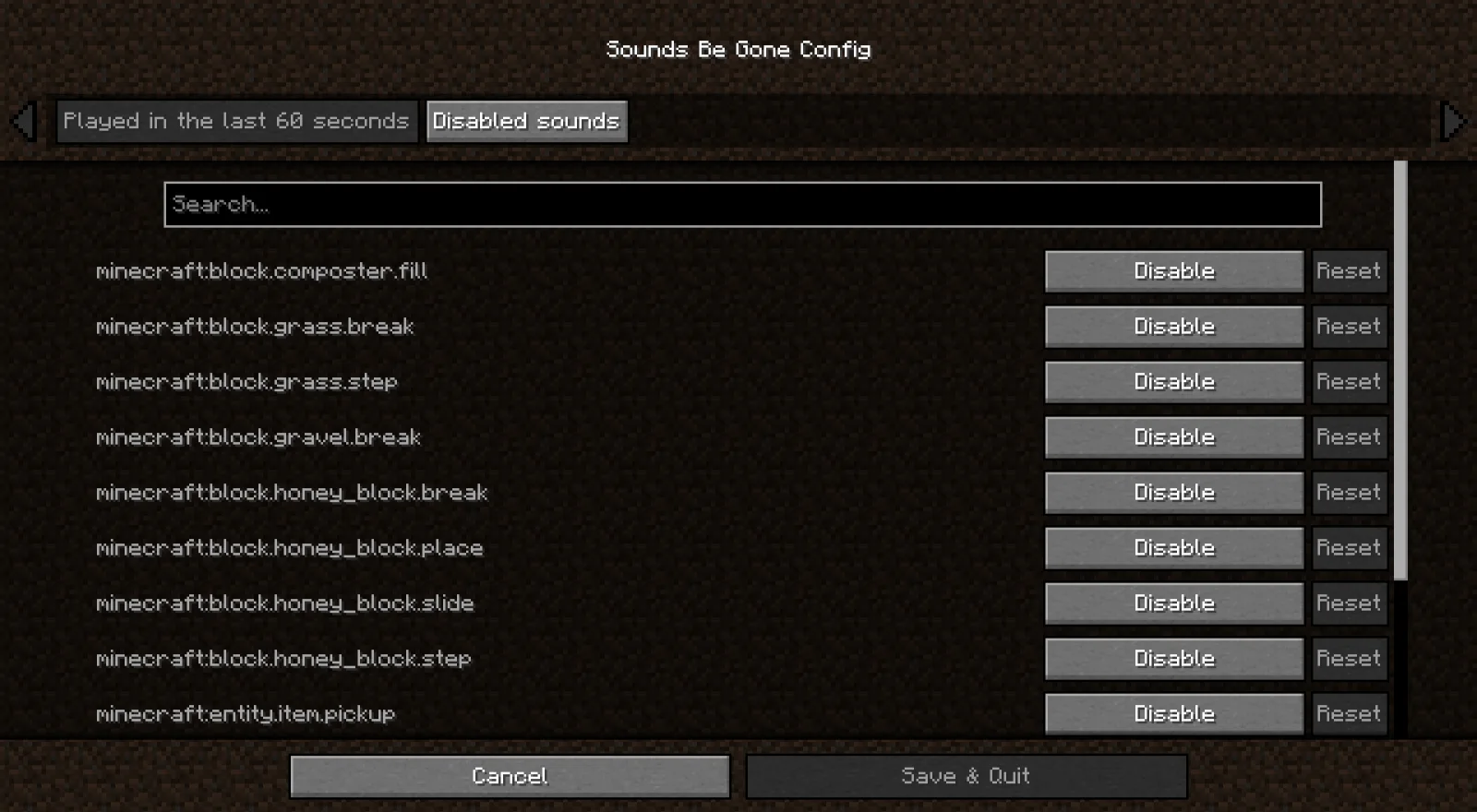
Sounds Be Gone — мод от meza. Allows you to disable specific sounds you don't like. Perfect for people with Misophonia!
Поддерживаемые версии: Minecraft 1.19 – 26.x. Скачиваний на Modrinth: 4,502,939. Последнее обновление: 19.09.2026.
С 13.06.2023 у Sounds Be Gone вышло 193 версий на Modrinth. 89 из них вышли за последний год. Новейшая — 1.6.0+fabric-26.3, вышла 19.09.2026. Она сделана для Minecraft 26.3. Работает на Fabric. Размер файла — 5.9 MB.
| Версия | Выпущен | Minecraft | Тип |
|---|---|---|---|
1.6.0+fabric-26.3 | 19.09.2026 | 26.3 | Релиз |
1.6.0+neoforge-26.3 | 19.09.2026 | 26.3 | Релиз |
1.6.0+neoforge-26.2 | 19.09.2026 | 26.2 | Релиз |
1.6.0+fabric-26.2 | 19.09.2026 | 26.2 | Релиз |
1.6.0+fabric-26.1.2 | 19.09.2026 | 26.1, 26.1.1, 26.1.2 | Релиз |
Sounds Be Gone — проект с открытым кодом. Новейший релиз на GitHub — v1.6.0, вышел 19.09.2026.
До этого: v1.5.2 (24.06.2026), v1.5.1 (09.05.2026).
Inspired by my own misophonia, Sounds Be Gone keeps Minecraft playable when specific noises are overwhelming. The mod passively records every sound you have heard in the past minute and lets you mute any of them permanently with a couple of clicks. Everything is client-side, so your preferences affect only your game.
Some sounds are useful in small doses but miserable when Minecraft repeats them constantly. Mark those sounds as Infrequent instead of disabling them.
Infrequent sounds still play sometimes. Sounds Be Gone checks each playback attempt and only lets a percentage of those attempts through. The default frequency is 10%, and you can change it from the Infrequent sounds category in the config screen.
This is not just a flat random toggle. When the same sound fires repeatedly, Sounds Be Gone counts recent attempts for that sound and lowers the chance for each attempt in the burst. A sound that only happens occasionally stays close to your configured percentage, while a sound that is spamming the client is suppressed more aggressively.
Use Infrequent for sounds where silence would remove useful feedback, but normal playback is too much. Examples include repeated ambient loops, machine noises, villager chatter, or any modded sound that you only want to hear once in a while.
Using mmm? Run mmm add curseforge 874633 to install the latest build.
Using mmm? Run mmm add modrinth FOIvwGKz to install the latest build.
Sounds Be Gone collects anonymous telemetry to understand which Minecraft versions and mod loaders are still in active use. This helps prioritize support, testing, and build tooling. The data never includes personal information or gameplay analytics.
Thanks to all the supporters who make this project possible!
Автор: meza. С картинками — на Modrinth.
Этот мод работает только в твоей игре. Серверам он не нужен, так что его можно использовать на любом сервере.
Установи Fabric, Quilt, Forge и NeoForge для Minecraft 1.19 – 26.x.
Добавь нужные ему моды: API Fabric и API Cloth Config.
Скачай .jar-файл с Modrinth и положи его в папку mods в каталоге .minecraft.
Запусти Minecraft с профилем Fabric.
Проще: в Prism Launcher или Modrinth App найдите Sounds Be Gone в модах своей сборки и нажмите Install. Загрузчик и нужные моды добавятся сами.
| Ресурс | Загрузки | Версии | Обновление | Цена |
|---|---|---|---|---|
 Sounds Be Goneтот, что ты смотрел | 4.5M | 1.19 – 26.x | 19 сент. 2026 | Бесплатно |
| Toggle Item Framenomad_dev | 12 | 1.21 – 26.x | 10 окт. 2026 | Бесплатно |
 API Radical Cobblemon Trainershd42 | 8.1M | 1.21 | 12 окт. 2026 | Бесплатно |
 Better Compatibility CheckerGaz492 | 7.3M | 1.16 – 26.x | 19 сент. 2026 | Бесплатно |
Да. Sounds Be Gone поддерживает Minecraft 26.x. Все поддерживаемые версии: 26.x, 1.21, 1.20, 1.19.
Да. Sounds Be Gone можно бесплатно скачать на Modrinth.
На клиенте. Sounds Be Gone кладётся в твою папку mods и работает на любом сервере, даже без модов.
Да: Mod Menu, Fabric API, Cloth Config API. Установи это до Sounds Be Gone.
Да. Последнее обновление вышло за последние сутки.
Ближе всего к нему Toggle Item Frame, API Radical Cobblemon Trainers и Better Compatibility Checker. Сравнить все альтернативы
Toggle Item FrameМоды · 1.21 – 26.xHide and disable item frames from being interacted with!
API Radical Cobblemon TrainersМоды · 1.21Trainer management and battle API for Cobblemon.
Better Compatibility CheckerМоды · 1.16 – 26.xChanges the default server compatibility check to compare modpack versions
 TrashSlotМоды · 1.18 – 26.x
Adds a draggable trash slot to all inventory screens. Press T to toggle.
 SeasonHud-FabricМоды · 1.16 – 26.x
Display the current season on the Hud or under the minimap
 Better ModListМоды · 1.20 – 26.x
enhances neoforge modlist by adding options to hide mods, libraries, adding badges to mods to define what it does and more. as well as making it look better.
Войди, чтобы оставить отзыв.