
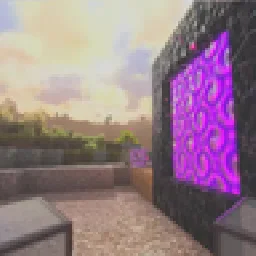
 Pegasus ShadersShadery · 1.19 – 26.x
A shader that blends high performance range with new features, and lots of stylistic range!
Za darmoPobrania: 950,066

A vanilla-style shader with colored lights, many quality of life features and visual improvements aiming for the highest performance.
Opens Modrinth · 176,557 downloads there


A vanilla-style shader with colored lights, many quality of life features and visual improvements aiming for the highest performance.
Stracciatella Shaders to paczka shaderów, autor: DrDesten. Obsługiwane wersje: Minecraft 1.8 – 1.21. Liczba pobrań w serwisie Modrinth: 176,557. Ostatnia aktualizacja: 10.02.2026.
Stracciatella Shaders ma 6 wydań na Modrinth od 19.01.2025. 2 z nich wyszło w ostatnim roku. Najnowsza to 1.6.4.1, wydana 09.02.2026. Jest zrobiona dla Minecraft 1.10 – 1.20.3. Działa na Iris i Optifine. Plik ma 2.1 MB.
| Wersja | Wydano | Minecraft | Typ |
|---|---|---|---|
1.6.4.1 | 09.02.2026 | 1.10 – 1.20.3 | Wydanie |
1.6.4 | 14.12.2025 | 1.10 – 1.20.3 | Wydanie |
1.6.3 | 11.10.2025 | 1.10 – 1.20.3 | Wydanie |
1.6.2 | 04.04.2025 | 1.10 – 1.20.3 | Wydanie |
1.6.1 | 28.02.2025 | 1.10 – 1.20.3 | Wydanie |
Stracciatella Shaders ma otwarty kod. Najnowsze wydanie na GitHubie to Stracciatella Release Version 1.6.4.1 Hotfix, opublikowane 09.02.2026.
Fixed compile error on newest Iris version
Wcześniej: Stracciatella Release Version 1.6.4 (14.12.2025), Stracciatella Release Version 1.6.3 (11.10.2025).
A very lightweight vanilla style shader with colored lights. Focuses on adding some nice features that go hand in hand with vanilla. It is highly configurable and lets you craft your own personal vanilla experience.
Stracciatella adds multi-lightsource colored lighting to Minecraft with excellent performance. Light emitting blocks glow bright and tint and shade the environment.
The Overworld and the Nether have highly optimized volumetric-like fog effects that look especially beautiful with Distant Horizons, such as dynamic fog based on height aswell as patches of dense fog that sweep the landscape.
Stracciatella is packed with many subtle but important visual improvements and quality of life features that improve Minecraft's look, such as rain refraction, puddles, shooting stars and much, much more!
Make it yours! Stracciatella puts you in the driver's seat. All of Stracciatellas effects are highly customisable, so you can dial in the look exactly as you like it.
Border:
Simple, comparable to vanilla
Auto:
Enables "Advanced" fog when Distant Horizons is present
Advanced:
Border fog aswell as configurable exponential distance and height based fog
Constant fog density applied to exponential fog
Overworld, Nether and End densities are relative to this value
Density of constant Overworld fog
Relative to "Global Density"
Multiplier applied to the scale factor used to calculate height fog
Higher values correspond to a harsher density falloff
Multiplier applied to the density calculated from world height
Fog density starts to increase with player height after the selected world height
Set to the default value, this acts as a correctional factor to keep the fog density (visually) constant
Controls how much player height influences fog density
Fog density at sunset and sunrise increases more in direction of the sun
Amount of Anisotropy
Controls how much the fog changes during sunset and sunrise
Density of constant Nether fog
Relative to "Global Density"
Density of constant End fog
Relative to "Global Density"
Sets where the fog starts appearing
Relative to render distance
Sets where the fog reaches its maximum
Relative to render distance
Fog changes to a different color when you are underground
Sky changes to a different color when you are underground
Controls which world height is necessary for the sky color to change
Color of fog inside of caves
Changes the size of sun and moon
Tilts the rotation axis of sun and moon
Vanilla is 0
Sun and moon start disappearing under the horizon
Lower: sun and moon appear lower
Higher: sun and moon appear higher
Lower: Longer transition
Higher: Shorter transition
Only works with "Custom Stars" enabled
Default:
All Features
Simple:
Reduced features (only "Adaptive Blocklight Reduction" and "Minimum Light")
Specifies the amount of ambient occlusion on skylight
Specifies the amount of ambient occlusion on blocklight
Higher = Darker
Lower = Brighter
Higher = Darker
Lower = Brighter
Restricts blocklight to never go below this value
Prevents caves from being pitch black (unless you set it to zero that is)
Reduces blocklight when the sky is bright to avoid clipping
If the blocklight is too bright during daytime, increase this slider
Select blocklight color (torches, glowstone, etc.)
If "Complex Blocklight" is enabled, this color will NOT be used
Allows you to select two colors for blocklight
One for dark parts, one for bright parts
Higher: Emphasize "Bright" color
Lower: Emphasize "Dark" color
50 = linear transition
Enabled colored lighting on blocks
Sets how temporal history information is discarded
Higher corresponds to history being discarded more easily
Sets how temporal history information is merged with new information
A lower value places less emphasis on history and will cause colors to update faster at the cost of more flicker
Increase this slider if you experience frequent spots of color blinking into existence
Higher values will decrease the speed at which new color spreads and appears
Sets how fast empty regions (with no color information) are filled up
A high value will cause colors to appear faster initially, but may introduce flicker in disoccluded regions
Controls the detail level at which colors are sampled
A higher value will make colors smoother but may cause small lights to be skipped
A lower value will sample at higher detail but will decrease smoothness and introduce flicker
The shader does its best to calculate the appropriate LOD itself
Auto-Generated Normals may have a different resolution than your resource pack
This slider allows you to select a higher resolution for the normals
No performance impact
How the shader detects if rain is present
"Color" is generally the better option
Select "Temperature" if:
Rain does not receive rain effects
Things that are not rain receive rain effects
Controlled by "Waving Liquids Amount" and "Waving Liquids Speed"
Water and Lava
Enables Anti-Aliasing
Improves quality of edges
Switches to bicubic sampling
Internally enables FXAA
Can be useful with lower render quality settings
Darkens screen borders
Applies a custom color LUT to the image
Only works for Optifine G8 and higher!
How to add your luts:
Extract the .zip
Go to: shaders/lut
Put your LUT in this folder and name it "lut[number].png"
You can then select the file using the slider
Up to 6 luts can be loaded this way
Default LUTs shipped with the shader are:
lut0.png: Neutral
lut1.png: Skyfall
lut2.png: A Summer Night's Adventure
lut3.png: Chrome
lut4.png: Admiral's Anime LUT
lut5.png: Green->Red Color swap (Infrared)
Amount of cells on one side
Count the squares on the lut image along one side to figure this out
Higher: Depth will have a strong influence on fog density
Lower: Depth will have a weak influence on fog density
Zero: Depth will have no influence on fog density
Higher: Underwater fog will be darker at night
Higher: Underwater fog will get darker faster when you dive deeper
Adds streaks when moving fast
Smoothly fades out Minecraft terrain, reducing the transition between Distant Horizons' terrain and Minecraft's terrain
Removes Banding
Smart: Enables dithering in select programs
Full: Enables dithering in all programs
Sets which method the shader uses to determine the time
Time is used for driving animations, for example waving leaves and water
Realtime:
Uses the actual time
Worldtime:
Uses the ingame time
This can be useful for animation tools like replaymod
Framecount:
Uses the frame count based on a fixed framerate
This can be useful for animation tools like replaymod
Framerate used for calculating the time when "Time Mode: Framecount" is selected
Applies to all lines, for example block outline and hit boxes
Only works from versions 1.17 and onwards
Doesn't work on Iris
Activates Optimizations that can break some visuals or might break in future versions of Minecraft
You are allowed to
You are not allowed to
Autor: DrDesten. Z obrazkami na Modrinth.
Zainstaluj Iris (z Sodium) albo OptiFine dla swojej wersji Minecrafta: shadery potrzebują jednego z nich.
Pobierz plik .zip z Modrinth. Nie rozpakowuj go.
W Minecrafcie otwórz Opcje, potem Ustawienia grafiki, potem Shadery i kliknij Otwórz folder shaderów.
Wrzuć plik .zip do tego folderu, wybierz Stracciatella Shaders z listy i kliknij Gotowe.
Shadery mocno obciążają kartę graficzną. Jeśli gra zwalnia, wybierz niższy profil w ustawieniach shadera.
| Zasób | Pobrania | Wersje | Aktualizacja | Cena |
|---|---|---|---|---|
| Stracciatella Shadersten, który oglądałeś | 177K | 1.8 – 1.21 | 10 lut 2026 | Za darmo |
| Pegasus Shaderstimetravelbeard | 950K | 1.19 – 26.x | 3 paź 2026 | Za darmo |
 Aurora's ShadersCrafterAurora | 948K | 1.20 – 1.21 | 28 mar 2025 | Za darmo |
 Cyanide Shadersmlgimposter | 159K | 1.12 – 1.21 | 21 sty 2023 | Za darmo |
Jeszcze nie. Najnowsza obsługiwana wersja to Minecraft 1.21.
Tak. Stracciatella Shaders można pobrać za darmo z serwisu Modrinth.
Tak. Ostatnia aktualizacja wyszła w ciągu ostatniej doby.
Najbliższe to Pegasus Shaders, Aurora's Shaders i Cyanide Shaders. Porównaj wszystkie alternatywy
Pegasus ShadersShadery · 1.19 – 26.xA shader that blends high performance range with new features, and lots of stylistic range!
Aurora's ShadersShadery · 1.20 – 1.21Based on Complimentary Unbound, a beautifully colorful Vanilla+ shader meant for making the game look good while maintaining good performance and vanilla feel.
Cyanide ShadersShadery · 1.12 – 1.21Vanilla+ Shader, that supports Optifine and Iris Barely affects performance
 Tricked ShadersShadery · 1.8 – 26.x
Based on Mellow Shader, a modified version to reduce brightness and make the game look better while maintaining good performance and vanilla feel.
 Glacier ShadersShadery · 1.16 – 26.x
Glacier Shader - Low-End Edition Glacier Shader is a highly optimized low-end shader designed for maximum performance on weaker PCs. It features a minimalist…
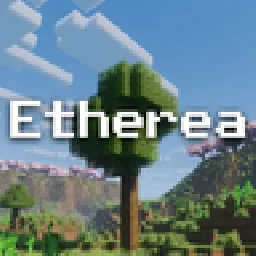 Etherea ShaderShadery · 1.16 – 26.x
A high quality vanilla-styled shaderpack built for exceptional performance.
Zaloguj się, aby wystawić opinię.