
 Aurora's ShadersShadery · 1.20 – 1.21
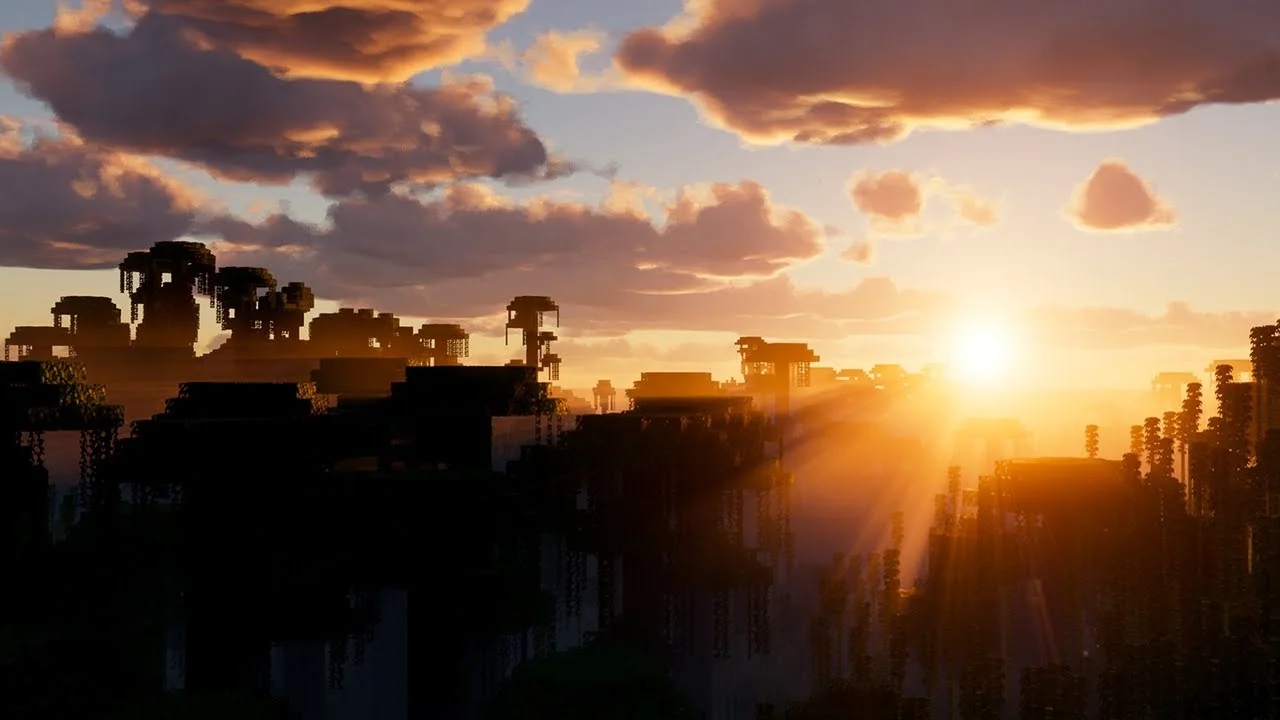
Based on Complimentary Unbound, a beautifully colorful Vanilla+ shader meant for making the game look good while maintaining good performance and vanilla feel.
Za darmoPobrania: 948,697
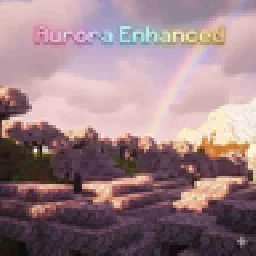
Experience Minecraft like never before with this cinematic yet performance-friendly shader. This shader brings a perfect balance between stunning
Bezpośrednie pobieranie z Modrinth · 15,775 pobrań
Aurora Enhanced to paczka shaderów, autor: Dark_PixelForge. Experience Minecraft like never before with this cinematic yet performance-friendly shader. This shader brings a perfect balance between stunning.
Obsługiwane wersje: Minecraft 1.19 – 26.x. Liczba pobrań w serwisie Modrinth: 15,775. Ostatnia aktualizacja: 04.10.2026.
Aurora Enhanced ma 4 wydań na Modrinth od 13.05.2026. 4 z nich wyszło w ostatnim roku. Najnowsza to 4, wydana 04.10.2026. Jest zrobiona dla Minecraft 1.20 – 26.3. Działa na Fabric, Iris, Minecraft i Optifine. Plik ma 2.7 MB.
| Wersja | Wydano | Minecraft | Typ |
|---|---|---|---|
4 | 04.10.2026 | 1.20 – 26.3 | Wydanie |
3 | 05.09.2026 | 1.20, 1.20.1 | Wydanie |
2 | 26.07.2026 | 1.19 – 26.2 | Wydanie |
V1 | 13.05.2026 | 1.19 – 1.21.11 | Wydanie |
It enhances the visuals you already love rather than replacing them with something unrecognizable. Think golden hour sunlight, moody nights, warm torches, and silky water — all running smoothly even on integrated graphics.
✨ Key Features
🌅 Cinematic Sky & Atmosphere
Warm orange/amber horizon glow during sunrise and sunset
Subtle purple anti-solar band on the opposite side of the sky at dusk
Soft sun-cone haze (Mie scattering approximation) around the sun disk
Sun disk tints warm amber near the horizon instead of staying flat white
Deeper azure blue sky during the day, rich indigo at night
Clouds pick up warm amber edge lighting during golden hour
🎨 Filmic Color Grading
Shadow lift — blacks are gently raised like a developed film print, no crushed shadows
Split toning — cool blue-teal in the shadows, warm amber in the highlights
Subtle midtone warmth across the entire scene
Slightly reduced saturation (0.95) for a natural, non-oversaturated look
Mild contrast boost (1.05) for a punchy, clean image
🔥 Improved Lighting
Torchlight and block lights now glow warm orange-amber instead of near-white yellow
Richer, more golden daytime sunlight
Cooler, bluer moonlight for atmospheric nights
More vivid orange-red sunset lighting on terrain and mobs
💧 Better Water
Two-octave wave noise — richer, non-repeating ripple patterns
Improved normal reconstruction for rounder, more natural wave edges
Waves read clearly even at distance
🌫️ Atmospheric Fog
Fog color shifts with time of day — warm orange tint at dusk, cool blue at night, neutral at noon
Applied to both terrain and transparent geometry for consistency
⚡ Performance
Zero new render passes — all changes live inside existing pipeline stages
Pure math improvements — no extra texture samples in the hot path
Designed for low-end and mid-range PCs
Compatible with OptiFine HD U I5+ on Minecraft 1.21+
📸 Best Experienced At
Sunrise and sunset — the horizon glow is the signature look
Near torches and campfires indoors — amber warmth is immediately noticeable
Open water — two-octave waves look significantly richer
Night time — deep indigo sky with cool moonlight creates a moody atmosphere
Autor: Dark_PixelForge. Z obrazkami na Modrinth.
Zainstaluj Iris (z Sodium) albo OptiFine dla swojej wersji Minecrafta: shadery potrzebują jednego z nich.
Pobierz plik .zip z Modrinth. Nie rozpakowuj go.
W Minecrafcie otwórz Opcje, potem Ustawienia grafiki, potem Shadery i kliknij Otwórz folder shaderów.
Wrzuć plik .zip do tego folderu, wybierz Aurora Enhanced z listy i kliknij Gotowe.
Shadery mocno obciążają kartę graficzną. Jeśli gra zwalnia, wybierz niższy profil w ustawieniach shadera.
| Zasób | Pobrania | Wersje | Aktualizacja | Cena |
|---|---|---|---|---|
| Aurora Enhancedten, który oglądałeś | 16K | 1.19 – 26.x | 4 paź 2026 | Za darmo |
| Aurora's ShadersCrafterAurora | 949K | 1.20 – 1.21 | 28 mar 2025 | Za darmo |
 Simply Upscaledtimetravelbeard | 459K | 1.12 – 26.x | 20 wrz 2025 | Za darmo |
 white sharp shaderplaysi_ | 23K | 1.18 – 1.21 | 30 sie 2025 | Za darmo |
Tak. Aurora Enhanced działa w wersji Minecrafta 26.x. Wszystkie obsługiwane wersje: 26.x, 1.21, 1.20, 1.19.
Tak. Aurora Enhanced można pobrać za darmo z serwisu Modrinth.
Tak. Ostatnia aktualizacja wyszła w ciągu ostatniej doby.
Najbliższe to Aurora's Shaders, Simply Upscaled i white sharp shader. Porównaj wszystkie alternatywy
Aurora's ShadersShadery · 1.20 – 1.21Based on Complimentary Unbound, a beautifully colorful Vanilla+ shader meant for making the game look good while maintaining good performance and vanilla feel.
Simply UpscaledShadery · 1.12 – 26.xA very Vanilla high performance shader with live Texture Upscaling/Filtering and optional shadows. Configurable subtly enhanced vanilla feel.
white sharp shaderShadery · 1.18 – 1.21An abstract, stylized and high-performance Minecraft shader that will make your gaming experience unique.
 VerdantLightShadery · 1.18 – 26.x
VerdantLight is a lightweight, high-performance, and naturally vanilla-like Minecraft shader pack.
 MaxRealstic ShaderShadery · 1.16 – 26.x
Ultra-realistic Minecraft shader with animated foliage, dynamic water, realistic lighting, cinematic skies, and optimized performance.
 Cinematic VanillaShadery · 1.17 – 26.x
Cinematic Vanilla is a lightweight cinematic shader pack designed to enhance Minecraft visuals while maintaining smooth performance on low- to mid-end PCs.
Zaloguj się, aby wystawić opinię.