
 Bloom Auto PickupPluginy · 1.21 – 26.x
Highly Optimized and Supported Auto Pickup Plugin. Folia, All Paper Forks, Spigot. 1.21.x - 26.3
Za darmoPobrania: 5
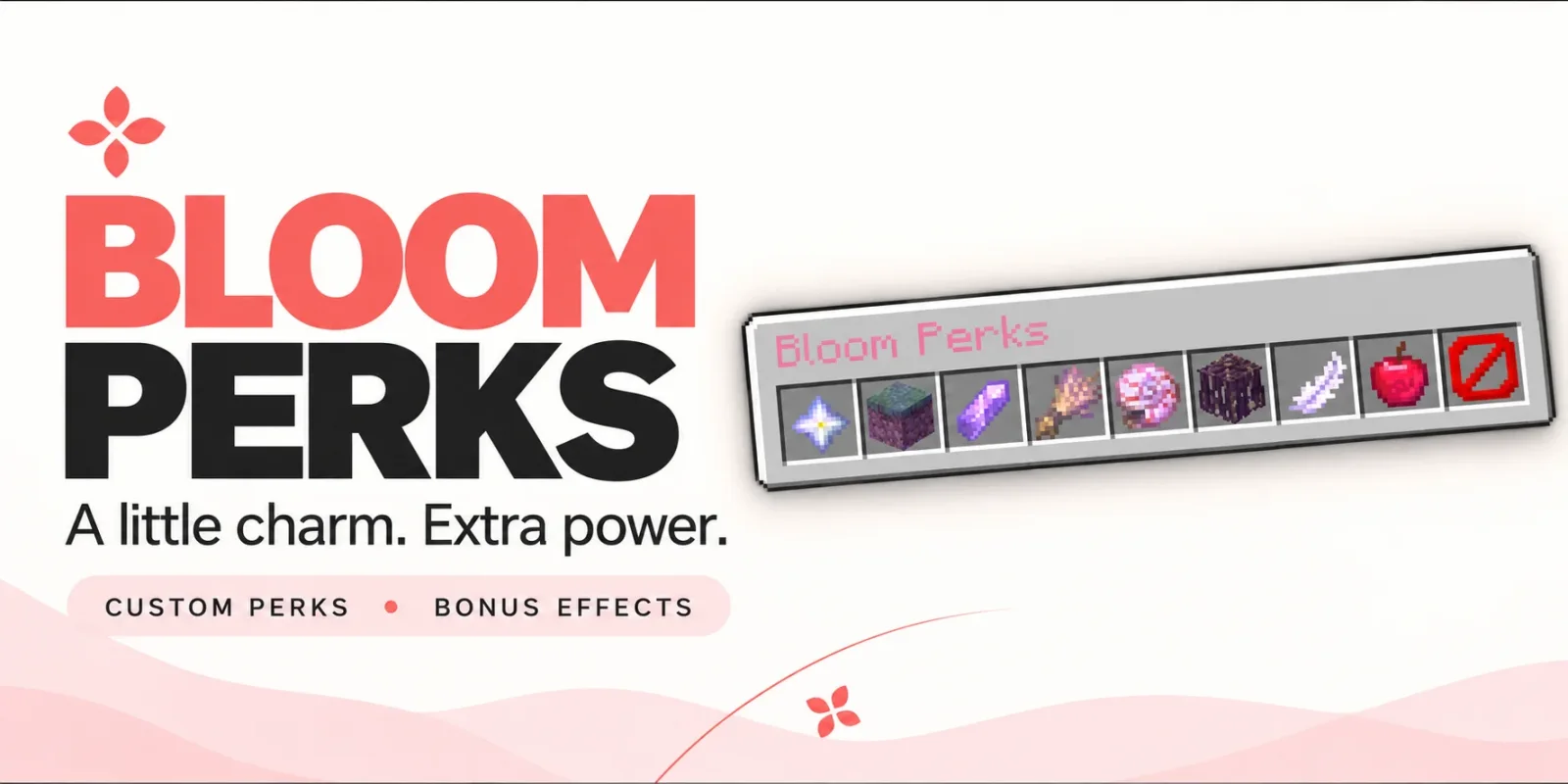
Bloom Perks to plugin do serwerów Paper / Spigot, autor: Metene. Highly Optimized and Supported Perks Plugin. Folia, All Paper Forks, Spigot. 1.21.x - 26.x.
Obsługiwane wersje: Minecraft 1.21 – 26.x. Liczba pobrań w serwisie Modrinth: 4. Zajmuje 107. miejsce w kategorii „pluginy wydajności” (łącznie: 138). Ostatnia aktualizacja: 04.11.2026.
Bloom Perks ma 3 wydań na Modrinth od 28.10.2026. 3 z nich wyszło w ostatnim roku. Najnowsza to 1.0.5, wydana 04.11.2026. Jest zrobiona dla Minecraft 1.21 – 26.3. Działa na Bukkit, Folia, Paper, Purpur i Spigot. Plik ma 160 KB.
| Wersja | Wydano | Minecraft | Typ |
|---|---|---|---|
1.0.5 | 04.11.2026 | 1.21 – 26.3 | Wydanie |
1.0.4 | 03.11.2026 | 1.21 – 26.3 | Wydanie |
1.0.1 | 28.10.2026 | 1.21 – 26.3 | Wydanie |
Komendy wymienione na stronie Bloom Perks w Modrinth:
/perks/bloomperksWymienione tam uprawnienia, do nadania pluginem takim jak LuckPerms:
bloomperks.usebloomperks.admin.givebloomperks.admin.reloadbloomperks.admin.*bloom.**A little charm. Extra power.
Give everyday adventures a little something extra. Bloom Perks adds equippable perk items, useful bonuses, and a simple pink menu to your server.
10 ready-to-use perks. Seven equipment slots. No resource pack required.
Open /perks, equip your favorite items, and enjoy their effects.
Perk · Default bonus
🌿 Builder’s Touch · Reach blocks 2 blocks farther away.
❤️ Bloom Heart · Gain 2 extra maximum hearts.
🪶 Wind Charm · Move 10% faster.
🔮 Miner’s Spark · Mine blocks 15% faster.
🐇 Soft Landing · Take 20% less fall damage.
🥾 Mountain Step · Step up one-block ledges without jumping.
🪵 Steady Roots · Gain additional knockback resistance.
🐚 Ocean Pearl · Mine 25% faster underwater.
🌾 Harvest Charm · Get a 10% chance of extra produce from eligible mature crops.
💠 Scholar’s Crystal · Earn 10% more XP from collected experience orbs.
All bonus values are configurable.
Choose up to seven different perks to suit your adventures.
Bonuses activate while perks are equipped and disappear when removed. Simply carrying a perk in your inventory does not activate it.
Create additional perk items through perks.yml using the supported effect types.
Choose each item’s material, name, description, enchanted glow, and bonus values. You can also combine multiple effects into one item.
Customize messages, menu text, colors, and sounds to match your server.
English and Turkish translations are included. No resource pack required.
Command · Description
/perks · Open your perk equipment menu.
/perks help · View commands and equipment instructions.
/perks give [amount] · Give perk items to an online player.
/bloomperks reload · Reload configuration and language files.
Players can access the perk menu and help by default. Administrative commands are restricted to OPs unless their permissions are granted separately.
Permission · Default · Description
bloomperks.use · Everyone · Access the perk menu and help.
bloomperks.admin.give · OP · Give perk items.
bloomperks.admin.reload · OP · Reload plugin configuration.
bloomperks.admin.* · OP · Access all administrative commands.
🌸 A little boost for every adventure. Let your adventures Bloom.
Autor: Metene. Z obrazkami na Modrinth.
Upewnij się, że twój serwer działa na Paper i Spigot w Minecraft 1.21 – 26.x.
Pobierz plik .jar z Modrinth i wrzuć go do folderu plugins na serwerze.
Zrestartuj serwer. Unikaj /reload, wiele pluginów źle to znosi.
Wpisz /plugins w konsoli: Bloom Perks powinien być na zielono. Pliki konfiguracyjne tworzą się w folderze plugins przy pierwszym starcie.
Pełny poradnik: Jak zainstalować pluginy na serwerze Minecraft
| Zasób | Pobrania | Wersje | Aktualizacja | Cena |
|---|---|---|---|---|
 Bloom Perksten, który oglądałeś | 4 | 1.21 – 26.x | 10 d. temu | Za darmo |
| Bloom Auto PickupMetene | 5 | 1.21 – 26.x | 1 dzień temu | Za darmo |
 Bloom BountyMetene | 4 | 1.21 – 26.x | 11 d. temu | Za darmo |
 Bloom Night VisionMetene | 4 | 1.21 – 26.x | 11 d. temu | Za darmo |
Tak. Bloom Perks działa w wersji Minecrafta 26.x. Wszystkie obsługiwane wersje: 26.x, 1.21.
Tak. Bloom Perks można pobrać za darmo z serwisu Modrinth.
Bloom Perks działa na serwerach Paper i Spigot.
Tak. Ostatnia aktualizacja wyszła w ciągu ostatniej doby.
Najbliższe to Bloom Auto Pickup, Bloom Bounty i Bloom Night Vision. Porównaj wszystkie alternatywy
Bloom Auto PickupPluginy · 1.21 – 26.xHighly Optimized and Supported Auto Pickup Plugin. Folia, All Paper Forks, Spigot. 1.21.x - 26.3
Bloom BountyPluginy · 1.21 – 26.xHighly Optimized and Supported Bounty Plugin. Folia, All Paper Forks, Spigot. 1.21.x - 26.x
Bloom Night VisionPluginy · 1.21 – 26.xHighly Optimized and Supported Night Vision Plugin. Folia, All Paper Forks, Spigot. 1.21.x - 26.x
 Bloom HomePluginy · 1.21 – 26.x
Highly Optimized and Supported Home Plugin. Folia, All Paper Forks, Spigot. 1.21.x - 26.x
 Bloom ToolsPluginy · 1.21 – 26.x
Highly Optimized and Supported Tools Plugin. Folia, All Paper Forks, Spigot. 1.21.x - 26.x
 Bloom SpawnersPluginy · 1.21 – 26.x
Highly Optimized and Supported Spawner Plugin. Folia, All Paper Forks, Spigot. 1.21.x - 26.3
Zaloguj się, aby wystawić opinię.