
 PixelHaze ShaderShadery · 1.21 – 26.x
A good option for those who like beautiful and miniature shaders with good optimization (even for mobile devices)
Za darmoPobrania: 158
Makes Minecraft’s visuals look more like those in trailers. The original shader is Miniature Shader by ukrech.
Bezpośrednie pobieranie z Modrinth · 1 pobrań
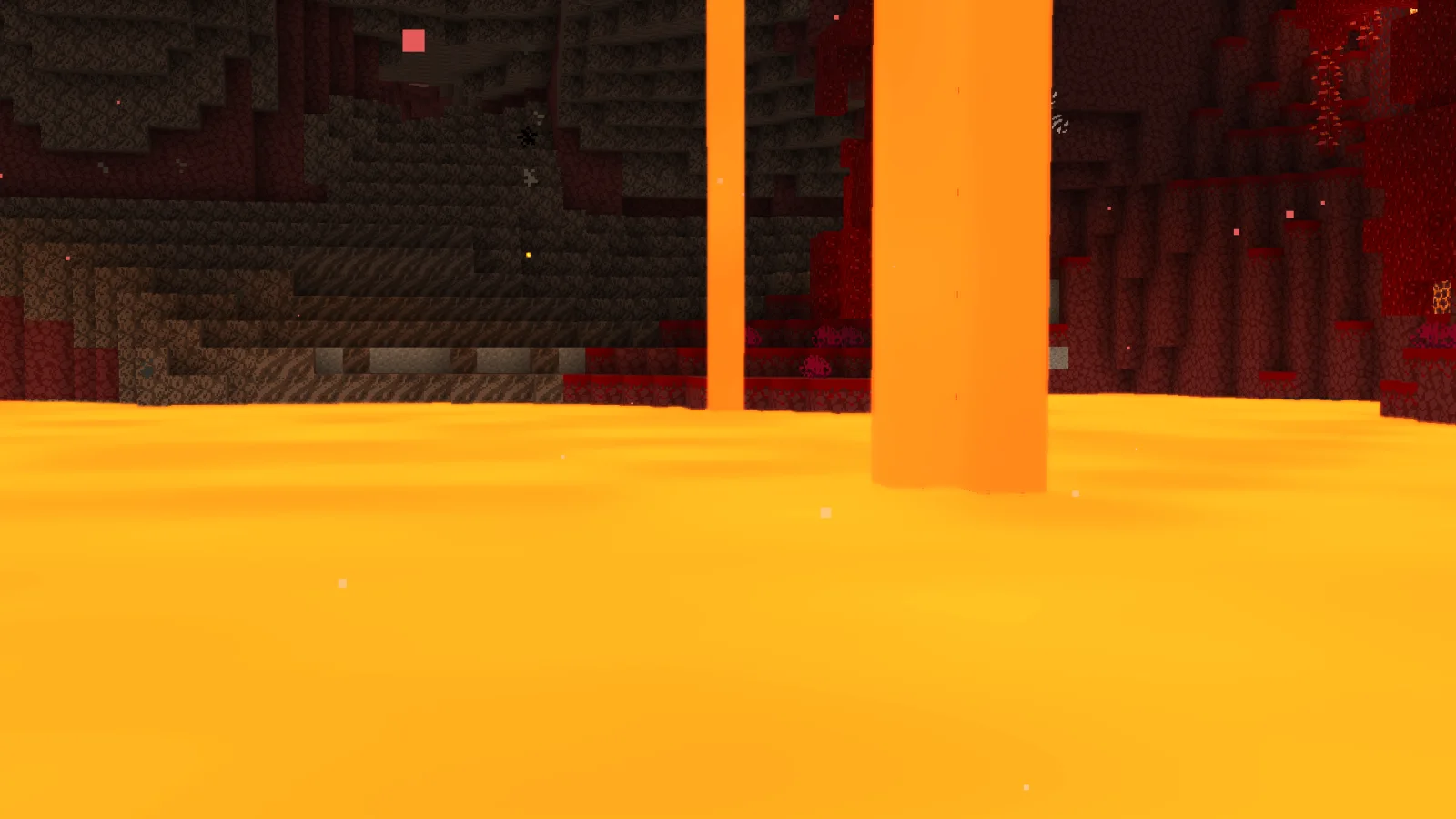
Miniature Shader: Element Textures Edition to paczka shaderów, autor: LoTo. Makes Minecraft’s visuals look more like those in trailers. The original shader is Miniature Shader by ukrech.
Obsługiwane wersje: Minecraft 26.x. Liczba pobrań w serwisie Modrinth: 1. Ostatnia aktualizacja: 13.11.2026.
Najnowsza to v0.1, wydana 13.11.2026. Jest zrobiona dla Minecraft 26.3. Działa na Iris i Optifine. Plik ma 100 KB.
| Wersja | Wydano | Minecraft | Typ |
|---|---|---|---|
v0.1 | 13.11.2026 | 26.3 | Alfa |
This shader pack brings Minecraft's visuals closer to the style of the official animated Minecraft trailers.
This is modified fork of Miniature Shader by ukrech!
Best experience with the Element Textures resource pack.
Original shader: Miniature Shader by ukrech
This is my independently developed modification and is not an official release of Miniature Shader.
The original MIT license and copyright notices are retained.
Autor: LoTo. Z obrazkami na Modrinth.
Zainstaluj Iris (z Sodium) albo OptiFine dla swojej wersji Minecrafta: shadery potrzebują jednego z nich.
Pobierz plik .zip z Modrinth. Nie rozpakowuj go.
W Minecrafcie otwórz Opcje, potem Ustawienia grafiki, potem Shadery i kliknij Otwórz folder shaderów.
Wrzuć plik .zip do tego folderu, wybierz Miniature Shader: Element Textures Edition z listy i kliknij Gotowe.
Shadery mocno obciążają kartę graficzną. Jeśli gra zwalnia, wybierz niższy profil w ustawieniach shadera.
| Zasób | Pobrania | Wersje | Aktualizacja | Cena |
|---|---|---|---|---|
| Miniature Shader: Element Textures Editionten, który oglądałeś | 1 | 26.x | 2 d. temu | Za darmo |
| PixelHaze ShaderSemkapemka | 158 | 1.21 – 26.x | 13 d. temu | Za darmo |
 Vanilla Plus ShaderRRe36 | 2.8M | 1.16 – 1.21 | 28 lut 2025 | Za darmo |
 Fantasy Shaders UnboundAleeeee | 1.3M | 1.16 – 26.x | 28 d. temu | Za darmo |
Tak. Miniature Shader: Element Textures Edition działa w wersji Minecrafta 26.x. Wszystkie obsługiwane wersje: 26.x.
Tak. Miniature Shader: Element Textures Edition można pobrać za darmo z serwisu Modrinth.
Tak. Ostatnia aktualizacja wyszła w ciągu ostatniej doby.
Najbliższe to PixelHaze Shader, Vanilla Plus Shader i Fantasy Shaders Unbound. Porównaj wszystkie alternatywy
PixelHaze ShaderShadery · 1.21 – 26.xA good option for those who like beautiful and miniature shaders with good optimization (even for mobile devices)
Vanilla Plus ShaderShadery · 1.16 – 1.21A shaderpack that gives Minecraft a modern visual overhaul while staying faithful to its original look.
Fantasy Shaders UnboundShadery · 1.16 – 26.xA shader that aims to give a fantasy setting for those who like color.
 SillyWankerShaderShadery · 1.12 – 1.21
A minecraft Shader which tries to keep the vanilla look, while adding functionalities like other shaders and implementing some own silly things like Color…
 CartoonyShadery · 1.17 – 26.x
A shader that makes 3D look like old-school cartoons on caffeine.
 Legacy Console Edition ShadersShadery · 1.21
A minimal and simple shader aiming to replicate the look and feel of the legacy console editions of Minecraft.
Zaloguj się, aby wystawić opinię.