
 Nostalgia ShaderShadery · 1.16 – 1.21
Capturing the essence of old shaderpacks to create a stylized and modern Minecraft-look.
Za darmoPobrania: 4,552,950
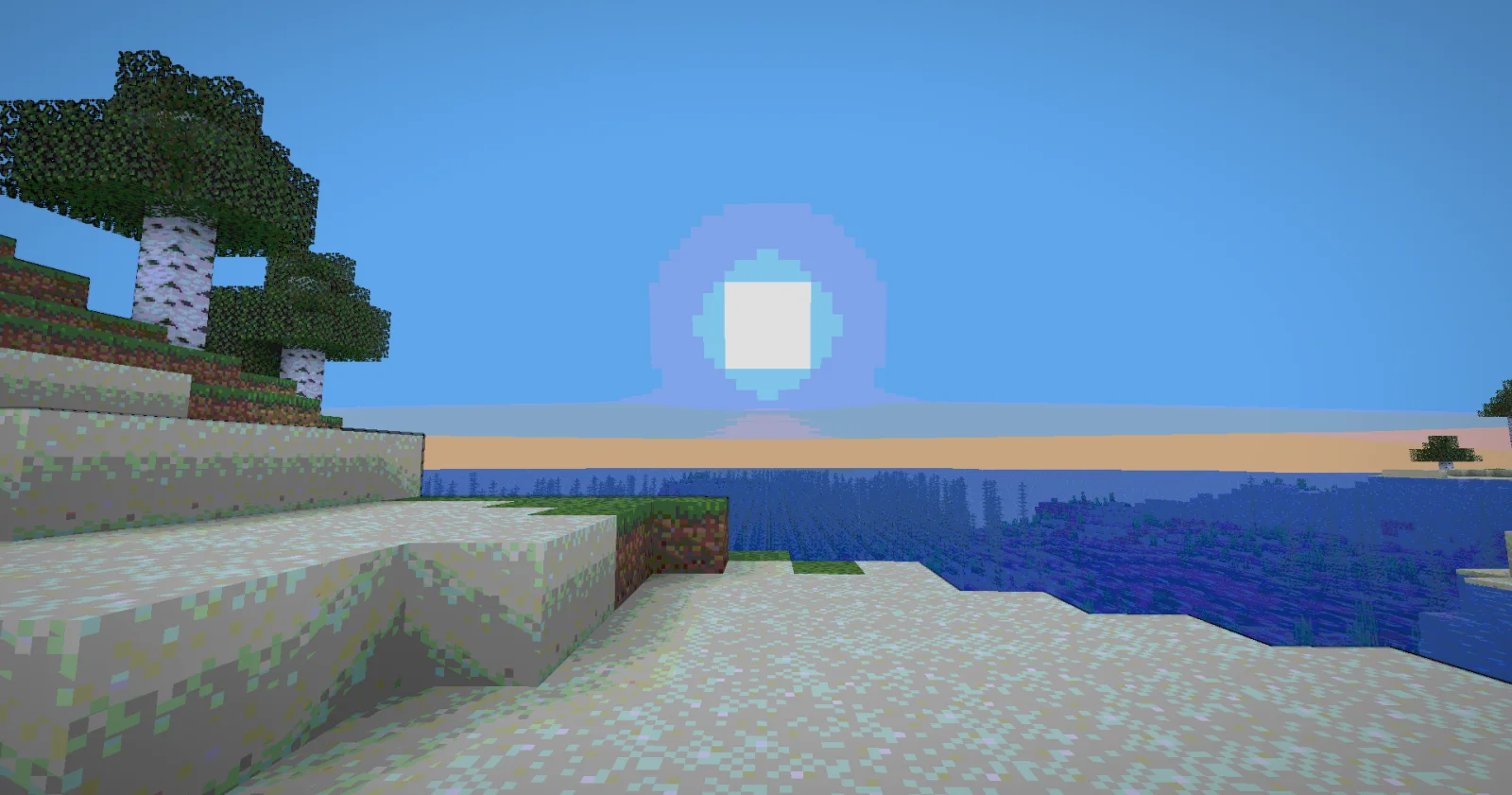
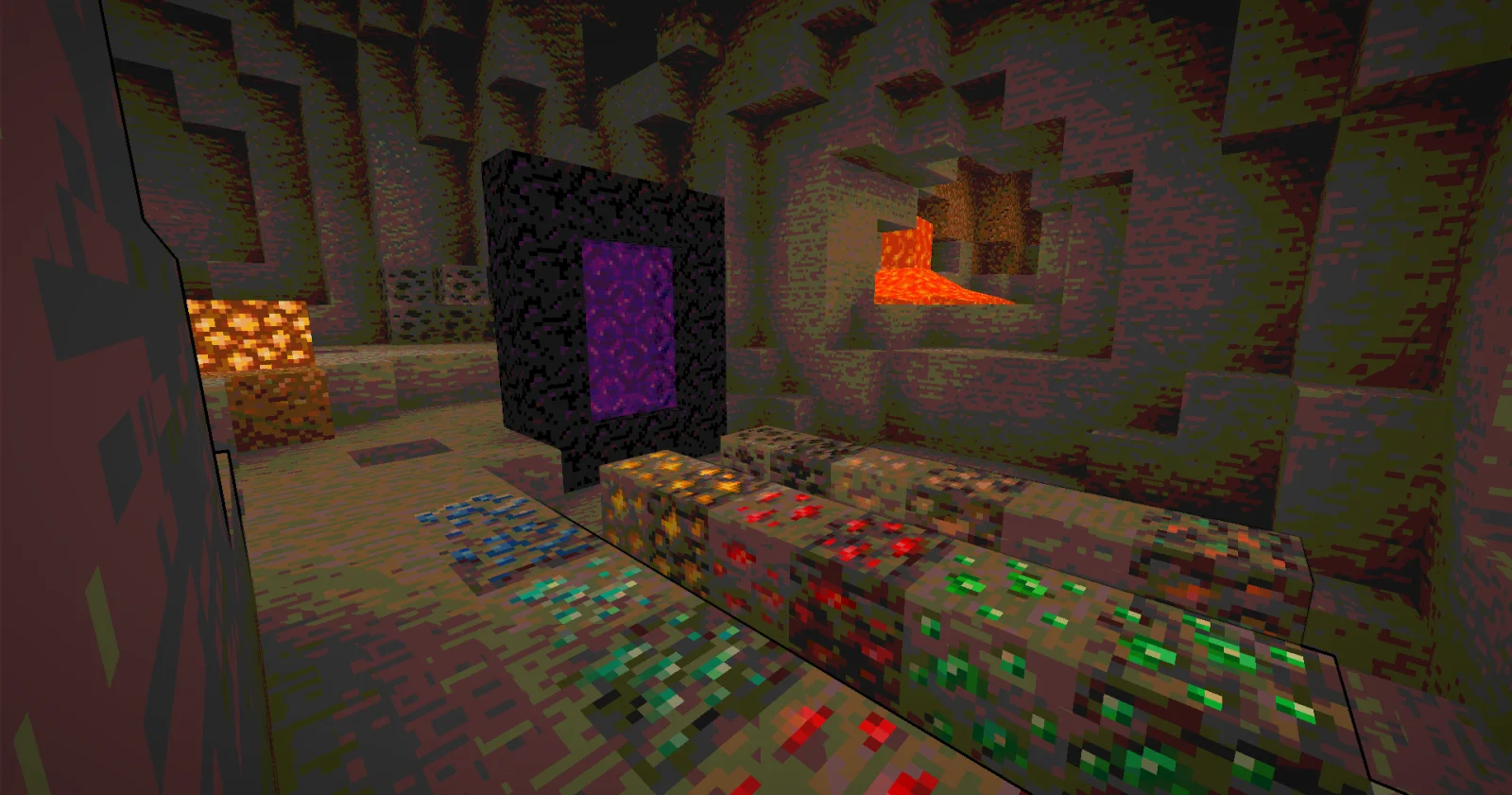
Cartoony to paczka shaderów, autor: xsoras. A shader that makes 3D look like old-school cartoons on caffeine.
Obsługiwane wersje: Minecraft 1.17 – 26.x. Liczba pobrań w serwisie Modrinth: 26,673. Ostatnia aktualizacja: 12.09.2026.
Cartoony ma 3 wydań na Modrinth od 02.11.2025. 2 z nich wyszło w ostatnim roku. Najnowsza to 1.1, wydana 12.09.2026. Jest zrobiona dla Minecraft 1.17 – 1.19.1. Działa na Iris i Optifine. Plik ma 13 KB.
| Wersja | Wydano | Minecraft | Typ |
|---|---|---|---|
1.1 | 12.09.2026 | 1.17 – 1.19.1 | Wydanie |
0.5 | 07.06.2026 | 1.17 – 26.2 | Wydanie |
0.2 | 02.11.2025 | 1.17 – 1.19 | Wydanie |
Transform your Minecraft world into a vibrant, animated masterpiece! This shader pack brings a cel-shaded, cartoon aesthetic to your gameplay with smooth lighting, bold outlines, and stylized color grading.
🧠 Lamapi: Next-Gen Open Source AI
Pushing the boundaries of accessible intelligence. Whether you need lightweight efficiency or industrial-grade reasoning, the Next Series delivers.
Why build with Lamapi?
Explore our models and start building:
🚀 KCB Hosting: Power Meets Reliability
Looking for a host that takes your gaming experience as seriously as you do? We provide robust infrastructure ensuring smooth gameplay and enterprise-grade uptime.
Why switch to us?
🔥 Experience the difference with 25% off your first month,
Use code XSORAS
Deploy your server now:
Enjoy your cartoon adventure! 🎬✨
Autor: xsoras. Z obrazkami na Modrinth.
Zainstaluj Iris (z Sodium) albo OptiFine dla swojej wersji Minecrafta: shadery potrzebują jednego z nich.
Pobierz plik .zip z Modrinth. Nie rozpakowuj go.
W Minecrafcie otwórz Opcje, potem Ustawienia grafiki, potem Shadery i kliknij Otwórz folder shaderów.
Wrzuć plik .zip do tego folderu, wybierz Cartoony z listy i kliknij Gotowe.
Shadery mocno obciążają kartę graficzną. Jeśli gra zwalnia, wybierz niższy profil w ustawieniach shadera.
| Zasób | Pobrania | Wersje | Aktualizacja | Cena |
|---|---|---|---|---|
 Cartoonyten, który oglądałeś | 27K | 1.17 – 26.x | 12 wrz 2026 | Za darmo |
| Nostalgia ShaderRRe36 | 4.6M | 1.16 – 1.21 | 28 lut 2025 | Za darmo |
 MC VHSthejinxedartist | 628K | 1.19 – 1.21 | 12 maj 2025 | Za darmo |
 SillyWankerShaderbombacat | 93K | 1.12 – 1.21 | 13 mar 2025 | Za darmo |
Tak. Cartoony działa w wersji Minecrafta 26.x. Wszystkie obsługiwane wersje: 26.x, 1.21, 1.20, 1.19, 1.18, 1.17.
Tak. Cartoony można pobrać za darmo z serwisu Modrinth.
Tak. Ostatnia aktualizacja wyszła w ciągu ostatniej doby.
Najbliższe to Nostalgia Shader, MC VHS i SillyWankerShader. Porównaj wszystkie alternatywy
Nostalgia ShaderShadery · 1.16 – 1.21Capturing the essence of old shaderpacks to create a stylized and modern Minecraft-look.
MC VHSShadery · 1.19 – 1.21A relatively simple shader for minecraft, made to emulate the look of old VHS recordings.
SillyWankerShaderShadery · 1.12 – 1.21A minecraft Shader which tries to keep the vanilla look, while adding functionalities like other shaders and implementing some own silly things like Color…
 VHS ShaderShadery · 1.8 – 1.21
VHS Shader — Play Minecraft like it's recorded on an old VHS tape!
 I Like VanillaShadery · 1.12 – 26.x
A shader that improves minecraft's style instead of replacing it
 Vanilla Plus ShaderShadery · 1.16 – 1.21
A shaderpack that gives Minecraft a modern visual overhaul while staying faithful to its original look.
Zaloguj się, aby wystawić opinię.