
 Nostalgia ShaderShaders · 1.16 – 1.21
Capturing the essence of old shaderpacks to create a stylized and modern Minecraft-look.
Free4,552,950 downloads
A shader that makes 3D look like old-school cartoons on caffeine.
Direct download from Modrinth · 26,626 downloads


Cartoony is a shader pack made by xsoras. A shader that makes 3D look like old-school cartoons on caffeine.
It supports Minecraft 1.17 – 26.x. It has been downloaded 26,626 times on Modrinth. The last update came out on Sep 12, 2026.
Cartoony has had 3 releases on Modrinth since Nov 2, 2025. 2 of them came out in the past year. The newest is 1.1, released on Sep 12, 2026. It is made for Minecraft 1.17 – 1.19.1. It runs on Iris and Optifine. The download is 13 KB.
| Version | Released | Minecraft | Type |
|---|---|---|---|
1.1 | Sep 12, 2026 | 1.17 – 1.19.1 | Release |
0.5 | Jun 7, 2026 | 1.17 – 26.2 | Release |
0.2 | Nov 2, 2025 | 1.17 – 1.19 | Release |
Transform your Minecraft world into a vibrant, animated masterpiece! This shader pack brings a cel-shaded, cartoon aesthetic to your gameplay with smooth lighting, bold outlines, and stylized color grading.
🧠 Lamapi: Next-Gen Open Source AI
Pushing the boundaries of accessible intelligence. Whether you need lightweight efficiency or industrial-grade reasoning, the Next Series delivers.
Why build with Lamapi?
Explore our models and start building:
🚀 KCB Hosting: Power Meets Reliability
Looking for a host that takes your gaming experience as seriously as you do? We provide robust infrastructure ensuring smooth gameplay and enterprise-grade uptime.
Why switch to us?
🔥 Experience the difference with 25% off your first month,
Use code XSORAS
Deploy your server now:
Enjoy your cartoon adventure! 🎬✨
Written by xsoras. Read it with pictures on Modrinth.
Install Iris (with Sodium) or OptiFine for your Minecraft version: shaders need one of them.
Download the .zip file from Modrinth. Do not unzip it.
In Minecraft, open Options, then Video Settings, then Shader Packs, and click Open Shader Pack Folder.
Drop the .zip file into that folder, pick Cartoony in the list and click Done.
Shaders are heavy on the graphics card. If the game gets slow, pick a lower profile in the shader settings.
Full guide: How to install Minecraft shaders
| Resource | Downloads | Versions | Last update | Price |
|---|---|---|---|---|
| Cartoonythe one you looked at | 27K | 1.17 – 26.x | Sep 12, 2026 | Free |
| Nostalgia ShaderRRe36 | 4.6M | 1.16 – 1.21 | Feb 28, 2025 | Free |
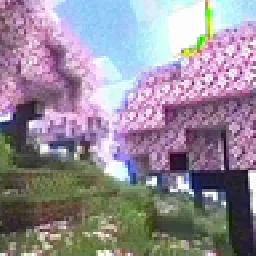 MC VHSthejinxedartist | 628K | 1.19 – 1.21 | May 12, 2025 | Free |
 SillyWankerShaderbombacat | 92K | 1.12 – 1.21 | Mar 13, 2025 | Free |
Yes. Cartoony supports Minecraft 26.x. All supported versions: 26.x, 1.21, 1.20, 1.19, 1.18, 1.17.
Yes. Cartoony is free to download from Modrinth.
Yes. The last update came out in the past day.
The closest ones are Nostalgia Shader, MC VHS and SillyWankerShader. Compare all alternatives
Nostalgia ShaderShaders · 1.16 – 1.21Capturing the essence of old shaderpacks to create a stylized and modern Minecraft-look.
MC VHSShaders · 1.19 – 1.21A relatively simple shader for minecraft, made to emulate the look of old VHS recordings.
SillyWankerShaderShaders · 1.12 – 1.21A minecraft Shader which tries to keep the vanilla look, while adding functionalities like other shaders and implementing some own silly things like Color…
 VHS ShaderShaders · 1.8 – 1.21
VHS Shader — Play Minecraft like it's recorded on an old VHS tape!
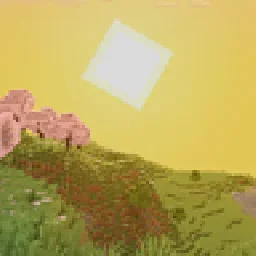 I Like VanillaShaders · 1.12 – 26.x
A shader that improves minecraft's style instead of replacing it
 Vanilla Plus ShaderShaders · 1.16 – 1.21
A shaderpack that gives Minecraft a modern visual overhaul while staying faithful to its original look.
Log in to leave a review.