
 Nostalgia ShaderShaders · 1.16 – 1.21
Capturing the essence of old shaderpacks to create a stylized and modern Minecraft-look.
Gratis4,557,846 descargas
A shader that makes 3D look like old-school cartoons on caffeine.
Descarga directa desde Modrinth · 26,673 descargas
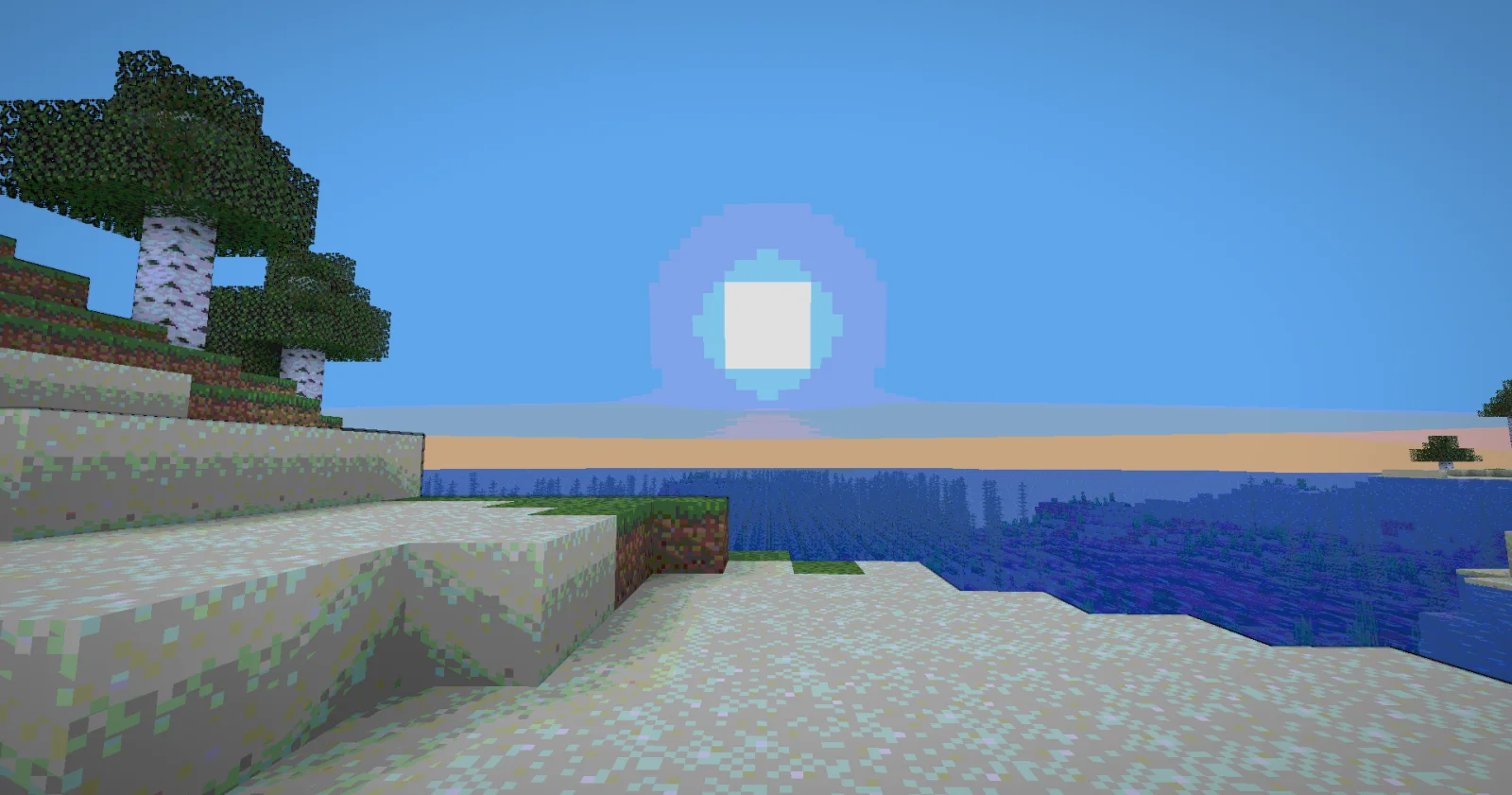
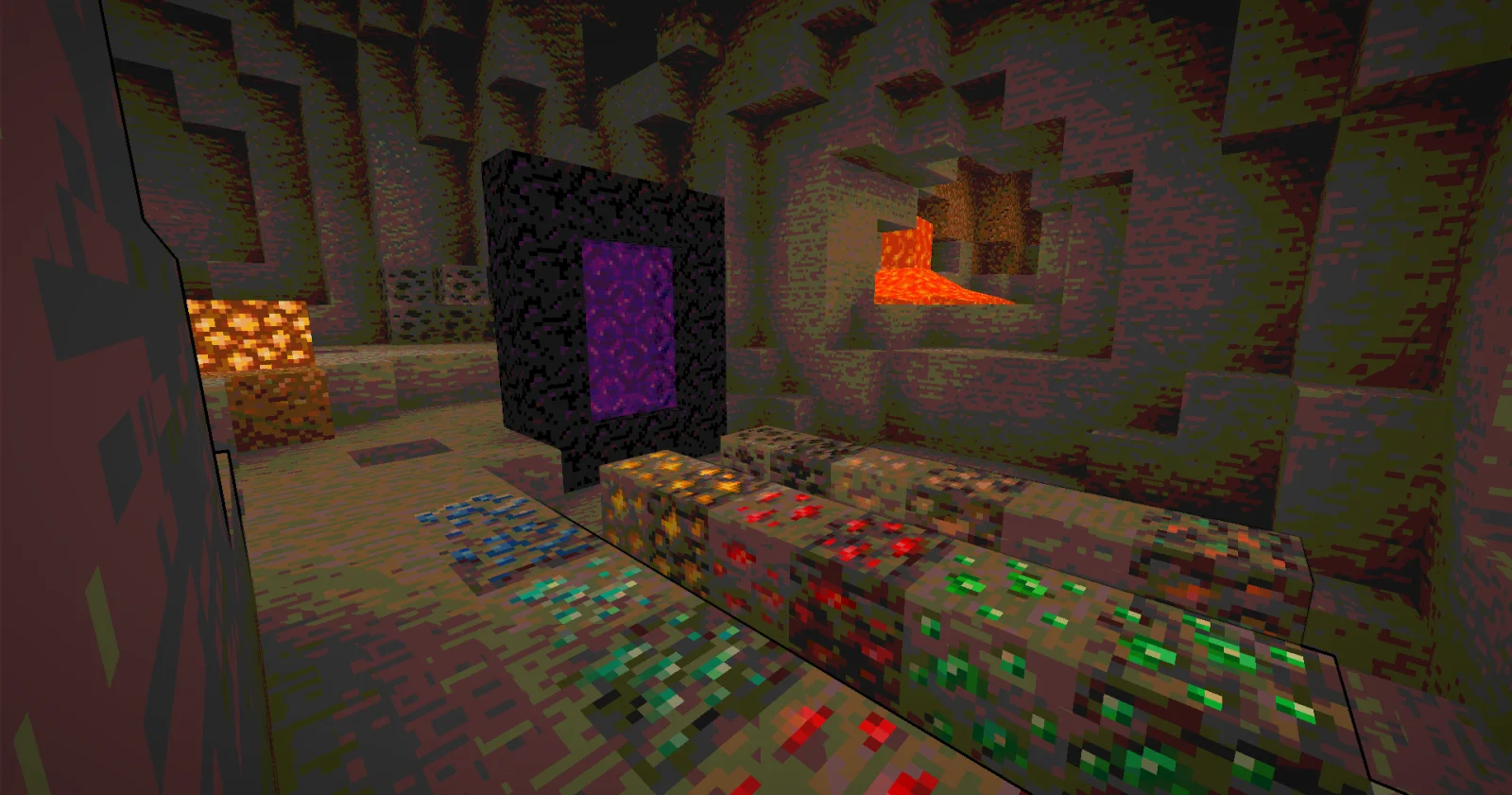
Cartoony (pack de shaders) es obra de xsoras. A shader that makes 3D look like old-school cartoons on caffeine.
Es compatible con Minecraft 1.17 – 26.x. Se ha descargado 26,673 veces en Modrinth. La última actualización salió el 12/09/2026.
Cartoony ha publicado 3 versiones en Modrinth desde el 02/11/2025. 2 salieron en el último año. La más reciente es 1.1, publicada el 12/09/2026. Está hecha para Minecraft 1.17 – 1.19.1. Funciona en Iris y Optifine. La descarga ocupa 13 KB.
| Versión | Publicado | Minecraft | Tipo |
|---|---|---|---|
1.1 | 12/09/2026 | 1.17 – 1.19.1 | Estable |
0.5 | 07/06/2026 | 1.17 – 26.2 | Estable |
0.2 | 02/11/2025 | 1.17 – 1.19 | Estable |
Transform your Minecraft world into a vibrant, animated masterpiece! This shader pack brings a cel-shaded, cartoon aesthetic to your gameplay with smooth lighting, bold outlines, and stylized color grading.
🧠 Lamapi: Next-Gen Open Source AI
Pushing the boundaries of accessible intelligence. Whether you need lightweight efficiency or industrial-grade reasoning, the Next Series delivers.
Why build with Lamapi?
Explore our models and start building:
🚀 KCB Hosting: Power Meets Reliability
Looking for a host that takes your gaming experience as seriously as you do? We provide robust infrastructure ensuring smooth gameplay and enterprise-grade uptime.
Why switch to us?
🔥 Experience the difference with 25% off your first month,
Use code XSORAS
Deploy your server now:
Enjoy your cartoon adventure! 🎬✨
Escrita por xsoras. Léela con imágenes en Modrinth.
Instala Iris (con Sodium) u OptiFine para tu versión de Minecraft: los shaders necesitan uno de ellos.
Descarga el archivo .zip desde Modrinth. No lo descomprimas.
En Minecraft, abre Opciones, luego Gráficos, luego Shader Packs y pulsa Abrir carpeta de shaders.
Suelta el archivo .zip en esa carpeta, elige Cartoony en la lista y pulsa Listo.
Los shaders exigen mucho a la tarjeta gráfica. Si el juego va lento, elige un perfil más bajo en sus ajustes.
| Recurso | Descargas | Versiones | Última actualización | Precio |
|---|---|---|---|---|
| Cartoonyel que estabas viendo | 27K | 1.17 – 26.x | 12 sept 2026 | Gratis |
| Nostalgia ShaderRRe36 | 4.6M | 1.16 – 1.21 | 28 feb 2025 | Gratis |
 MC VHSthejinxedartist | 629K | 1.19 – 1.21 | 12 may 2025 | Gratis |
 SillyWankerShaderbombacat | 93K | 1.12 – 1.21 | 13 mar 2025 | Gratis |
Sí. Cartoony es compatible con Minecraft 26.x. Todas las versiones compatibles: 26.x, 1.21, 1.20, 1.19, 1.18, 1.17.
Sí. Cartoony se puede descargar gratis desde Modrinth.
Sí. La última actualización salió en el último día.
Los más parecidos son Nostalgia Shader, MC VHS y SillyWankerShader. Comparar todas las alternativas
Nostalgia ShaderShaders · 1.16 – 1.21Capturing the essence of old shaderpacks to create a stylized and modern Minecraft-look.
MC VHSShaders · 1.19 – 1.21A relatively simple shader for minecraft, made to emulate the look of old VHS recordings.
SillyWankerShaderShaders · 1.12 – 1.21A minecraft Shader which tries to keep the vanilla look, while adding functionalities like other shaders and implementing some own silly things like Color…
 VHS ShaderShaders · 1.8 – 1.21
VHS Shader — Play Minecraft like it's recorded on an old VHS tape!
 I Like VanillaShaders · 1.12 – 26.x
A shader that improves minecraft's style instead of replacing it
 Vanilla Plus ShaderShaders · 1.16 – 1.21
A shaderpack that gives Minecraft a modern visual overhaul while staying faithful to its original look.
Inicia sesión para dejar una reseña.