
 jor's Cobblemon Music PackPacotes de recursos · 1.20 – 1.21
For all your catching needs! Enjoy multiple tracks from across the Pokemon games that reflect the biomes you explore!
Grátis5,023,048 downloads
Adds music and sounds from Pokemon to Cobblemon!
Download direto do Modrinth · 750,309 downloads
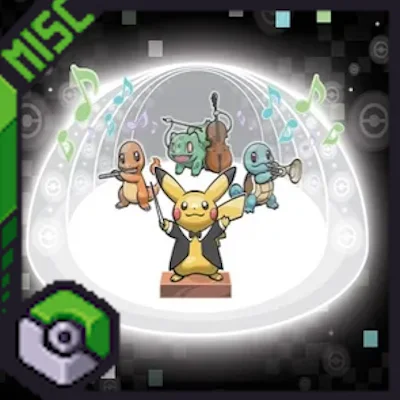
CobbleSounds (pacote de recursos) é obra de Ultirian. Adds music and sounds from Pokemon to Cobblemon!
É compatível com o Minecraft 1.19 – 1.21. Tem 750,309 downloads em Modrinth. A última atualização saiu em 05/05/2025.
CobbleSounds teve 8 versões no Modrinth desde 14/06/2024. Nenhuma saiu no último ano. A mais recente é 1.4.1, lançada em 05/05/2025. Ela é feita para o Minecraft 1.19.2, 1.20.1, 1.21.1. Ela roda em Minecraft. O download tem 487.8 MB.
| Versão | Lançado | Minecraft | Tipo |
|---|---|---|---|
1.4.1 | 05/05/2025 | 1.19.2, 1.20.1, 1.21.1 | Estável |
1.4 | 28/03/2025 | 1.19.2, 1.20.1, 1.21.1 | Estável |
1.3.5 | 29/01/2025 | 1.19.2, 1.20.1, 1.21.1 | Estável |
1.3.4 | 27/06/2024 | 1.20.1 | Estável |
1.3.3 | 18/06/2024 | 1.20.1 | Estável |
Using the amazing work of Lenka's Biome Specific Pokemon Music as a base I created a rather large Sounds Pack. Along with adding WAY more music from Generations 1-9, it also adds various SFX, such as a unique Toast & Level Up Sounds from the world of Pokemon! BattleTunes make up the third part of the main pack, adding battle songs for PvN, PvP, and PvW.
Ambient Cries for Pokemon from the games have also been added in a seperate pack, and a new Minecraft Soundtrack Replacement Pack allows you to fully immerse yourself in the CobbleSounds!
More Biome diversity and sounds will be added in the future, but you should notice quite a large selection playing naturally right out of the gate.
I compiled resources from several different Music Packs including the Gen3, Gen4, and Gen5 Music Packs made by Ashkid848 and Liger.
CobbleSounds has native Music Control[FABRIC] compatability. You can use it with FORGE via the Sinytra Connector. I have tested Music Contol 1.6.3 with Forge for 1.20.1 and Cobblemon 1.5.2 and have had no issues.
CobbleSounds can be used with any version of Cobblemon and this pack now works with Radical Trainers for NPC BattleTunes!
NOTE: You need to download the Main File OR the Redux Files, NOT BOTH. Redux files can be mixed and matched with each other. The Minecraft Soundtrack Replacement Pack and the PokeCries Pack can be added with both the Complete version and the Redux versions.
If you are using Terralith, you will need the Mod Version and the new CobbleSounds[Data] Pack for Biome Compatibility! The [Data] Pack can be used with both CS[Complete] and CS[Redux]-Soundtrack!
If you are using Radical Trainers, the BattleTunes for PVN only work with versions running on the Radical Trainers API. The CobblemonTrainers (Discontinued) API does not work with this pack.
Installation:
Acknowledgements:
I want to give a HUGE shoutout to my discord member KaiserEA. They helped me figure out a how to get the Radical Trainers Battletunes to work, which was the main reason I took so long with v1.3.5. It was a massive help and I cannot thank you enough!
Another shoutout to Jonathan's Playroom in my Discord for helping me equalize the volume throughout the pack much better!
Discord Links:
Escrita por Ultirian. Leia com imagens no Modrinth.
Baixe o arquivo .zip pelo Modrinth. Não descompacte.
No Minecraft, abra Opções, depois Pacotes de recursos, depois Abrir pasta de pacotes.
Coloque o arquivo .zip nessa pasta e volte ao jogo.
Mova CobbleSounds para a lista da direita e clique em Concluído.
Foi feito para o Minecraft 1.19 – 1.21. Em outras versões o Minecraft marca como incompatível, mas muitas vezes funciona mesmo assim.
| Recurso | Downloads | Versões | Última atualização | Preço |
|---|---|---|---|---|
| CobbleSoundso que você estava vendo | 750K | 1.19 – 1.21 | 5 mai 2025 | Grátis |
| jor's Cobblemon Music Packjor | 5M | 1.20 – 1.21 | 18 set 2026 | Grátis |
 Original Pokemon Battle MusicrealDunkin | 5.8M | 1.20 | 5 nov 2023 | Grátis |
 Cobblemon InterfaceVinnyStalck | 10M | 1.19 – 1.21 | 14 nov 2025 | Grátis |
Ainda não. A versão mais recente compatível é o Minecraft 1.21.
Sim. Você pode baixar CobbleSounds de graça em Modrinth.
Sim: Advancement Plaques, Cobblemon. Instale antes de CobbleSounds.
Sim. A última atualização saiu no último dia.
Os mais parecidos são jor's Cobblemon Music Pack, Original Pokemon Battle Music e Cobblemon Interface. Comparar todas as alternativas
jor's Cobblemon Music PackPacotes de recursos · 1.20 – 1.21For all your catching needs! Enjoy multiple tracks from across the Pokemon games that reflect the biomes you explore!
Original Pokemon Battle MusicPacotes de recursos · 1.20Adds Original Pokemon Battle Music To Be Used With Cobblemon Version 1.4!
Cobblemon InterfacePacotes de recursos · 1.19 – 1.21Cobblemon inspired GUI Textures and Sounds
 Canon PC WallpapersPacotes de recursos · 1.21
This addon adds a variety of wallpapers from Generations 3 through 9 to Cobblemon, via the new Wallpaper Addon Systems.
 OdysseyMonsPacotes de recursos · 1.19 – 1.20
OdysseyMons adds Pokémon that aren't in the initial Cobblemon mod Yet.
 Maxi's JourneyMap Cobblemon Minimap IconsPacotes de recursos · 1.19 – 1.21
Adds entity icons of Pokémon found in the Cobblemon Mod to JourneyMap in Pixel or Shuffle style!
Entre para deixar uma avaliação.