
 jor's Cobblemon Music PackPacks de ressources · 1.20 – 1.21
For all your catching needs! Enjoy multiple tracks from across the Pokemon games that reflect the biomes you explore!
Gratuit5,023,048 téléchargements
Adds music and sounds from Pokemon to Cobblemon!
Téléchargement direct depuis Modrinth · 750,035 téléchargements
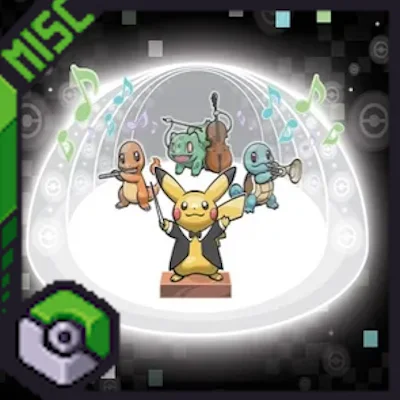
CobbleSounds (pack de ressources) est une création de Ultirian. Adds music and sounds from Pokemon to Cobblemon!
Versions prises en charge : Minecraft 1.19 – 1.21. On compte 750,035 téléchargements sur Modrinth. La dernière mise à jour date du 05/05/2025.
CobbleSounds a publié 8 versions sur Modrinth depuis le 14/06/2024. Aucune n'est sortie au cours de l'année passée. La plus récente est 1.4.1, sortie le 05/05/2025. Elle est faite pour Minecraft 1.19.2, 1.20.1, 1.21.1. Elle fonctionne sur Minecraft. Le téléchargement fait 487.8 MB.
| Version | Publié | Minecraft | Type |
|---|---|---|---|
1.4.1 | 05/05/2025 | 1.19.2, 1.20.1, 1.21.1 | Stable |
1.4 | 28/03/2025 | 1.19.2, 1.20.1, 1.21.1 | Stable |
1.3.5 | 29/01/2025 | 1.19.2, 1.20.1, 1.21.1 | Stable |
1.3.4 | 27/06/2024 | 1.20.1 | Stable |
1.3.3 | 18/06/2024 | 1.20.1 | Stable |
Using the amazing work of Lenka's Biome Specific Pokemon Music as a base I created a rather large Sounds Pack. Along with adding WAY more music from Generations 1-9, it also adds various SFX, such as a unique Toast & Level Up Sounds from the world of Pokemon! BattleTunes make up the third part of the main pack, adding battle songs for PvN, PvP, and PvW.
Ambient Cries for Pokemon from the games have also been added in a seperate pack, and a new Minecraft Soundtrack Replacement Pack allows you to fully immerse yourself in the CobbleSounds!
More Biome diversity and sounds will be added in the future, but you should notice quite a large selection playing naturally right out of the gate.
I compiled resources from several different Music Packs including the Gen3, Gen4, and Gen5 Music Packs made by Ashkid848 and Liger.
CobbleSounds has native Music Control[FABRIC] compatability. You can use it with FORGE via the Sinytra Connector. I have tested Music Contol 1.6.3 with Forge for 1.20.1 and Cobblemon 1.5.2 and have had no issues.
CobbleSounds can be used with any version of Cobblemon and this pack now works with Radical Trainers for NPC BattleTunes!
NOTE: You need to download the Main File OR the Redux Files, NOT BOTH. Redux files can be mixed and matched with each other. The Minecraft Soundtrack Replacement Pack and the PokeCries Pack can be added with both the Complete version and the Redux versions.
If you are using Terralith, you will need the Mod Version and the new CobbleSounds[Data] Pack for Biome Compatibility! The [Data] Pack can be used with both CS[Complete] and CS[Redux]-Soundtrack!
If you are using Radical Trainers, the BattleTunes for PVN only work with versions running on the Radical Trainers API. The CobblemonTrainers (Discontinued) API does not work with this pack.
Installation:
Acknowledgements:
I want to give a HUGE shoutout to my discord member KaiserEA. They helped me figure out a how to get the Radical Trainers Battletunes to work, which was the main reason I took so long with v1.3.5. It was a massive help and I cannot thank you enough!
Another shoutout to Jonathan's Playroom in my Discord for helping me equalize the volume throughout the pack much better!
Discord Links:
Écrite par Ultirian. À lire avec les images sur Modrinth.
Télécharge le fichier .zip depuis Modrinth. Ne le décompresse pas.
Dans Minecraft, ouvre Options, puis Packs de ressources, puis Ouvrir le dossier des packs.
Dépose le fichier .zip dans ce dossier et retourne au jeu.
Déplace CobbleSounds dans la liste de droite et clique sur Terminé.
Il est fait pour Minecraft 1.19 – 1.21. Sur d'autres versions, Minecraft l'indique comme incompatible, mais il fonctionne souvent quand même.
| Ressource | Téléchargements | Versions | Mise à jour | Prix |
|---|---|---|---|---|
| CobbleSoundscelle que tu regardais | 750K | 1.19 – 1.21 | 5 mai 2025 | Gratuit |
| jor's Cobblemon Music Packjor | 5M | 1.20 – 1.21 | 18 sept. 2026 | Gratuit |
 Original Pokemon Battle MusicrealDunkin | 5.8M | 1.20 | 5 nov. 2023 | Gratuit |
 Cobblemon InterfaceVinnyStalck | 10M | 1.19 – 1.21 | 14 nov. 2025 | Gratuit |
Pas encore. La version la plus récente prise en charge est Minecraft 1.21.
Oui. CobbleSounds se télécharge gratuitement sur Modrinth.
Oui : Advancement Plaques, Cobblemon. Installe-le avant CobbleSounds.
Oui. La dernière mise à jour date des dernières 24 heures.
Les plus proches sont jor's Cobblemon Music Pack, Original Pokemon Battle Music et Cobblemon Interface. Comparer toutes les alternatives
jor's Cobblemon Music PackPacks de ressources · 1.20 – 1.21For all your catching needs! Enjoy multiple tracks from across the Pokemon games that reflect the biomes you explore!
Original Pokemon Battle MusicPacks de ressources · 1.20Adds Original Pokemon Battle Music To Be Used With Cobblemon Version 1.4!
Cobblemon InterfacePacks de ressources · 1.19 – 1.21Cobblemon inspired GUI Textures and Sounds
 Canon PC WallpapersPacks de ressources · 1.21
This addon adds a variety of wallpapers from Generations 3 through 9 to Cobblemon, via the new Wallpaper Addon Systems.
 OdysseyMonsPacks de ressources · 1.19 – 1.20
OdysseyMons adds Pokémon that aren't in the initial Cobblemon mod Yet.
 Maxi's JourneyMap Cobblemon Minimap IconsPacks de ressources · 1.19 – 1.21
Adds entity icons of Pokémon found in the Cobblemon Mod to JourneyMap in Pixel or Shuffle style!
Connecte-toi pour laisser un avis.