
 Entity Texture FeaturesMods · 1.16 – 26.x
Emissive, Random & Custom texture support for entities in resourcepacks just like Optifine but for Fabric
Grátis110,997,522 downloads
A polished keybind overlay for Fabric with smooth animations, customizable themes, and support for MaLiLib-based mods like Litematica and Tweakeroo.
Download direto do Modrinth · 7 downloads
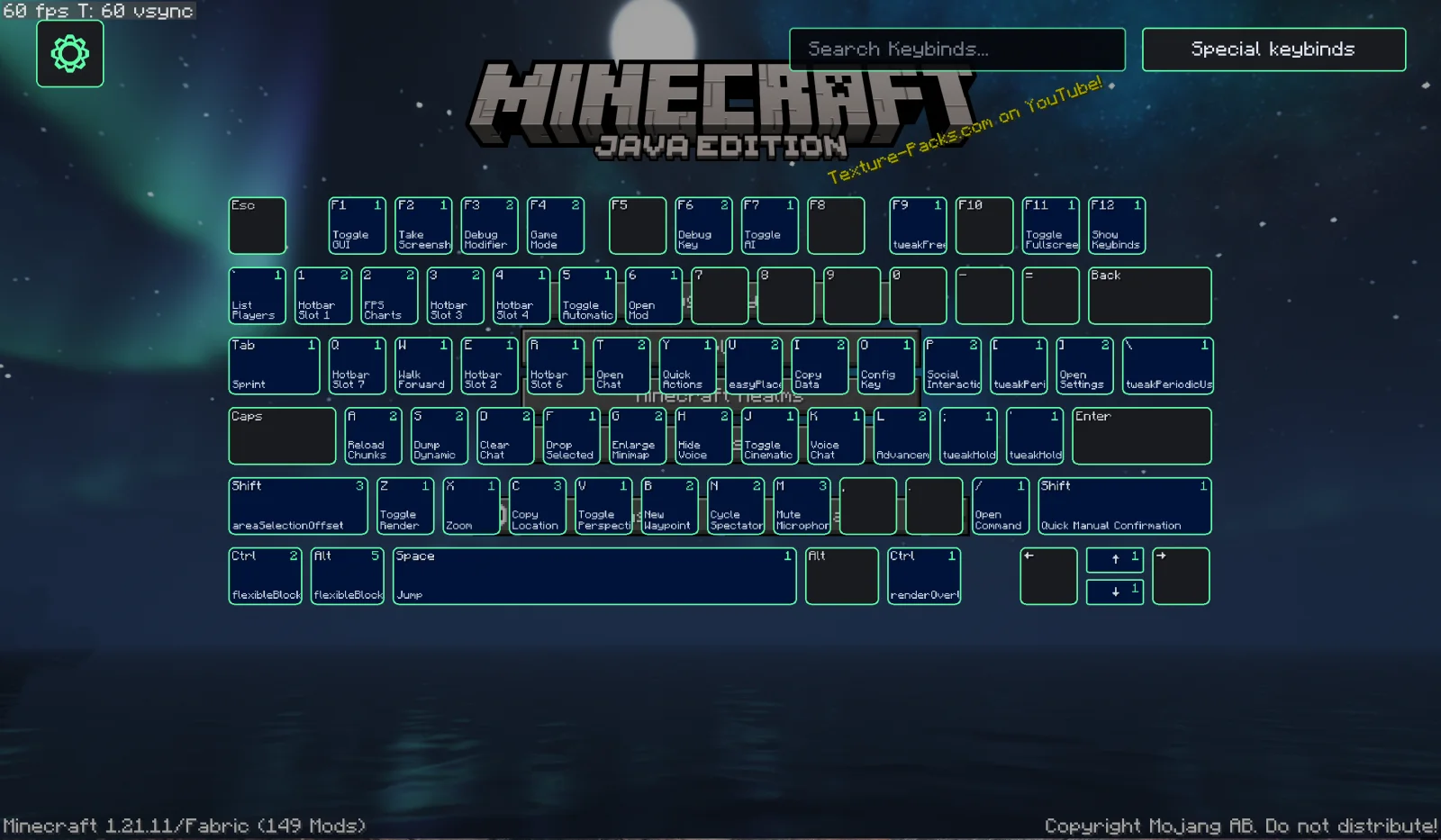
Keybind Overlay (mod) é obra de Kewbex. A polished keybind overlay for Fabric with smooth animations, customizable themes, and support for MaLiLib-based mods like Litematica and Tweakeroo.
É compatível com o Minecraft 1.21. Tem 7 downloads em Modrinth. A última atualização saiu em 23/10/2026.
Keybind Overlay teve 3 versões no Modrinth desde 21/09/2026. 3 saíram no último ano. A mais recente é 4.2.1+mc.1.21.11, lançada em 23/10/2026. Ela é feita para o Minecraft 1.21.11. Ela roda em Fabric. O download tem 297 KB.
| Versão | Lançado | Minecraft | Tipo |
|---|---|---|---|
4.2.1+mc.1.21.11 | 23/10/2026 | 1.21.11 | Estável |
4.1.0 | 02/10/2026 | 1.21.11 | Beta |
4.0.0-dev7.3 | 21/09/2026 | 1.21.11 | Alfa |
Keybind Overlay is my attempt at making a visual keybinds mod for Fabric! :D
It shows all of your keybinds on a visual keyboard, including multiple bindings on the same key, special key combinations, and bindings from supported mods.
The idea of a keybind overlay obviously already exists, but I wanted to make my own version of it... and then proceeded to spend a slightly ridiculous amount of time optimizing basically every little part of it :D
The animations are probably my favorite part, I kinda just wanted it to look good, so I spent way too much time animating every single key, individually. At least it looks good now >.<
TO ADD SOON: Being able to directly change keybinds from the menu (this is an easy change, but of course, knowing me, I gotta spend way too much time designing a brand new, novel animation for the opening of the menu)
Keybind Overlay also supports keybinds from MaLiLib-based mods such as Litematica, Tweakeroo, or MiniHUD!
Normal single-key bindings can appear directly on the keyboard, while multi-key combinations and other unusual bindings are shown in the MaLiLib section of Special Keybinds.
Press F12 to open Keybind Overlay! (This is the default, it can be changed in the MC controls menu, of course)
Press Ctrl + F while the overlay is open to search through your keybinds.
Space switches Normal Keybinds and Special Keybinds.
You can also drag the keyboard around and use the scroll wheel to zoom it in and out.
Keybind Overlay is entirely client-side.
Escrita por Kewbex. Leia com imagens no Modrinth.
Este mod roda só no seu jogo. Os servidores não precisam dele, então você pode usar em qualquer servidor.
Instale Fabric para o Minecraft 1.21.
Adicione os mods que ele precisa: API do Fabric.
Baixe o arquivo .jar pelo Modrinth e coloque na pasta mods do seu diretório .minecraft.
Abra o Minecraft com o perfil Fabric.
Mais fácil: no Prism Launcher ou no Modrinth App, procure Keybind Overlay nos mods da sua instância e clique em Install. Ele adiciona o loader e os mods necessários para você.
| Recurso | Downloads | Versões | Última atualização | Preço |
|---|---|---|---|---|
| Keybind Overlayo que você estava vendo | 7 | 1.21 | há 20 dias | Grátis |
| Entity Texture FeaturesTraben | 111M | 1.16 – 26.x | há 8 dias | Grátis |
 Indiumcomp500 | 45.9M | 1.16 – 1.21 | 26 fev 2025 | Grátis |
 GD656KilliconMinecraft_GD656 | 8M | 1.18 – 1.21 | 12 ago 2026 | Grátis |
Ainda não. A versão mais recente compatível é o Minecraft 1.21.
Sim. Você pode baixar Keybind Overlay de graça em Modrinth.
Do lado do cliente. Keybind Overlay vai na sua própria pasta mods e funciona em qualquer servidor, inclusive sem mods.
Sim: Fabric API. Instale antes de Keybind Overlay.
Sim. A última atualização saiu no último dia.
Os mais parecidos são Entity Texture Features, Indium e GD656Killicon. Comparar todas as alternativas
Entity Texture FeaturesMods · 1.16 – 26.xEmissive, Random & Custom texture support for entities in resourcepacks just like Optifine but for Fabric
IndiumMods · 1.16 – 1.21Sodium addon providing support for the Fabric Rendering API, based on Indigo
GD656KilliconMods · 1.18 – 1.21This Minecraft mod adds FPS-style killfeed notifications with exceptionally smooth animations. It offers unique features and highly customizable settings for…
 PathoGramMods · 26.x
A simple fabric mod that allows you to design curvy paths (roads) easily in survival, zero cheating, only holographic like litematica. With a lot of…
 OptiGUIMods · 1.18 – 26.x
Blazing fast custom GUI textures on Fabric and Quilt with built-in OptiFine custom GUI resource pack support
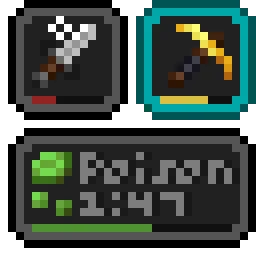 Status Effect BarsMods · 1.17 – 26.x
Adds customizable bars to the status effects overlay to show the remaining duration of effects.
Entre para deixar uma avaliação.