
 QmcFootballPlugins · 1.21
A Customizable Minecraft Football Minigame with Multiple Arenas, GUI, Live Scoreboards, and Player S
Grátis17 downloads
zartheus criou Mace Roulette Plugin (plugin) para servidores Paper / Spigot. A ten-room Mace Roulette minigame with a spinning Mace selector, queues, round events, and a GUI.
É compatível com o Minecraft 1.21. Tem 2 downloads em Modrinth. Isso o coloca na posição 98 entre os 104 plugins de minigames listados aqui. A última atualização saiu em 10/11/2026.
A mais recente é 0.2.0, lançada em 10/11/2026. Ela é feita para o Minecraft 1.21.11. Ela roda em Bukkit, Paper e Spigot. O download tem 34 KB.
| Versão | Lançado | Minecraft | Tipo |
|---|---|---|---|
0.2.0 | 10/11/2026 | 1.21.11 | Estável |
Os comandos citados na página de Mace Roulette Plugin no Modrinth:
/heusThe Mace spins. The arena waits. One player walks away.
A multiplayer Mace Roulette minigame for Minecraft Java 1.21.11.
10 independent rooms · 2–12 players per room · Spinning Mace selection · Optional round events
This is a fresh server-plugin version of the original Mace Roulette datapack. It keeps the roulette match at the center of the experience while making the lobby and controls feel more like a multiplayer server minigame:
The plugin is installed as a JAR and does not require the datapack.
The queue starts counting down when 2 players join. At 4 players, the remaining wait drops to at most 15 seconds. Joining a room that is already playing lets you spectate it.
Feature · In game
10 separate rooms · Multiple matches can run without sharing their queues.
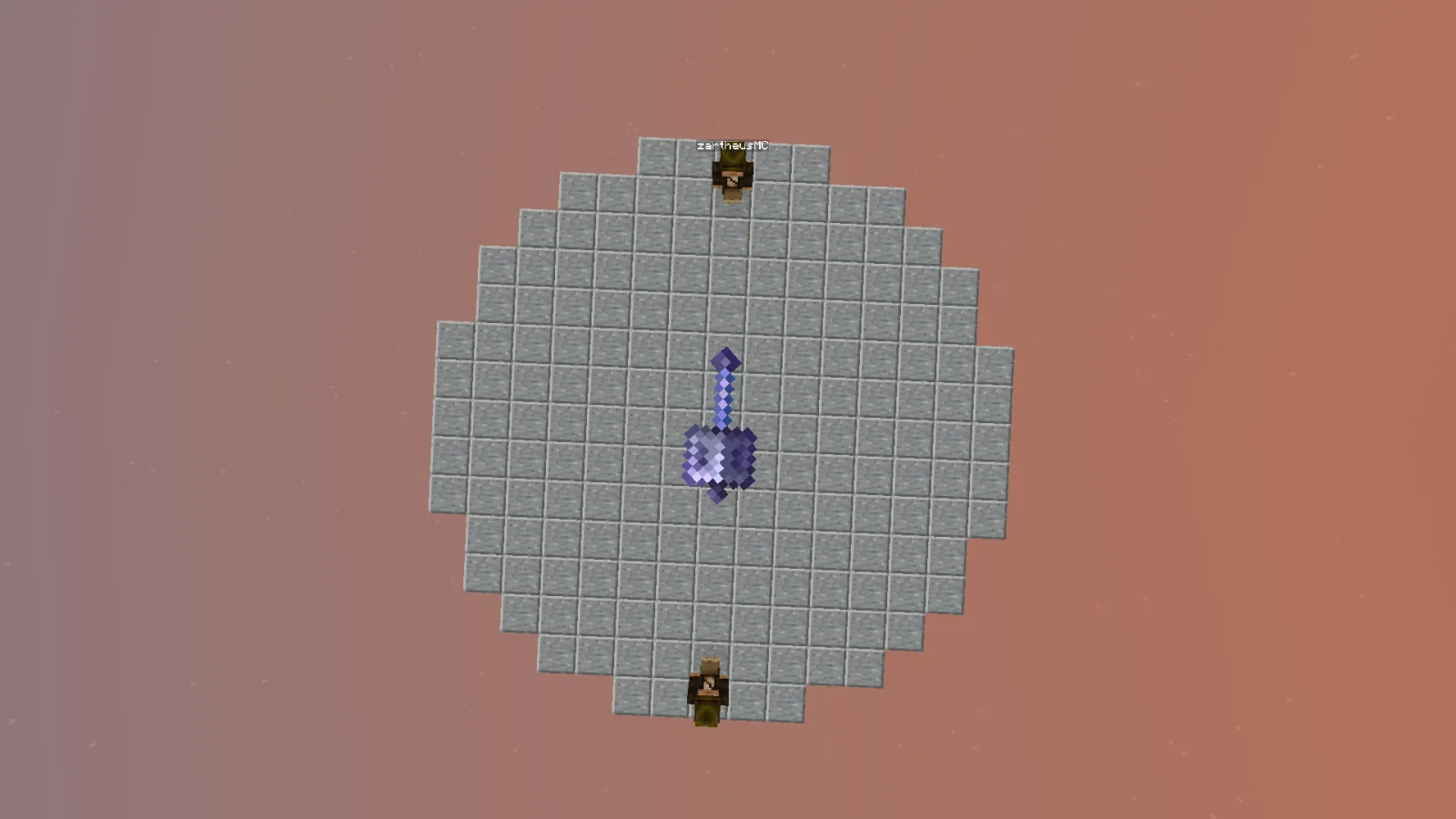
Spinning Mace selector · A physical Mace display spins in the arena before each selection.
Lightweight lobby · A circular iron-block floor within 20×20 blocks, surrounded by tall barrier walls.
Chest-style room menu · Click an item to queue for a room or watch a live match.
Admin settings GUI · Change time, Mace count, Wind Charges, arena rules, and events by clicking items.
English and Turkish · Players can choose their message language.
Anvil Rain · Glowing Silverfish · Safe Color · Crumbling Floor · Slime Floor · Ice Floor · Broken Arena
Turn events on or off from /heus settings. The same menu also controls safe borders, Mace-holder-only PvP, and arena shrinking.
Requires Java 21 and Minecraft Java 1.21.11. The plugin is built against the Spigot API and tested on Paper 1.21.11. It runs server-side; players do not need a client mod or resource pack. Spigot and CraftBukkit runtime testing has not been completed.
Important: This is a plugin JAR, not a datapack ZIP. Install it in plugins/, not in a world's datapacks/ folder. Do not run the datapack edition alongside the plugin in the same world.
Command · What it does
/heus menu · Open the room menu without using the compass.
/heus join · Join or leave a room queue; spectate if the room is live.
/heus watch · Watch an active match.
/heus leave · Leave a queue or spectator view.
/heus lobby · Return to the lobby when available.
/heus lang en / /heus lang tr · Change message language.
Command · What it does
/heus world · Enable or disable the lobby mode.
/heus settings · Open the clickable settings menu.
/heus setup · Prepare a room manually.
/heus start · Start a prepared room.
/heus stop · Stop one room.
/heus stopall · Stop all rooms.
Command · Range / effect
/heus set time 10 · Mace round time: 1–300 seconds; default 5.
/heus set maces 2 · Mace holders per round: 1–12.
/heus set wind 3 · Wind Charges per holder: 0–64.
/heus set shrinkafter 3 · Rounds before shrinking: 1–100.
/heus toggle border · Toggle the arena's safe border.
/heus toggle maceonly · Toggle Mace-holder-only PvP.
/heus toggle shrink · Toggle arena shrinking.
/heus toggle addons · Toggle random round events.
Operator permissions: heus.admin is granted to server operators by default.
Heus Mace Roulette, 10 ayrı odada oynanan çok oyunculu bir Mace minigame'idir. Lobideki pusulaya sağ tıkla, sandık menüsünden bir odaya katıl ve ortadaki Mace'in kimi seçeceğini izle. Elenenler Spectator olur; son kalan kazanır.
Kurulum: JAR dosyasını sunucunun plugins/ klasörüne koy, sunucuyu yeniden başlat ve OP olarak /heus world yaz. Ayarları /heus settings menüsünden değiştirebilirsin. İstemcide mod veya resource pack gerekmez.
0.1.x sürümünden geçiyorsan: Eski plugin JAR'ını kaldır. Büyük yapı tabanlı lobi artık yüklenmez; oyuncular yeni demir lobiye taşınır. Eski lobi blokları veri güvenliği için dünya dosyasından otomatik silinmez.
Escrita por zartheus. Leia com imagens no Modrinth.
Confira se o seu servidor roda Paper e Spigot no Minecraft 1.21.
Baixe o arquivo .jar pelo Modrinth e coloque na pasta plugins do seu servidor.
Reinicie o servidor. Evite /reload, muitos plugins não lidam bem com ele.
Digite /plugins no console: Mace Roulette Plugin deve aparecer em verde. Os arquivos de configuração são criados na pasta plugins na primeira inicialização.
Guia completo: Como instalar plugins em um servidor de Minecraft
| Recurso | Downloads | Nota | Versões | Última atualização | Preço |
|---|---|---|---|---|---|
 Mace Roulette Plugino que você estava vendo | 2 | – | 1.21 | há 4 dias | Grátis |
| QmcFootballAvesta12345 | 17 | – | 1.21 | há 28 dias | Grátis |
 Screaming BedWarsScreamingSandals | 506K | 4.4 | 1.8 – 26.x | 19 jun 2026 | Grátis |
 ajParkourajgeiss0702 | 135K | 4.8 | 1.8 – 26.x | 25 abr 2026 | Grátis |
Ainda não. A versão mais recente compatível é o Minecraft 1.21.
Sim. Você pode baixar Mace Roulette Plugin de graça em Modrinth.
Mace Roulette Plugin roda em servidores Paper e Spigot.
Sim. A última atualização saiu no último dia.
Os mais parecidos são QmcFootball, Screaming BedWars e ajParkour. Comparar todas as alternativas
QmcFootballPlugins · 1.21A Customizable Minecraft Football Minigame with Multiple Arenas, GUI, Live Scoreboards, and Player S
Screaming BedWarsPlugins · 1.8 – 26.xBedWars/EggWars/AnchorWars/CakeWars minigame compatible with all versions since 1.8+
ajParkourPlugins · 1.8 – 26.xRandomly generated parkour minigame. Great for any kind of server! Jump and Run!
 Murder MysteryPlugins · 1.8 – 26.x
[MINIGAME] Addictive Gameplay | MySQL/YAML | BungeeCord/Multi Arena | Placeholders | Many Languages
 ScreamingBedWarsPlugins · 1.8 – 26.x
BedWars/EggWars/AnchorWars/CakeWars minigame compatible with all versions since 1.8.8
 ExcellentCratesPlugins · 1.21 – 26.x
A modern, feature-rich, modular crate & lootbox plugin with an intuitive in-game GUI editor and smooth animations.
Entre para deixar uma avaliação.