
 Slimemike's GUI RedrawPacotes de texturas · 26.x
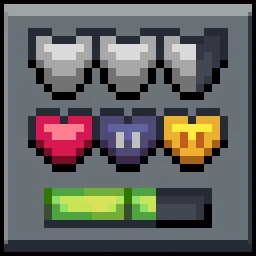
This Texture pack redesigns Minecraft’s HUD, including hearts, hunger, armour, XP bar, and hotbar in a style that I work with
Grátis76 downloads
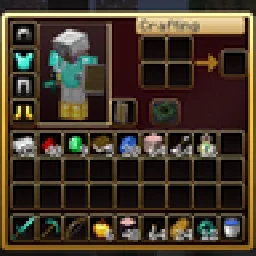
Dark crimson and gold redesign of the vanilla menus and HUD: inventory, crafting table, furnaces, chests, villagers, hotbar, hearts, buttons and more – in HD.
Download direto do Modrinth · 1 downloads
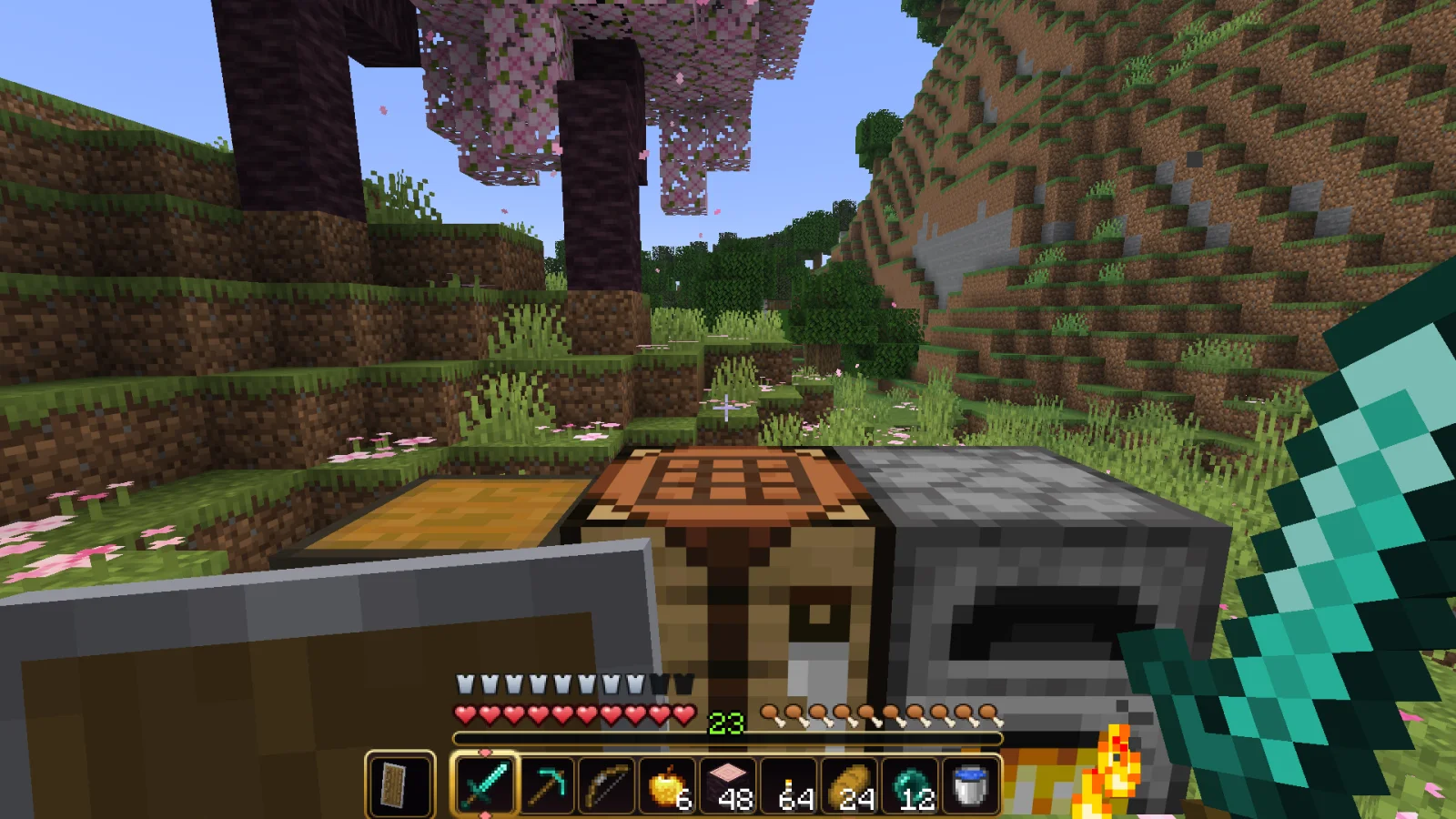
RBZ GUI (pacote de texturas) é obra de RedBlockZ. Dark crimson and gold redesign of the vanilla menus and HUD: inventory, crafting table, furnaces, chests, villagers, hotbar, hearts, buttons and more – in HD.
É compatível com o Minecraft 26.x. Tem 1 downloads em Modrinth. A última atualização saiu em 08/11/2026.
A mais recente é 1.0.0, lançada em 07/11/2026. Ela é feita para o Minecraft 26.2, 26.3. Ela roda em Minecraft. O download tem 1.6 MB.
| Versão | Lançado | Minecraft | Tipo |
|---|---|---|---|
1.0.0 | 07/11/2026 | 26.2, 26.3 | Beta |
RBZ GUI gives the vanilla menus and HUD a new look: dark crimson backgrounds, golden frames and rounded slots – in double resolution (HD). The layout stays exactly like vanilla, so every slot is where you expect it.
A pure resource pack – no mods needed. Works in singleplayer and on any server.
Containers
HUD
Everything else
RBZ GUI gibt den Vanilla-Menüs und der Anzeige einen neuen Look: dunkelrote Hintergründe, goldene Rahmen und abgerundete Slots, in doppelter Auflösung (HD). Der Aufbau bleibt genau wie in Vanilla, jeder Slot ist da, wo du ihn erwartest.
Ein reines Resource-Pack, keine Mods nötig. Läuft im Einzelspieler und auf jedem Server.
Behälter: Inventar, Kreativ-Reiter, Werkbank, Crafter, Ofen, Schmelzofen, Räucherofen, Braustand, Kisten und Fässer, Shulkerkiste, Werfer und Spender, Trichter, Amboss, Schmiedetisch, Schleifstein, Steinsäge, Webstuhl, Kartentisch, Zaubertisch, Leuchtfeuer, Dorfbewohner-Handel, Pferde- und Nautilus-Inventar, Spielmodus-Wechsler.
Anzeige: Hotbar mit Auswahlrahmen und Zweithand, Erfahrungsleiste, Herzen, Hunger und Rüstung, Bossleiste.
Außerdem: Knöpfe, Schieberegler, Kästchen, Reiter, Bildlaufleisten, Tooltips, Rezeptbuch, Fortschritte-Fenster, Menü-Hintergründe.
Kompatibilität: Minecraft 26.2 und 26.3 (eine Datei für beide). Läuft zusammen mit anderen Resource-Packs. Leg RBZ GUI über Packs, die ebenfalls die Menüs ändern.
Escrita por RedBlockZ. Leia com imagens no Modrinth.
Baixe o arquivo .zip pelo Modrinth. Não descompacte.
No Minecraft, abra Opções, depois Pacotes de recursos, depois Abrir pasta de pacotes.
Coloque o arquivo .zip nessa pasta e volte ao jogo.
Mova RBZ GUI para a lista da direita e clique em Concluído.
Foi feito para o Minecraft 26.x. Em outras versões o Minecraft marca como incompatível, mas muitas vezes funciona mesmo assim.
| Recurso | Downloads | Versões | Última atualização | Preço |
|---|---|---|---|---|
| RBZ GUIo que você estava vendo | 1 | 26.x | há 8 dias | Grátis |
| Slimemike's GUI RedrawSIimemike | 76 | 26.x | 9 out 2026 | Grátis |
 Better GUI for Sophisticated BackpacksMoongosu | 367K | 1.16 – 1.21 | 4 jan 2025 | Grátis |
 AlacritySatellence | 1.8M | 1.16 – 26.x | 16 set 2026 | Grátis |
Sim. RBZ GUI é compatível com o Minecraft 26.x. Todas as versões compatíveis: 26.x.
Sim. Você pode baixar RBZ GUI de graça em Modrinth.
Sim. A última atualização saiu no último dia.
Os mais parecidos são Slimemike's GUI Redraw, Better GUI for Sophisticated Backpacks e Alacrity. Comparar todas as alternativas
Slimemike's GUI RedrawPacotes de texturas · 26.xThis Texture pack redesigns Minecraft’s HUD, including hearts, hunger, armour, XP bar, and hotbar in a style that I work with
Better GUI for Sophisticated BackpacksPacotes de texturas · 1.16 – 1.21A complete redesign of the Sophisticated Backpacks interface, buttons, slots, indicators and much more!
AlacrityPacotes de texturas · 1.16 – 26.x32x resource pack with crazy attention to details
 Mandala's GUIPacotes de texturas · 1.12 – 1.21
Mandala GUI is an elegant theme, in the style of Mandala Creations. It is specifically made for people who like Dark mode. It only changes the UI of…
 ArdaCraft Resource PackPacotes de texturas · 1.19 – 1.20
The resource pack overlay for the ArdaCraft server. Baixar the ArdaCraft modpack to join the server. Do not download this unless you know what you're doing.
 SenpaiSpider 1 Million Texture PackPacotes de texturas · 1.16 – 1.21
Here is my 1M Texture Pack. While it may not be the most optimized, I hope my subscribers will enjoy it. Thank you for supporti
Entre para deixar uma avaliação.