
 TerraПлагины · 1.13 – 1.21
World generation modding/configuration platform
БесплатноЗагрузок: 527,556
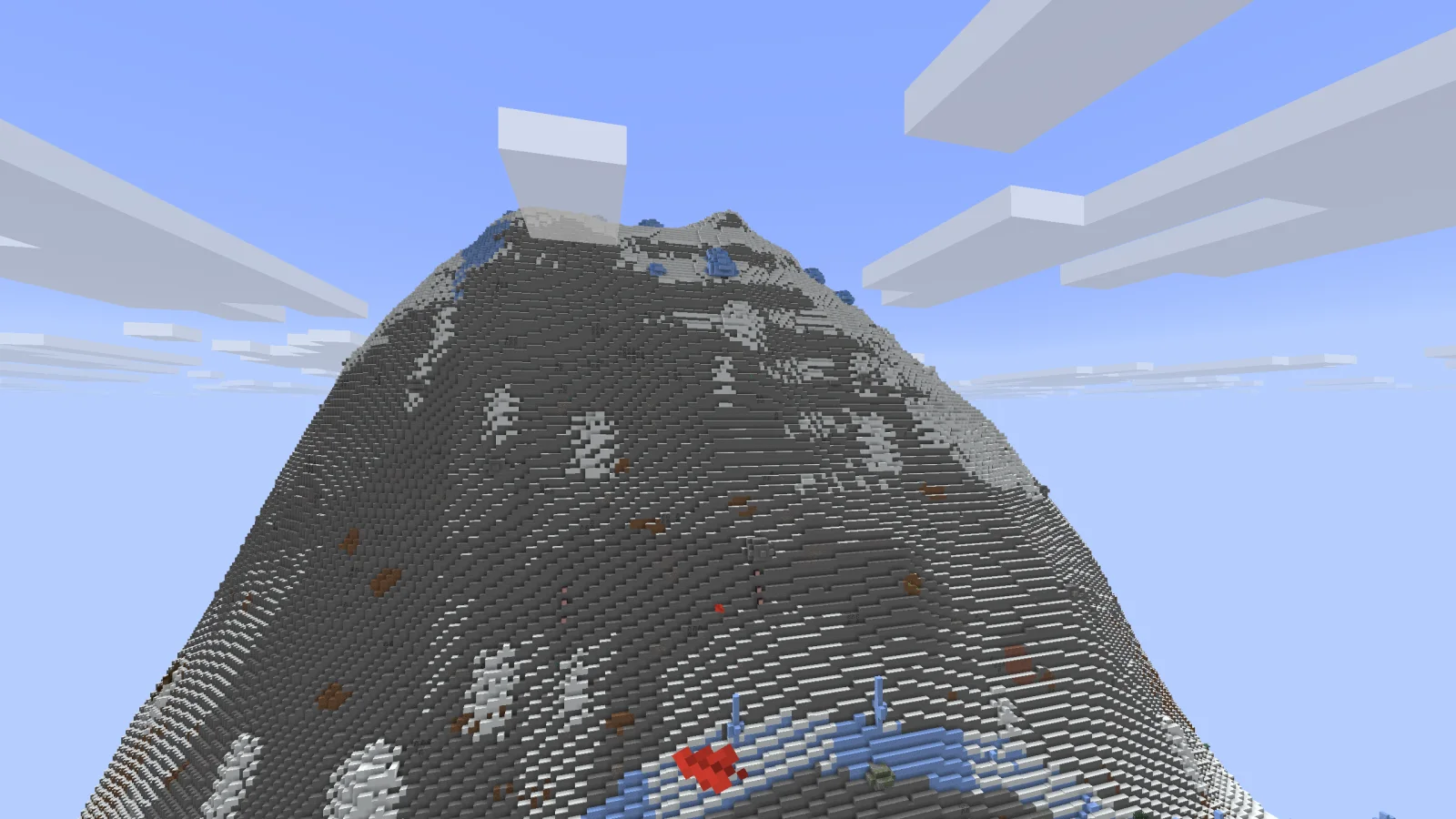
RealisticWorld — плагин для серверов Paper / Spigot от kehlchen. This project adds a realistic custom world generation.
Поддерживаемые версии: Minecraft 26.x. Скачиваний на Modrinth: 26. Это место №80 в разделе «плагины миров и карт» (всего в списке: 106). Последнее обновление: 08.11.2026.
С 08.11.2026 у RealisticWorld вышло 11 версий на Modrinth. 11 из них вышли за последний год. Новейшая — 1.1.3, вышла 08.11.2026. Она сделана для Minecraft 26.3. Работает на Bukkit, Paper, Purpur и Spigot. Размер файла — 181 KB.
| Версия | Выпущен | Minecraft | Тип |
|---|---|---|---|
1.1.3 | 08.11.2026 | 26.3 | Релиз |
1.1.2 | 08.11.2026 | 26.3 | Релиз |
1.1 | 08.11.2026 | 26.3 | Релиз |
1.0 | 08.11.2026 | 26.3 | Релиз |
0.7 | 08.11.2026 | 26.3 | Релиз |
Команды, указанные на странице RealisticWorld на Modrinth:
/rwA Paper plugin for Minecraft 26.3 that replaces the Overworld generator with a more realistic, climate-based terrain generator.
Oceans: Sandbanks (Ocean), trenches (Deep Ocean), coral reefs (Warm Ocean), sand ripples (Lukewarm Ocean), sand terraces (Deep Lukewarm Ocean), boulders on the seafloor (Cold Ocean), seamounts (Deep Cold Ocean), icebergs and pack ice (Frozen and Deep Frozen Ocean).
Coasts: Dune ripples and driftwood (Beach), ice floes (Snowy Beach), cliffs with rock spires (Stony Shore).
Deserts and badlands: Dunes, layered sandstone, gravel flats, buttes, and hoodoos (Desert); terracotta terraces (Badlands and Wooded Badlands); spires (Eroded Badlands).
Savannas: Kopjes, plateaus with terracotta edges, and wind-shaped terraces.
Temperate biomes: Ponds and wildflower fields (Plains and Sunflower Plains); fallen logs, mushrooms, mossy ground, and exposed roots (Forest, Flower Forest, Birch Forest, Old Growth Birch Forest, and Dark Forest).
Cold biomes: Podzol, mossy boulders, and fallen spruce trees (Taiga variants); frozen ponds and snowdrifts (Snowy Plains and Snowy Taiga); ice plateaus (Ice Spikes).
Tropical and swamp biomes: Karst towers (Bamboo Jungle); rugged terrain and mossy boulders (Jungle and Sparse Jungle); flat swamps with tidal channels (Swamp and Mangrove Swamp).
Highlands: Flower meadows and ponds (Meadow); petals and ponds (Cherry Grove); terraces and boulders (Grove); glacial ice and cirques (Snowy Slopes and Frozen Peaks); jagged ridges (Jagged Peaks); calcite, andesite, and spires (Stony Peaks); scree slopes (Windswept variants).
Caves: Clay pools (Lush Caves); dripstone hills with calcite (Dripstone Caves).
The main island (where the Ender Dragon fight takes place) and everything within end.main-island.radius + 100 blocks of the center remain unchanged. Farther out, six additional zones are generated.
Minecraft only supports the five vanilla End biomes; plugins cannot register new biome IDs. Each custom zone therefore reports a vanilla biome, which determines mobs, Chorus plants, and End Cities. F3 displays the vanilla biome name, while /rw info shows the custom zone.
Zone · Vanilla Biome · Terrain and Surface · Features
chorus_forest · End Midlands · Flat End Stone with patches of Purpur · Dense Chorus plants
crystal_fields · End Midlands · Spires, Amethyst, and Calcite · Amethyst spires with clusters
obsidian_wastes · End Barrens · Jagged ridges of Obsidian and Crying Obsidian · Obsidian pillars
ender_dunes · End Barrens · Rippled dunes of End Stone and Calcite · Ribs of a dead dragon made of bone blocks
purpur_ruins · End Highlands · Terraces of End Stone Bricks and Purpur · Broken rows of Purpur pillars with beams
void_rifts · Small End Islands · Narrow rifts cutting through islands, with Obsidian edges · None
Terrain elevations blend smoothly between zones, while surface materials transition at zone boundaries. The four classic zones (end_highlands, end_midlands, end_barrens, small_end_islands) retain their existing smooth terrain and compete with the new zones for space.
End Cities continue to generate only in vanilla End Highlands or End Midlands biomes and on sufficiently large islands. Set end.custom-biomes: false to restore the previous End generation outside the main island.
config.yml is organized by dimension (overworld, nether, end) and includes settings for:
Every option is documented with comments. Older configs are backed up on startup (config-backup-v.yml), migrated to the new layout, and existing values are preserved where possible.
Weights only affect the distribution of biomes compatible with the same climate and altitude. Coastlines, rivers, and mountains are unaffected by biome size; use continent-size, horizontal-scale, and mountain settings for those.
The plugin searches for vanilla files in the classloader and in JARs under cache/, versions/, and the server directory. If this fails, copy data/minecraft/dimension_type/overworld.json and pack.mcmeta from a vanilla server JAR into plugins/RealisticWorld/vanilla/, preserving their relative paths.
Permission: realisticworld.admin
**LICENSE Link: kehlchen.com/license/kshl/ or kehlchen.com/license/kshl/license.txt**
Автор: kehlchen. С картинками — на Modrinth.
Убедись, что твой сервер работает на Paper и Spigot с Minecraft 26.x.
Скачай .jar-файл с Modrinth и положи его в папку plugins на сервере.
Перезапусти сервер. Не используй /reload, многие плагины плохо это переносят.
Введи /plugins в консоли: RealisticWorld должен быть зелёным. Файлы настроек создаются в папке plugins при первом запуске.
Подробное руководство: Как установить плагины на сервер Minecraft
| Ресурс | Загрузки | Версии | Обновление | Цена |
|---|---|---|---|---|
 RealisticWorldтот, что ты смотрел | 26 | 26.x | 3 дн. назад | Бесплатно |
| Terradfsek | 528K | 1.13 – 1.21 | 3 окт. 2025 | Бесплатно |
 SlowGrindkehlchen | 9 | 26.x | 11 дн. назад | Бесплатно |
 BedrockRiserQuackerx | 5 | 1.13 – 26.x | 6 дн. назад | Бесплатно |
Да. RealisticWorld поддерживает Minecraft 26.x. Все поддерживаемые версии: 26.x.
Да. RealisticWorld можно бесплатно скачать на Modrinth.
RealisticWorld работает на серверах Paper и Spigot.
Да. Последнее обновление вышло за последние сутки.
Ближе всего к нему Terra, SlowGrind и BedrockRiser. Сравнить все альтернативы
TerraПлагины · 1.13 – 1.21World generation modding/configuration platform
SlowGrindПлагины · 26.xThis Project makes, that any sort of grinding takes longer
BedrockRiserПлагины · 1.13 – 26.xMakes the bedrock in your server / world rise, almost like an arg. More info in the description!
 Manhunt MinigameПлагины · 1.20
The plugin adds custom abilities, tracking, airdrops, respawn mechanics, world-border gameplay, multiple stages, and much more to create a faster and more…
 JourneyMapПлагины · 1.12 – 26.x
Real-time map used for mapping in-game or your browser as you explore.
 RTPПлагины · 1.17 – 26.x
A Simple RTP Plugin.
Войди, чтобы оставить отзыв.