
 Ragdoll DeathsМоды · 1.21 – 26.x
When killed, mobs and players become real physics ragdolls that react to how they died. Client-side and purely visual.
БесплатноЗагрузок: 3,674
Kill a mob, become the mob. An unofficial revival of iChun's classic Morph for Minecraft 26.2 and 26.3: collect the mobs you kill, transform into them, and…
Прямая загрузка с Modrinth · 14 загрузок
Источник и права. Эта страница создана автоматически на основе открытых данных, которые Modrinth предоставляет через свой публичный API. Название, описания, изображения, товарные знаки и всё прочее содержимое этого проекта принадлежат ded811 и соответствующим правообладателям. CraftRank не является автором этого проекта и не связан с его автором или Modrinth, не одобрен и не спонсируется ими.
Размещение и распространение. CraftRank не размещает, не хранит, не загружает и не распространяет файлы для скачивания этого проекта, и ни один такой файл не хранится на серверах CraftRank. Каждое скачивание предоставляется напрямую Modrinth с его собственных серверов; кнопка «Скачать» лишь ведёт к файлу там. Лицензия, указанная на Modrinth: LGPL-3.0-only.
Использование публичных API. Modrinth, Hangar (PaperMC) и SpigotMC (через API Spiget) открыто предоставляют свои API сторонним сайтам и приложениям. Условия использования Modrinth дают пользователям API лицензию на скачивание, отображение и запрос контента через их собственные сервисы (раздел «API Usage»), а авторы, публикующиеся на Modrinth, предоставляют Modrinth и его лицензиатам право показывать и распространять их контент третьим лицам (раздел «User Contributions»). CraftRank использует эти API в соответствии с опубликованными правилами платформ: представляется в каждом запросе и соблюдает их лимиты.
Отказ от гарантий. Информация на этой странице предоставляется «как есть», без каких-либо гарантий. Скачивание и использование этого проекта осуществляется на ваш риск и регулируется лицензией и условиями его автора.
Уведомления об авторском праве (DMCA). Подать уведомление может только правообладатель или лицо, уполномоченное действовать от его имени, и оно должно исходить от совершеннолетнего лица либо его родителя или законного представителя. Действительное уведомление, отправленное на abuse@craftrank.org, должно содержать: ссылку на эту страницу; произведение, права на которое якобы нарушены; ваши полное имя, почтовый адрес, телефон и e-mail; заявление о том, что вы добросовестно полагаете, что использование не разрешено правообладателем, его представителем или законом; заявление под страхом ответственности за лжесвидетельство о том, что уведомление точно и вы являетесь правообладателем или уполномочены действовать от его имени; а также вашу физическую или электронную подпись. Неполные уведомления не рассматриваются. Действительные уведомления обрабатываются в течение 48 часов, без обращения в Google.
Ложные уведомления. Тот, кто заведомо ложно заявляет о нарушении, несёт ответственность за причинённый ущерб, включая расходы и оплату услуг юристов (17 U.S.C. § 512(f)). Уведомления, поданные недобросовестно или лицами, не обладающими правами, фиксируются и будут оспорены.
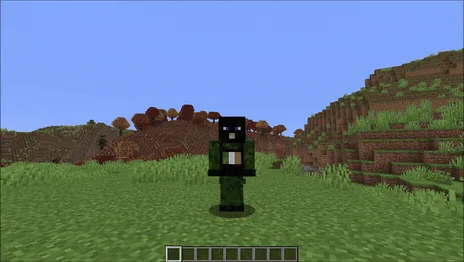
Morph Mod Revived — мод от ded811. Kill a mob, become the mob. An unofficial revival of iChun's classic Morph for Minecraft 26.2 and 26.3: collect the mobs you kill, transform into them, and…
Поддерживаемые версии: Minecraft 26.x. Скачиваний на Modrinth: 14. Последнее обновление: 26.09.2026.
С 26.09.2026 у Morph Mod Revived вышло 4 версий на Modrinth. 4 из них вышли за последний год. Новейшая — 0.2.0-beta+mc26.3, вышла 26.09.2026. Она сделана для Minecraft 26.3. Работает на Fabric. Размер файла — 1.2 MB.
| Версия | Выпущен | Minecraft | Тип |
|---|---|---|---|
0.2.0-beta+mc26.3 | 26.09.2026 | 26.3 | Бета |
0.2.0-beta+mc26.2 | 26.09.2026 | 26.2 | Бета |
0.2.0-beta+mc26.2 | 26.09.2026 | 26.2 | Бета |
0.2.0-beta+mc26.3 | 26.09.2026 | 26.3 | Бета |
Kill a mob, become the mob.
An unofficial revival of iChun's Morph, based on its classic Minecraft 1.6.4
version and rebuilt for Minecraft 26.2 and 26.3 on Fabric and
NeoForge.
The mobs you kill join your collection. Your body twists into their shape while
everyone nearby watches, and you take on their size and their natural
abilities: bats fly, spiders climb walls, blazes shrug off fire, fish breathe
underwater. Your health and attack stay your own, though, and there are no mob
attacks to use, like creeper explosions or blaze fireballs. Switch between your
collected forms whenever you like, or go back to being yourself.
or NeoForge. There's a separate file for each loader.
the original. Please report bugs on the
issue tracker.
hit, an arrow, a thrown trident, a splash potion or TNT you lit all count,
but a kill by your pet, or by fire, lava or a fall, doesn't. A dark copy of
the mob breaks apart and flies into you, and you start turning into it
straight away. A kill made while you're still changing doesn't give a
morph.
the screen. It isn't a menu, so you can keep walking while you pick. Each mob
you've collected has a row, with a little 3D model and icons for its
abilities.
turns dark and speckled, reshapes into the new form, and the new form fades
in. Everyone nearby sees and hears it. You can't start another change until
this one has finished.
top slot of the favourites wheel (see Controls).
Different-looking versions of a mob, like sheep colours, slime sizes, horse
coats or villager jobs, are separate morphs, kept together in that mob's row.
So are baby and adult mobs, and name-tagged mobs.
Key · What it does
[ or ] · Open the selector, then move up ([) and down (]) the list
Mouse wheel, with the selector open · Move up and down the list
Shift + [ / ], or Shift + mouse wheel · Move sideways through a mob's variants
Enter, or left-click · Turn into the highlighted form
Esc, or right-click · Close the selector without changing
Delete · Remove the highlighted morph for good
` `` (the key below Esc), with the selector open · Star or unstar the highlighted morph as a favourite
Hold ` ``, with the selector closed · Open the favourites wheel: move the mouse toward a form and let go
swing your hand or use what you're holding. Esc still opens the game menu as
well, though, and holding Shift also makes you sneak.
Controls, Key Binds, under Morph Mod Revived. Shift, the mouse, and the
` `` key that opens the favourites wheel can't be changed.
[, ] and ` `` on a US keyboard; Key Binds shows what they're called on
yours. On a Mac keyboard, Delete is Fn + delete.
starred morphs around it. Letting go near the middle closes it without
changing.
mob again. You can't remove your own form, the morph you're wearing, or a
starred favourite (unstar it first).
in the middle of a change.
Every morph gets its mob's natural abilities automatically. Almost all of them
are worked out from the mob itself rather than from a fixed list, so mobs from
other mods usually get fitting abilities too. The selector shows them as small
icons around each morph's picture.
Ability · What you get · Some mobs that have it
Flight · Fly like in creative mode (double-tap jump). Flying uses up hunger. · bat, bee, allay, parrot, ghast, happy ghast, blaze, phantom, vex
Slow falling · Drift down slowly, with no fall damage · chicken and parrot only
No fall damage · Falls never hurt you · bat, cat, ocelot, iron golem, snow golem, magma cube, shulker, breeze
Wall climbing · Walk into a wall to climb it; sneak to hang on · spider, cave spider
Swimming · Breathe underwater and swim fast, like Dolphin's Grace · fish, squid, dolphin, turtle, axolotl, frog, guardian, drowned
Fire immunity · Fire and lava can't hurt you · blaze, ghast, magma cube, strider, wither skeleton, zombified piglin
Step up · Walk up full blocks without jumping (camels manage 1.5) · horse, donkey, llama, camel, enderman, iron golem, ravager
Poison immunity · Poison wears off the moment it hits · spiders, and all undead mobs
Wither immunity · The Wither effect wears off the moment it hits · all undead mobs
Monster disguise · Most monsters leave you alone (see below) · any monster
Sunburn · You catch fire in daylight. Any helmet stops it, but the helmet slowly takes damage. · zombie, skeleton, drowned, phantom, stray, bogged
Water weakness · Water and rain hurt you · enderman, blaze, snow golem, strider
A few more things that come with the body:
Big morphs can get stuck: a spider or an iron golem is too wide for a door, and
an enderman is too tall for a two-block tunnel even when crouching. Tall,
human-shaped morphs shrink a little when you crouch, but no morph can crawl or
lie flat.
you start drowning, and you move slowly on land. Dolphins, turtles, axolotls
and frogs are fine.
parrots. Blazes, ghasts and vexes keep their speed.
burning, but only slowly. They're slow on land too.
when mob griefing is turned off.
does your walking speed, apart from the strider and fish slowdowns above.
change back, you keep the old ones until it finishes, so a bat that changes
back in mid-air flies for four more seconds and then drops.
you give up. You can even hit them and they won't fight back. Piglins,
hoglins, zoglins, breezes, wardens and creakings aren't fooled, though: they
treat you like any other player. Mobs that protect others still go for you:
a village's iron golem attacks you as a zombie. Pets and player-built golems
only do that when the server allows PvP.
a sheep, wild wolves hunt you. As a villager, zombies chase you. As a zombie,
villagers run away, and may call an iron golem. Mobs never hunt you on
Peaceful or in Creative, or while you're invisible or on their team, but mobs
that run from your shape still do. When you change form, mobs that were
hunting your old shape leave you alone, unless you hit them yourself.
strider, nautilus or happy ghast (skeleton and zombie horses, camel husks and
zombie nautiluses count too): they right-click you with an empty hand,
without sneaking. They
can't steer, and changing form throws them off. A happy ghast carries up to
four.
shear you as a sheep**, once every 60 seconds for each item. It works for any
mob that can be milked or sheared, but nobody can trade with a
villager-shaped player or scoop a player up in a bucket.
disguised as a mob, you get that mob instead. A player morph is looks only:
no abilities, normal player size.
their locator bar, and when you get hurt you make the mob's hurt sound.
each server. By default you keep all your morphs when you die, and you come
back still morphed.
stands never count. One player can own up to 1,000 morphs.
others stand on the bed. A server can turn sleeping while morphed off.
data from mods it doesn't have, so your collection may be lost the next time
it saves.
collections in their own way, so if you move a world from one to the other,
everyone's collection is gone there.
the mod can't join a server that has it. On Fabric they can join, but they
won't see any of the mod.
one, please report it.
26.3 it has been tested with 0.19.5, so use that or newer there), and
Fabric API
and 26.2.0.88, 26.3.0.7-beta and 26.3.0.16-beta). You don't need Fabric API.
If you download by hand, pick the file for your loader and your Minecraft
version: morph-mod-revived-fabric-... is for Fabric and
morph-mod-revived-neoforge-... is for NeoForge, and the name ends in
+mc26.2 or +mc26.3. Each file only works on that loader and that version.
You might see Ded's API in your mod list: it comes inside this mod, so you
don't need to download it separately.
On a server, install the mod on the server and on every player's game, with
the same loader on both. In singleplayer, just put it in your mods folder. For
LAN games, everyone who joins needs it too.
Commands, for operators
Everything under /morph is for operators only; in singleplayer, turn cheats
on. Words in [square brackets] are optional: leave them out to mean yourself.
Command · What it does
/morph help · Lists the commands
/morph demorph [player] · Turns a player back into themselves
/morph clear [player] · Deletes a player's whole collection and favourites. There's no undo.
/morph morphtarget [player] · Makes the player collect and turn into the mob or player they're looking at, up to 4 blocks away, without killing it. It only works on something they haven't collected yet, and the settings below still apply.
/morph whitelist / /morph unwhitelist · Adds or removes a player on the mod's own list of who can collect morphs (see whitelistedPlayers below). This isn't the server whitelist.
The whitelist commands work straight away, but they rewrite the settings file
from the settings the game loaded when it started, so any changes you've made to
the file since then are lost. Restart before using them. Names match
ignoring capitals.
Автор: ded811. С картинками — на Modrinth.
Этот мод нужен и на сервере, и у каждого игрока.
Установи Fabric и NeoForge для Minecraft 26.x.
Добавь нужные ему моды: API Fabric.
Скачай .jar-файл с Modrinth и положи его в папку mods в каталоге .minecraft.
Запусти Minecraft с профилем Fabric.
Проще: в Prism Launcher или Modrinth App найдите Morph Mod Revived в модах своей сборки и нажмите Install. Загрузчик и нужные моды добавятся сами.
| Ресурс | Загрузки | Версии | Обновление | Цена |
|---|---|---|---|---|
| Morph Mod Revivedтот, что ты смотрел | 14 | 26.x | 26 сент. 2026 | Бесплатно |
| Ragdoll DeathsFrostfleee | 3,674 | 1.21 – 26.x | 2 дн. назад | Бесплатно |
 More Mob Variantsnyuppo | 6.6M | 1.19 – 1.21 | 2 авг. 2024 | Бесплатно |
 ME Security Terminalalii | 10 | 1.21 | 2 окт. 2026 | Бесплатно |
Да. Morph Mod Revived поддерживает Minecraft 26.x. Все поддерживаемые версии: 26.x.
Да. Morph Mod Revived можно бесплатно скачать на Modrinth.
И там, и там. Morph Mod Revived нужен и на сервере, и у каждого игрока.
Да: Fabric API. Установи это до Morph Mod Revived.
Да. Последнее обновление вышло за последние сутки.
Ближе всего к нему Ragdoll Deaths, More Mob Variants и ME Security Terminal. Сравнить все альтернативы
Ragdoll DeathsМоды · 1.21 – 26.xWhen killed, mobs and players become real physics ragdolls that react to how they died. Client-side and purely visual.
More Mob VariantsМоды · 1.19 – 1.21Adds new variants to existing mobs.
ME Security TerminalМоды · 1.21Revival of the AE2 security terminal! Control what permissions each user has on your network!
 PlayerReviveМоды · 1.18 – 26.x
Revive your friends.
 Mob RideМоды · 1.12 – 26.x
Now mobs will be able to ride other animals as well
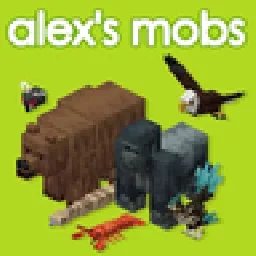 Alex's MobsМоды · 1.16 – 1.20
85+ New mobs with stylistic quality above the default game.
Войди, чтобы оставить отзыв.