
 Ragdoll DeathsMods · 1.21 – 26.x
When killed, mobs and players become real physics ragdolls that react to how they died. Client-side and purely visual.
Free3,674 downloads
Kill a mob, become the mob. An unofficial revival of iChun's classic Morph for Minecraft 26.2 and 26.3: collect the mobs you kill, transform into them, and…
Direct download from Modrinth · 14 downloads
Source and ownership. This page was generated automatically from public data that Modrinth provides through its public API. The name, descriptions, images, trademarks and all other content of this project belong to ded811 and their respective owners. CraftRank is not the author of this project and is not affiliated with, endorsed or sponsored by its author or by Modrinth.
Hosting and distribution. CraftRank does not host, store, upload or distribute the download files of this project, and no such file is kept on CraftRank's servers. Every download is provided directly by Modrinth from its own servers; the Download button only links to the file there. The license stated on Modrinth is LGPL-3.0-only.
Use of public APIs. Modrinth, Hangar (PaperMC) and SpigotMC (through the Spiget API) make their APIs publicly available to third-party websites and applications. Modrinth's Terms of Use give API users a license to download, display and query content through their own services (section “API Usage”), and creators who publish on Modrinth grant Modrinth and its licensees the right to display and distribute their content to third parties (section “User Contributions”). CraftRank uses these APIs in line with the platforms' published rules: it identifies itself in every request and respects their rate limits.
No warranty. The information on this page is provided "as is", without any warranty. Downloading and using this project is at your own risk and subject to the license and terms of its author.
Copyright notices (DMCA). Only the copyright owner or someone authorised to act for them may file a notice, and it must come from a person of legal age or from their parent or legal guardian. A valid notice sent to abuse@craftrank.org must contain: the link of this page; the work claimed to be infringed; your full name, postal address, phone number and e-mail; a statement that you believe in good faith that the use is not authorised by the owner, its agent or the law; a statement, under penalty of perjury, that the notice is accurate and that you are the owner or authorised to act for them; and your physical or electronic signature. Incomplete notices are not processed. Valid notices are acted on within 48 hours, with no need to go through Google.
False notices. Anyone who knowingly misrepresents that material is infringing is liable for the damages caused, including costs and attorneys' fees (17 U.S.C. § 512(f)). Notices filed in bad faith or by someone who does not hold the rights are kept on record and will be contested.
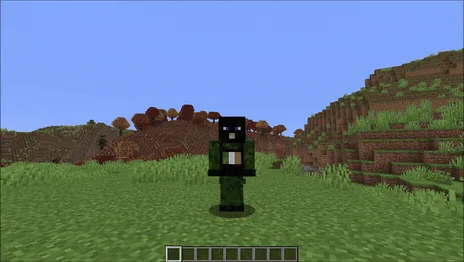
Morph Mod Revived is a mod made by ded811. Kill a mob, become the mob. An unofficial revival of iChun's classic Morph for Minecraft 26.2 and 26.3: collect the mobs you kill, transform into them, and…
It supports Minecraft 26.x. It has been downloaded 14 times on Modrinth. The last update came out on Sep 26, 2026.
Morph Mod Revived has had 4 releases on Modrinth since Sep 26, 2026. 4 of them came out in the past year. The newest is 0.2.0-beta+mc26.3, released on Sep 26, 2026. It is made for Minecraft 26.3. It runs on Fabric. The download is 1.2 MB.
| Version | Released | Minecraft | Type |
|---|---|---|---|
0.2.0-beta+mc26.3 | Sep 26, 2026 | 26.3 | Beta |
0.2.0-beta+mc26.2 | Sep 26, 2026 | 26.2 | Beta |
0.2.0-beta+mc26.2 | Sep 26, 2026 | 26.2 | Beta |
0.2.0-beta+mc26.3 | Sep 26, 2026 | 26.3 | Beta |
Kill a mob, become the mob.
An unofficial revival of iChun's Morph, based on its classic Minecraft 1.6.4
version and rebuilt for Minecraft 26.2 and 26.3 on Fabric and
NeoForge.
The mobs you kill join your collection. Your body twists into their shape while
everyone nearby watches, and you take on their size and their natural
abilities: bats fly, spiders climb walls, blazes shrug off fire, fish breathe
underwater. Your health and attack stay your own, though, and there are no mob
attacks to use, like creeper explosions or blaze fireballs. Switch between your
collected forms whenever you like, or go back to being yourself.
or NeoForge. There's a separate file for each loader.
the original. Please report bugs on the
issue tracker.
hit, an arrow, a thrown trident, a splash potion or TNT you lit all count,
but a kill by your pet, or by fire, lava or a fall, doesn't. A dark copy of
the mob breaks apart and flies into you, and you start turning into it
straight away. A kill made while you're still changing doesn't give a
morph.
the screen. It isn't a menu, so you can keep walking while you pick. Each mob
you've collected has a row, with a little 3D model and icons for its
abilities.
turns dark and speckled, reshapes into the new form, and the new form fades
in. Everyone nearby sees and hears it. You can't start another change until
this one has finished.
top slot of the favourites wheel (see Controls).
Different-looking versions of a mob, like sheep colours, slime sizes, horse
coats or villager jobs, are separate morphs, kept together in that mob's row.
So are baby and adult mobs, and name-tagged mobs.
Key · What it does
[ or ] · Open the selector, then move up ([) and down (]) the list
Mouse wheel, with the selector open · Move up and down the list
Shift + [ / ], or Shift + mouse wheel · Move sideways through a mob's variants
Enter, or left-click · Turn into the highlighted form
Esc, or right-click · Close the selector without changing
Delete · Remove the highlighted morph for good
` `` (the key below Esc), with the selector open · Star or unstar the highlighted morph as a favourite
Hold ` ``, with the selector closed · Open the favourites wheel: move the mouse toward a form and let go
swing your hand or use what you're holding. Esc still opens the game menu as
well, though, and holding Shift also makes you sneak.
Controls, Key Binds, under Morph Mod Revived. Shift, the mouse, and the
` `` key that opens the favourites wheel can't be changed.
[, ] and ` `` on a US keyboard; Key Binds shows what they're called on
yours. On a Mac keyboard, Delete is Fn + delete.
starred morphs around it. Letting go near the middle closes it without
changing.
mob again. You can't remove your own form, the morph you're wearing, or a
starred favourite (unstar it first).
in the middle of a change.
Every morph gets its mob's natural abilities automatically. Almost all of them
are worked out from the mob itself rather than from a fixed list, so mobs from
other mods usually get fitting abilities too. The selector shows them as small
icons around each morph's picture.
Ability · What you get · Some mobs that have it
Flight · Fly like in creative mode (double-tap jump). Flying uses up hunger. · bat, bee, allay, parrot, ghast, happy ghast, blaze, phantom, vex
Slow falling · Drift down slowly, with no fall damage · chicken and parrot only
No fall damage · Falls never hurt you · bat, cat, ocelot, iron golem, snow golem, magma cube, shulker, breeze
Wall climbing · Walk into a wall to climb it; sneak to hang on · spider, cave spider
Swimming · Breathe underwater and swim fast, like Dolphin's Grace · fish, squid, dolphin, turtle, axolotl, frog, guardian, drowned
Fire immunity · Fire and lava can't hurt you · blaze, ghast, magma cube, strider, wither skeleton, zombified piglin
Step up · Walk up full blocks without jumping (camels manage 1.5) · horse, donkey, llama, camel, enderman, iron golem, ravager
Poison immunity · Poison wears off the moment it hits · spiders, and all undead mobs
Wither immunity · The Wither effect wears off the moment it hits · all undead mobs
Monster disguise · Most monsters leave you alone (see below) · any monster
Sunburn · You catch fire in daylight. Any helmet stops it, but the helmet slowly takes damage. · zombie, skeleton, drowned, phantom, stray, bogged
Water weakness · Water and rain hurt you · enderman, blaze, snow golem, strider
A few more things that come with the body:
Big morphs can get stuck: a spider or an iron golem is too wide for a door, and
an enderman is too tall for a two-block tunnel even when crouching. Tall,
human-shaped morphs shrink a little when you crouch, but no morph can crawl or
lie flat.
you start drowning, and you move slowly on land. Dolphins, turtles, axolotls
and frogs are fine.
parrots. Blazes, ghasts and vexes keep their speed.
burning, but only slowly. They're slow on land too.
when mob griefing is turned off.
does your walking speed, apart from the strider and fish slowdowns above.
change back, you keep the old ones until it finishes, so a bat that changes
back in mid-air flies for four more seconds and then drops.
you give up. You can even hit them and they won't fight back. Piglins,
hoglins, zoglins, breezes, wardens and creakings aren't fooled, though: they
treat you like any other player. Mobs that protect others still go for you:
a village's iron golem attacks you as a zombie. Pets and player-built golems
only do that when the server allows PvP.
a sheep, wild wolves hunt you. As a villager, zombies chase you. As a zombie,
villagers run away, and may call an iron golem. Mobs never hunt you on
Peaceful or in Creative, or while you're invisible or on their team, but mobs
that run from your shape still do. When you change form, mobs that were
hunting your old shape leave you alone, unless you hit them yourself.
strider, nautilus or happy ghast (skeleton and zombie horses, camel husks and
zombie nautiluses count too): they right-click you with an empty hand,
without sneaking. They
can't steer, and changing form throws them off. A happy ghast carries up to
four.
shear you as a sheep**, once every 60 seconds for each item. It works for any
mob that can be milked or sheared, but nobody can trade with a
villager-shaped player or scoop a player up in a bucket.
disguised as a mob, you get that mob instead. A player morph is looks only:
no abilities, normal player size.
their locator bar, and when you get hurt you make the mob's hurt sound.
each server. By default you keep all your morphs when you die, and you come
back still morphed.
stands never count. One player can own up to 1,000 morphs.
others stand on the bed. A server can turn sleeping while morphed off.
data from mods it doesn't have, so your collection may be lost the next time
it saves.
collections in their own way, so if you move a world from one to the other,
everyone's collection is gone there.
the mod can't join a server that has it. On Fabric they can join, but they
won't see any of the mod.
one, please report it.
26.3 it has been tested with 0.19.5, so use that or newer there), and
Fabric API
and 26.2.0.88, 26.3.0.7-beta and 26.3.0.16-beta). You don't need Fabric API.
If you download by hand, pick the file for your loader and your Minecraft
version: morph-mod-revived-fabric-... is for Fabric and
morph-mod-revived-neoforge-... is for NeoForge, and the name ends in
+mc26.2 or +mc26.3. Each file only works on that loader and that version.
You might see Ded's API in your mod list: it comes inside this mod, so you
don't need to download it separately.
On a server, install the mod on the server and on every player's game, with
the same loader on both. In singleplayer, just put it in your mods folder. For
LAN games, everyone who joins needs it too.
Commands, for operators
Everything under /morph is for operators only; in singleplayer, turn cheats
on. Words in [square brackets] are optional: leave them out to mean yourself.
Command · What it does
/morph help · Lists the commands
/morph demorph [player] · Turns a player back into themselves
/morph clear [player] · Deletes a player's whole collection and favourites. There's no undo.
/morph morphtarget [player] · Makes the player collect and turn into the mob or player they're looking at, up to 4 blocks away, without killing it. It only works on something they haven't collected yet, and the settings below still apply.
/morph whitelist / /morph unwhitelist · Adds or removes a player on the mod's own list of who can collect morphs (see whitelistedPlayers below). This isn't the server whitelist.
The whitelist commands work straight away, but they rewrite the settings file
from the settings the game loaded when it started, so any changes you've made to
the file since then are lost. Restart before using them. Names match
ignoring capitals.
Written by ded811. Read it with pictures on Modrinth.
This mod is needed on both the server and every player who joins.
Install Fabric and NeoForge for Minecraft 26.x.
Add the mods it needs: Fabric API.
Download the .jar file from Modrinth and put it in the mods folder of your .minecraft directory.
Start Minecraft with the Fabric profile.
Easier: in Prism Launcher or the Modrinth App, search for Morph Mod Revived in your instance's mods and click Install. It adds the loader and the mods it needs for you.
Full guide: How to install Minecraft mods
| Resource | Downloads | Versions | Last update | Price |
|---|---|---|---|---|
| Morph Mod Revivedthe one you looked at | 14 | 26.x | Sep 26, 2026 | Free |
| Ragdoll DeathsFrostfleee | 3,674 | 1.21 – 26.x | 2 days ago | Free |
 More Mob Variantsnyuppo | 6.6M | 1.19 – 1.21 | Aug 2, 2024 | Free |
 ME Security Terminalalii | 10 | 1.21 | Oct 2, 2026 | Free |
Yes. Morph Mod Revived supports Minecraft 26.x. All supported versions: 26.x.
Yes. Morph Mod Revived is free to download from Modrinth.
Both. The server and every player need Morph Mod Revived installed.
Yes: Fabric API. Install it before Morph Mod Revived.
Yes. The last update came out in the past day.
The closest ones are Ragdoll Deaths, More Mob Variants and ME Security Terminal. Compare all alternatives
Ragdoll DeathsMods · 1.21 – 26.xWhen killed, mobs and players become real physics ragdolls that react to how they died. Client-side and purely visual.
More Mob VariantsMods · 1.19 – 1.21Adds new variants to existing mobs.
ME Security TerminalMods · 1.21Revival of the AE2 security terminal! Control what permissions each user has on your network!
 PlayerReviveMods · 1.18 – 26.x
Revive your friends.
 Mob RideMods · 1.12 – 26.x
Now mobs will be able to ride other animals as well
 Alex's MobsMods · 1.16 – 1.20
85+ New mobs with stylistic quality above the default game.
Log in to leave a review.