
 ViaBackwardsPlugins · 1.12 – 1.21
Allow older versions to connect to your Minecraft server.
Kostenlos4,846,922 Downloads
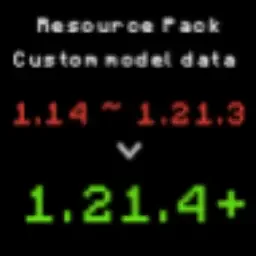
A tool designed to convert Minecraft resource packs from older versions (1.14) to 1.21.4+ format.
Direkter Download von Hangar · 754 Downloads
ItemModel_PackConverter (Plugin) ist für Server mit Paper / Spigot gedacht und stammt von RICE0707. A tool designed to convert Minecraft resource packs from older versions (1.14) to 1.21.4+ format.
Unterstützt wird Minecraft 1.16 – 26.x. Auf Hangar gibt es 754 Downloads. Das letzte Update erschien am 30.05.2026.
ItemModel_PackConverter hat 21 Versionen auf Hangar veröffentlicht. 3 davon erschienen im letzten Jahr. Die neueste ist 1.5, erschienen am 30.05.2026. Sie ist für Minecraft 1.15.1 – 26.1.2 gemacht. Sie läuft auf Paper.
| Version | Veröffentlicht | Minecraft | Typ |
|---|---|---|---|
1.5 | 30.05.2026 | 1.15.1 – 26.1.2 | Release |
1.4.6 | 07.02.2026 | 1.14.3 – 1.21.11 | Release |
1.4.5 | 04.12.2025 | 1.14.2 – 1.21.10 | Release |
1.4.4 | 09.05.2025 | 1.14 – 1.21.5 | Release |
1.4.3 | 24.04.2025 | 1.14 – 1.21.5 | Release |
Die Befehle, die auf der Hangar-Seite von ItemModel_PackConverter stehen:
/giveA tool designed to convert Minecraft resource packs from older versions (1.14) to 1.21.4+ format.
This tool primarily handles the conversion of item model JSON formats, helping creators quickly update their resource packs.
git clone github.com/BrilliantTeam/Minecraft-ResourcePack…
cd minecraft-resourcepack-migrator
pip install rich
git clone github.com/BrilliantTeam/Minecraft-ResourcePack…
cd minecraft-resourcepack-migrator
pip install pyinstaller rich
python build.py
Note: Building the executable requires administrator privileges.
Old format (1.14 ~ 1.21.3):
{
"parent": "item/handheld",
"textures": {
"layer0": "item/stick"
},
"overrides": [
{"predicate": {"custom_model_data": 19002}, "model":"custom_items/cat_hat/cat_hat_black"}
]
}
Command: /give @s minecraft:stick{CustomModelData:19002}
New format (1.21.4+):
{
"model": {
"type": "range_dispatch",
"property": "custom_model_data",
"fallback": {
"type": "model",
"model": "item/stick"
},
"entries": [
{
"threshold": 19002,
"model": {
"type": "model",
"model": "custom_items/cat_hat/cat_hat_black"
}
}
]
}
}
Command: /give @p minecraft:stick[custom_model_data={floats:[19002]}]
Original file (assets/minecraft/models/item/stick.json):
{
"parent": "item/handheld",
"textures": {
"layer0": "item/stick"
},
"overrides": [
{"predicate": {"custom_model_data": 19002}, "model":"custom_items/cat_hat/cat_hat_black"},
{"predicate": {"custom_model_data": 19003}, "model":"custom_items/cat_hat/cat_hat_british_shorthair"}
]
}
Command: /give @p minecraft:stick[custom_model_data={floats:[19002]}]
Command: /give @p minecraft:stick[custom_model_data={floats:[19003]}]
Converted files:
{
"model": {
"type": "model",
"model": "custom_items/cat_hat/cat_hat_black"
}
}
Command: /give @s itemname[item_model="custom_items/cat_hat/cat_hat_black"]
{
"model": {
"type": "model",
"model": "custom_items/cat_hat/cat_hat_british_shorthair"
}
}
Command: /give @s itemname[item_model="custom_items/cat_hat/cat_hat_british_shorthair"]
This mode is designed specifically for pure damage-based conversions.
If your initial file is in a custom model data + damage format,
please use Mode 1 or Mode 2 instead.
Old format (1.14 ~ 1.21.3):
{
"parent": "item/handheld",
"textures": {
"layer0": "item/wood_sword"
},
"overrides": [
{"predicate": {"damaged": 1, "damage": 0.25}, "model":"custom_items/wood_sword1"},
{"predicate": {"damaged": 1, "damage": 0.50}, "model":"custom_items/wood_sword2"}
]
}
Command: /give @s minecraft:wood_sword{damage:30}
Command: /give @s minecraft:wood_sword{damage:45}
New format (1.21.4+):
{
"model": {
"type": "range_dispatch",
"property": "damage",
"fallback": {
"type": "model",
"model": "items/wood_sword"
},
"entries": [
{
"threshold": 0.25,
"model": {
"type": "model",
"model": "custom_items/wood_sword1"
}
},
{
"threshold": 0.50,
"model": {
"type": "model",
"model": "custom_items/wood_sword2"
}
}
]
}
}
Command: /give @s minecraft:wood_sword[damage=30]
Command: /give @s minecraft:wood_sword[damage=45]
Automatically installed packages:
Issues and Pull Requests are welcome. Main areas for contribution:
GNU General Public License v3.0
Geschrieben von RICE0707. Mit Bildern auf Hangar lesen.
Stelle sicher, dass dein Server Paper und Spigot auf Minecraft 1.16 – 26.x nutzt.
Lade die .jar-Datei von Hangar herunter und lege sie in den plugins-Ordner deines Servers.
Starte den Server neu. Vermeide /reload, viele Plugins kommen damit nicht gut klar.
Gib /plugins in der Konsole ein: ItemModel_PackConverter sollte grün aufgelistet sein. Die Konfigurationsdateien werden beim ersten Start im plugins-Ordner angelegt.
Ausführliche Anleitung: So installierst du Plugins auf einem Minecraft-Server
| Ressource | Downloads | Bewertung | Versionen | Letztes Update | Preis |
|---|---|---|---|---|---|
| ItemModel_PackConverterdie du angesehen hast | 754 | – | 1.16 – 26.x | 30. Mai 2026 | Kostenlos |
| ViaBackwardskennytv | 4.8M | 4.5 | 1.12 – 1.21 | 22. Juni 2024 | Kostenlos |
 ForcePackSamB440 | 48K | – | 1.8 – 26.x | 3. Okt. 2026 | Kostenlos |
 ResourcePackManagerMagmaGuy | 38K | – | 1.16 – 26.x | vor 3 Tagen | Kostenlos |
Ja. ItemModel_PackConverter unterstützt Minecraft 26.x. Alle unterstützten Versionen: 26.x, 1.21, 1.20, 1.19, 1.18, 1.17, 1.16.
Ja. ItemModel_PackConverter kannst du kostenlos bei Hangar herunterladen.
ItemModel_PackConverter läuft auf Servern mit Paper und Spigot.
Ja. Das letzte Update kam innerhalb des letzten Tages.
Am ähnlichsten sind ViaBackwards, ForcePack und ResourcePackManager. Alle Alternativen vergleichen
ViaBackwardsPlugins · 1.12 – 1.21Allow older versions to connect to your Minecraft server.
ForcePackPlugins · 1.8 – 26.xResource pack handling utilities and enforcement, with Velocity and multiple resource packs support.
ResourcePackManagerPlugins · 1.16 – 26.xAutomatically merge & host all your Resource Packs using a priority system!
 Anti-DupePlugins · 1.21 – 26.x
A security tool for Minecraft servers, designed to prevent item duplication exploits.
 InstaPackPlugins · 1.21 – 26.x
Server resource packs and resource reloads that take seconds instead of minutes
 PackManagerProPlugins · 1.19 – 26.x
A better way to manage server resource packs.
Logg dich ein, um eine Bewertung zu schreiben.