
 ViaBackwardsPlugins · 1.12 – 1.21
Allow older versions to connect to your Minecraft server.
Gratuit4,846,922 téléchargements
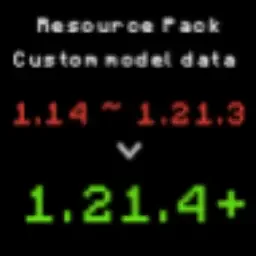
A tool designed to convert Minecraft resource packs from older versions (1.14) to 1.21.4+ format.
Téléchargement direct depuis Hangar · 754 téléchargements
RICE0707 a créé ItemModel_PackConverter (plugin) pour les serveurs Paper / Spigot. A tool designed to convert Minecraft resource packs from older versions (1.14) to 1.21.4+ format.
Versions prises en charge : Minecraft 1.16 – 26.x. On compte 754 téléchargements sur Hangar. La dernière mise à jour date du 30/05/2026.
ItemModel_PackConverter a publié 21 versions sur Hangar. 3 sont sorties au cours de l'année passée. La plus récente est 1.5, sortie le 30/05/2026. Elle est faite pour Minecraft 1.15.1 – 26.1.2. Elle fonctionne sur Paper.
| Version | Publié | Minecraft | Type |
|---|---|---|---|
1.5 | 30/05/2026 | 1.15.1 – 26.1.2 | Stable |
1.4.6 | 07/02/2026 | 1.14.3 – 1.21.11 | Stable |
1.4.5 | 04/12/2025 | 1.14.2 – 1.21.10 | Stable |
1.4.4 | 09/05/2025 | 1.14 – 1.21.5 | Stable |
1.4.3 | 24/04/2025 | 1.14 – 1.21.5 | Stable |
Les commandes citées sur la page Hangar de ItemModel_PackConverter :
/giveA tool designed to convert Minecraft resource packs from older versions (1.14) to 1.21.4+ format.
This tool primarily handles the conversion of item model JSON formats, helping creators quickly update their resource packs.
git clone github.com/BrilliantTeam/Minecraft-ResourcePack…
cd minecraft-resourcepack-migrator
pip install rich
git clone github.com/BrilliantTeam/Minecraft-ResourcePack…
cd minecraft-resourcepack-migrator
pip install pyinstaller rich
python build.py
Note: Building the executable requires administrator privileges.
Old format (1.14 ~ 1.21.3):
{
"parent": "item/handheld",
"textures": {
"layer0": "item/stick"
},
"overrides": [
{"predicate": {"custom_model_data": 19002}, "model":"custom_items/cat_hat/cat_hat_black"}
]
}
Command: /give @s minecraft:stick{CustomModelData:19002}
New format (1.21.4+):
{
"model": {
"type": "range_dispatch",
"property": "custom_model_data",
"fallback": {
"type": "model",
"model": "item/stick"
},
"entries": [
{
"threshold": 19002,
"model": {
"type": "model",
"model": "custom_items/cat_hat/cat_hat_black"
}
}
]
}
}
Command: /give @p minecraft:stick[custom_model_data={floats:[19002]}]
Original file (assets/minecraft/models/item/stick.json):
{
"parent": "item/handheld",
"textures": {
"layer0": "item/stick"
},
"overrides": [
{"predicate": {"custom_model_data": 19002}, "model":"custom_items/cat_hat/cat_hat_black"},
{"predicate": {"custom_model_data": 19003}, "model":"custom_items/cat_hat/cat_hat_british_shorthair"}
]
}
Command: /give @p minecraft:stick[custom_model_data={floats:[19002]}]
Command: /give @p minecraft:stick[custom_model_data={floats:[19003]}]
Converted files:
{
"model": {
"type": "model",
"model": "custom_items/cat_hat/cat_hat_black"
}
}
Command: /give @s itemname[item_model="custom_items/cat_hat/cat_hat_black"]
{
"model": {
"type": "model",
"model": "custom_items/cat_hat/cat_hat_british_shorthair"
}
}
Command: /give @s itemname[item_model="custom_items/cat_hat/cat_hat_british_shorthair"]
This mode is designed specifically for pure damage-based conversions.
If your initial file is in a custom model data + damage format,
please use Mode 1 or Mode 2 instead.
Old format (1.14 ~ 1.21.3):
{
"parent": "item/handheld",
"textures": {
"layer0": "item/wood_sword"
},
"overrides": [
{"predicate": {"damaged": 1, "damage": 0.25}, "model":"custom_items/wood_sword1"},
{"predicate": {"damaged": 1, "damage": 0.50}, "model":"custom_items/wood_sword2"}
]
}
Command: /give @s minecraft:wood_sword{damage:30}
Command: /give @s minecraft:wood_sword{damage:45}
New format (1.21.4+):
{
"model": {
"type": "range_dispatch",
"property": "damage",
"fallback": {
"type": "model",
"model": "items/wood_sword"
},
"entries": [
{
"threshold": 0.25,
"model": {
"type": "model",
"model": "custom_items/wood_sword1"
}
},
{
"threshold": 0.50,
"model": {
"type": "model",
"model": "custom_items/wood_sword2"
}
}
]
}
}
Command: /give @s minecraft:wood_sword[damage=30]
Command: /give @s minecraft:wood_sword[damage=45]
Automatically installed packages:
Issues and Pull Requests are welcome. Main areas for contribution:
GNU General Public License v3.0
Écrite par RICE0707. À lire avec les images sur Hangar.
Vérifie que ton serveur tourne sous Paper et Spigot en Minecraft 1.16 – 26.x.
Télécharge le fichier .jar depuis Hangar et place-le dans le dossier plugins de ton serveur.
Redémarre le serveur. Évite /reload, beaucoup de plugins le supportent mal.
Tape /plugins dans la console : ItemModel_PackConverter doit apparaître en vert. Ses fichiers de config sont créés dans le dossier plugins au premier démarrage.
Guide complet: Comment installer des plugins sur un serveur Minecraft
| Ressource | Téléchargements | Note | Versions | Mise à jour | Prix |
|---|---|---|---|---|---|
| ItemModel_PackConvertercelle que tu regardais | 754 | – | 1.16 – 26.x | 30 mai 2026 | Gratuit |
| ViaBackwardskennytv | 4.8M | 4.5 | 1.12 – 1.21 | 22 juin 2024 | Gratuit |
 ForcePackSamB440 | 48K | – | 1.8 – 26.x | 3 oct. 2026 | Gratuit |
 ResourcePackManagerMagmaGuy | 38K | – | 1.16 – 26.x | il y a 4 jours | Gratuit |
Oui. ItemModel_PackConverter prend en charge Minecraft 26.x. Toutes les versions prises en charge : 26.x, 1.21, 1.20, 1.19, 1.18, 1.17, 1.16.
Oui. ItemModel_PackConverter se télécharge gratuitement sur Hangar.
ItemModel_PackConverter fonctionne sur les serveurs Paper et Spigot.
Oui. La dernière mise à jour date des dernières 24 heures.
Les plus proches sont ViaBackwards, ForcePack et ResourcePackManager. Comparer toutes les alternatives
ViaBackwardsPlugins · 1.12 – 1.21Allow older versions to connect to your Minecraft server.
ForcePackPlugins · 1.8 – 26.xResource pack handling utilities and enforcement, with Velocity and multiple resource packs support.
ResourcePackManagerPlugins · 1.16 – 26.xAutomatically merge & host all your Resource Packs using a priority system!
 Anti-DupePlugins · 1.21 – 26.x
A security tool for Minecraft servers, designed to prevent item duplication exploits.
 InstaPackPlugins · 1.21 – 26.x
Server resource packs and resource reloads that take seconds instead of minutes
 PackManagerProPlugins · 1.19 – 26.x
A better way to manage server resource packs.
Connecte-toi pour laisser un avis.