
 ViaBackwardsPluginy · 1.12 – 1.21
Allow older versions to connect to your Minecraft server.
Za darmoPobrania: 4,846,922
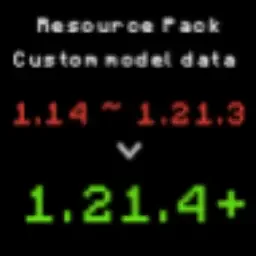
ItemModel_PackConverter to plugin do serwerów Paper / Spigot, autor: RICE0707. A tool designed to convert Minecraft resource packs from older versions (1.14) to 1.21.4+ format.
Obsługiwane wersje: Minecraft 1.16 – 26.x. Liczba pobrań w serwisie Hangar: 754. Ostatnia aktualizacja: 30.05.2026.
ItemModel_PackConverter ma 21 wydań na Hangar. 3 z nich wyszło w ostatnim roku. Najnowsza to 1.5, wydana 30.05.2026. Jest zrobiona dla Minecraft 1.15.1 – 26.1.2. Działa na Paper.
| Wersja | Wydano | Minecraft | Typ |
|---|---|---|---|
1.5 | 30.05.2026 | 1.15.1 – 26.1.2 | Wydanie |
1.4.6 | 07.02.2026 | 1.14.3 – 1.21.11 | Wydanie |
1.4.5 | 04.12.2025 | 1.14.2 – 1.21.10 | Wydanie |
1.4.4 | 09.05.2025 | 1.14 – 1.21.5 | Wydanie |
1.4.3 | 24.04.2025 | 1.14 – 1.21.5 | Wydanie |
Komendy wymienione na stronie ItemModel_PackConverter w Hangar:
/giveA tool designed to convert Minecraft resource packs from older versions (1.14) to 1.21.4+ format.
This tool primarily handles the conversion of item model JSON formats, helping creators quickly update their resource packs.
git clone github.com/BrilliantTeam/Minecraft-ResourcePack…
cd minecraft-resourcepack-migrator
pip install rich
git clone github.com/BrilliantTeam/Minecraft-ResourcePack…
cd minecraft-resourcepack-migrator
pip install pyinstaller rich
python build.py
Note: Building the executable requires administrator privileges.
Old format (1.14 ~ 1.21.3):
{
"parent": "item/handheld",
"textures": {
"layer0": "item/stick"
},
"overrides": [
{"predicate": {"custom_model_data": 19002}, "model":"custom_items/cat_hat/cat_hat_black"}
]
}
Command: /give @s minecraft:stick{CustomModelData:19002}
New format (1.21.4+):
{
"model": {
"type": "range_dispatch",
"property": "custom_model_data",
"fallback": {
"type": "model",
"model": "item/stick"
},
"entries": [
{
"threshold": 19002,
"model": {
"type": "model",
"model": "custom_items/cat_hat/cat_hat_black"
}
}
]
}
}
Command: /give @p minecraft:stick[custom_model_data={floats:[19002]}]
Original file (assets/minecraft/models/item/stick.json):
{
"parent": "item/handheld",
"textures": {
"layer0": "item/stick"
},
"overrides": [
{"predicate": {"custom_model_data": 19002}, "model":"custom_items/cat_hat/cat_hat_black"},
{"predicate": {"custom_model_data": 19003}, "model":"custom_items/cat_hat/cat_hat_british_shorthair"}
]
}
Command: /give @p minecraft:stick[custom_model_data={floats:[19002]}]
Command: /give @p minecraft:stick[custom_model_data={floats:[19003]}]
Converted files:
{
"model": {
"type": "model",
"model": "custom_items/cat_hat/cat_hat_black"
}
}
Command: /give @s itemname[item_model="custom_items/cat_hat/cat_hat_black"]
{
"model": {
"type": "model",
"model": "custom_items/cat_hat/cat_hat_british_shorthair"
}
}
Command: /give @s itemname[item_model="custom_items/cat_hat/cat_hat_british_shorthair"]
This mode is designed specifically for pure damage-based conversions.
If your initial file is in a custom model data + damage format,
please use Mode 1 or Mode 2 instead.
Old format (1.14 ~ 1.21.3):
{
"parent": "item/handheld",
"textures": {
"layer0": "item/wood_sword"
},
"overrides": [
{"predicate": {"damaged": 1, "damage": 0.25}, "model":"custom_items/wood_sword1"},
{"predicate": {"damaged": 1, "damage": 0.50}, "model":"custom_items/wood_sword2"}
]
}
Command: /give @s minecraft:wood_sword{damage:30}
Command: /give @s minecraft:wood_sword{damage:45}
New format (1.21.4+):
{
"model": {
"type": "range_dispatch",
"property": "damage",
"fallback": {
"type": "model",
"model": "items/wood_sword"
},
"entries": [
{
"threshold": 0.25,
"model": {
"type": "model",
"model": "custom_items/wood_sword1"
}
},
{
"threshold": 0.50,
"model": {
"type": "model",
"model": "custom_items/wood_sword2"
}
}
]
}
}
Command: /give @s minecraft:wood_sword[damage=30]
Command: /give @s minecraft:wood_sword[damage=45]
Automatically installed packages:
Issues and Pull Requests are welcome. Main areas for contribution:
GNU General Public License v3.0
Autor: RICE0707. Z obrazkami na Hangar.
Upewnij się, że twój serwer działa na Paper i Spigot w Minecraft 1.16 – 26.x.
Pobierz plik .jar z Hangar i wrzuć go do folderu plugins na serwerze.
Zrestartuj serwer. Unikaj /reload, wiele pluginów źle to znosi.
Wpisz /plugins w konsoli: ItemModel_PackConverter powinien być na zielono. Pliki konfiguracyjne tworzą się w folderze plugins przy pierwszym starcie.
Pełny poradnik: Jak zainstalować pluginy na serwerze Minecraft
| Zasób | Pobrania | Ocena | Wersje | Aktualizacja | Cena |
|---|---|---|---|---|---|
 ItemModel_PackConverterten, który oglądałeś | 754 | – | 1.16 – 26.x | 30 maj 2026 | Za darmo |
| ViaBackwardskennytv | 4.8M | 4.5 | 1.12 – 1.21 | 22 cze 2024 | Za darmo |
 ForcePackSamB440 | 48K | – | 1.8 – 26.x | 3 paź 2026 | Za darmo |
 ResourcePackManagerMagmaGuy | 38K | – | 1.16 – 26.x | 3 d. temu | Za darmo |
Tak. ItemModel_PackConverter działa w wersji Minecrafta 26.x. Wszystkie obsługiwane wersje: 26.x, 1.21, 1.20, 1.19, 1.18, 1.17, 1.16.
Tak. ItemModel_PackConverter można pobrać za darmo z serwisu Hangar.
ItemModel_PackConverter działa na serwerach Paper i Spigot.
Tak. Ostatnia aktualizacja wyszła w ciągu ostatniej doby.
Najbliższe to ViaBackwards, ForcePack i ResourcePackManager. Porównaj wszystkie alternatywy
ViaBackwardsPluginy · 1.12 – 1.21Allow older versions to connect to your Minecraft server.
ForcePackPluginy · 1.8 – 26.xResource pack handling utilities and enforcement, with Velocity and multiple resource packs support.
ResourcePackManagerPluginy · 1.16 – 26.xAutomatically merge & host all your Resource Packs using a priority system!
 Anti-DupePluginy · 1.21 – 26.x
A security tool for Minecraft servers, designed to prevent item duplication exploits.
 InstaPackPluginy · 1.21 – 26.x
Server resource packs and resource reloads that take seconds instead of minutes
 PackManagerProPluginy · 1.19 – 26.x
A better way to manage server resource packs.
Zaloguj się, aby wystawić opinię.