
 BrighterAccessibilityShader · 1.8 – 1.21
Removes the shadows and fog from the game for visually impaired people. Has Distant Horizons support.
Kostenlos78,059 Downloads

FullBright2 is now named Clarity and it removes all shadows and fog wich makes you see clearly everywhere and can be used for mining or travelling at night.
Direkter Download von Modrinth · 1,403,475 Downloads
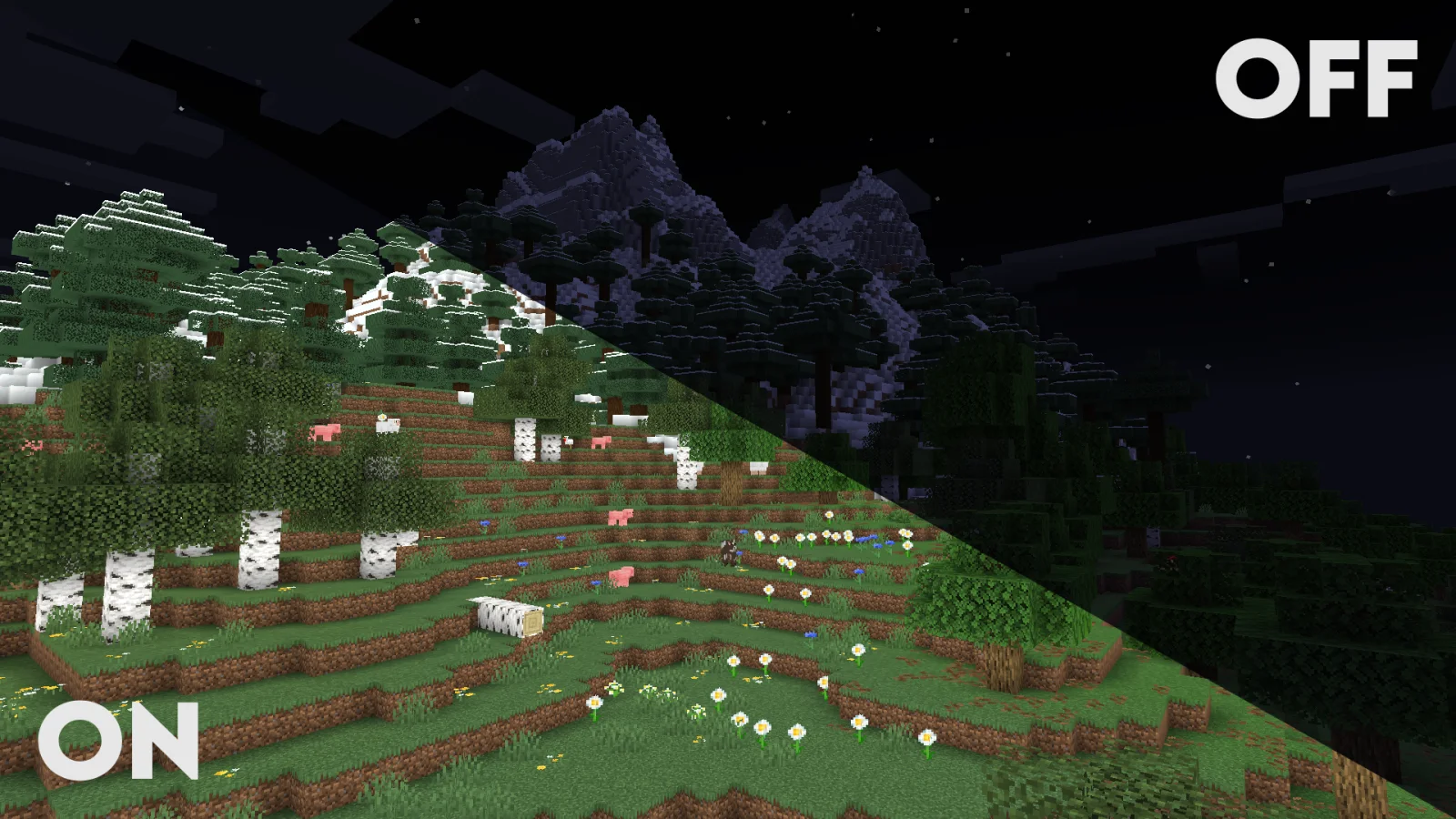
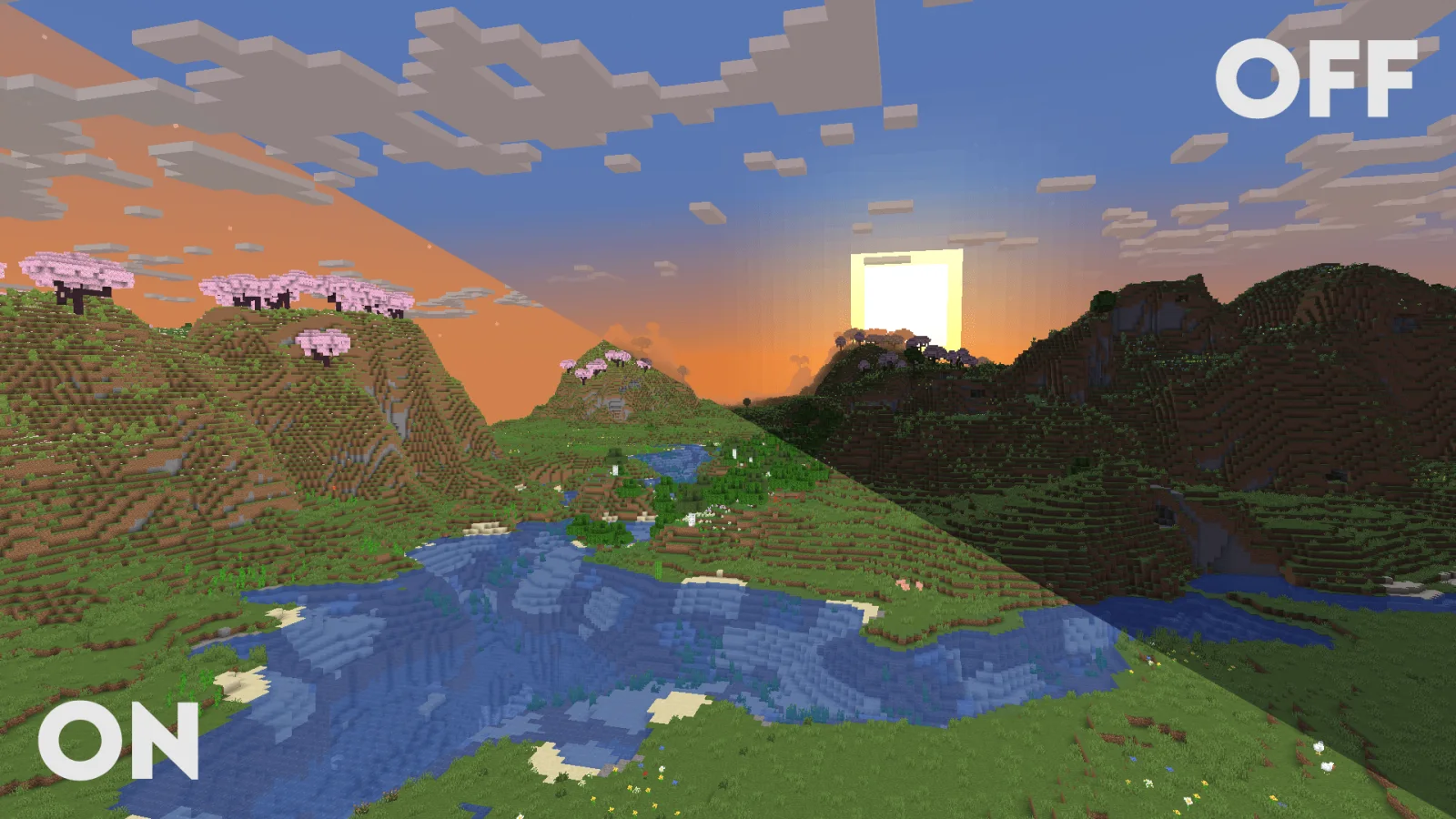
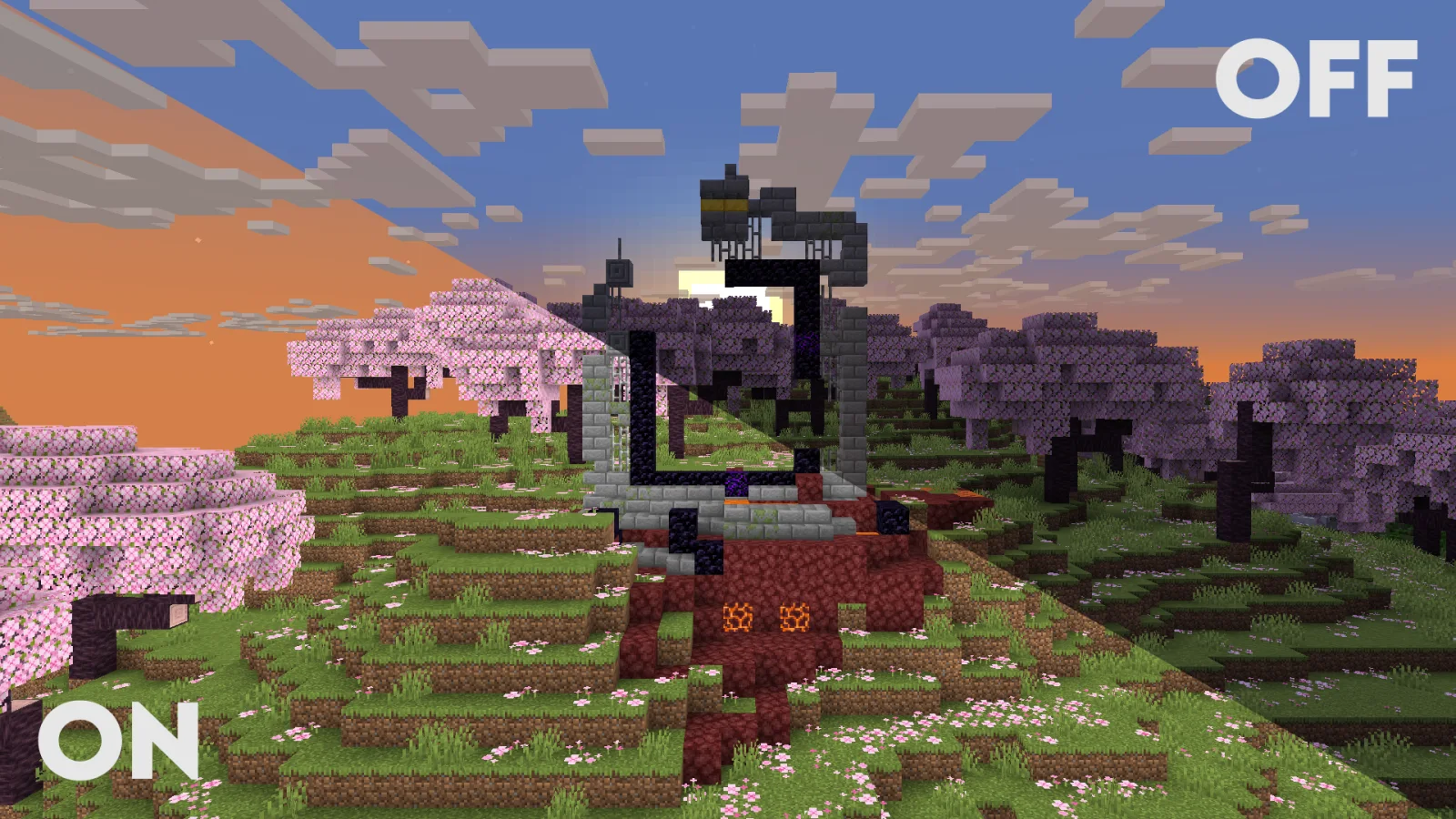
Clarity (Shaderpack) stammt von Astyll. FullBright2 is now named Clarity and it removes all shadows and fog wich makes you see clearly everywhere and can be used for mining or travelling at night.
Unterstützt wird Minecraft 1.8 – 26.x. Auf Modrinth gibt es 1,403,475 Downloads. Das letzte Update erschien am 24.06.2026.
Clarity hat seit 09.07.2024 12 Versionen auf Modrinth veröffentlicht. 6 davon erschienen im letzten Jahr. Die neueste ist 1.1.3, erschienen am 24.06.2026. Sie ist für Minecraft 1.10 – 1.20.3 gemacht. Sie läuft auf Iris und Optifine. Der Download ist 65 KB groß.
| Version | Veröffentlicht | Minecraft | Typ |
|---|---|---|---|
1.1.3 | 24.06.2026 | 1.10 – 1.20.3 | Release |
1.1.2 | 27.03.2026 | 1.10 – 1.20.3 | Release |
1.1.1 | 12.02.2026 | 1.10 – 1.21.1 | Release |
1.1.0 | 23.01.2026 | 1.10 – 1.20.3 | Release |
1.0.0 | 23.12.2025 | 1.10 – 1.20.3 | Release |
Clarity is a shader pack that removes all shadows and fog in your game, making everything bright and easy to see in water and lava. With Clarity, you’ll always see clearly, no matter where you are in Minecraft! See the demonstration and screenshots [here](/shader/clarityshader/gallery). Its some sort of FullBright mod but then in shader variant.
Problems that need to be fixed
Nametag transparancy issues (iris bug)
Work in progress / To do
(These will all be togglable in the shader's settings)
Sidenote: This project was previously named FullBright2 but this was changed on 23/12/2025 12:00 GMT+1
Geschrieben von Astyll. Mit Bildern auf Modrinth lesen.
Installiere Iris (mit Sodium) oder OptiFine für deine Minecraft-Version: Shader brauchen eins davon.
Lade die .zip-Datei von Modrinth herunter. Entpacke sie nicht.
Öffne in Minecraft Optionen, dann Grafikeinstellungen, dann Shaderpacks und klicke auf Shaderpack-Ordner öffnen.
Lege die .zip-Datei in diesen Ordner, wähle Clarity in der Liste und klicke auf Fertig.
Shader belasten die Grafikkarte. Wird das Spiel langsam, wähle in den Shader-Einstellungen ein niedrigeres Profil.
| Ressource | Downloads | Versionen | Letztes Update | Preis |
|---|---|---|---|---|
| Claritydie du angesehen hast | 1.4M | 1.8 – 26.x | 24. Juni 2026 | Kostenlos |
| BrighterAccessibilityqweren | 78K | 1.8 – 1.21 | 14. Juli 2024 | Kostenlos |
 Night Vision Shaderslinusdev | 232K | 1.20 – 26.x | 28. Sept. 2026 | Kostenlos |
 FullsightWintooo | 5,613 | 1.21 | 19. Jan. 2026 | Kostenlos |
Ja. Clarity unterstützt Minecraft 26.x. Alle unterstützten Versionen: 26.x, 1.21, 1.20, 1.19, 1.18, 1.17, 1.16, 1.13, 1.12, 1.8.
Ja. Clarity kannst du kostenlos bei Modrinth herunterladen.
Ja. Das letzte Update kam innerhalb des letzten Tages.
Am ähnlichsten sind BrighterAccessibility, Night Vision Shaders und Fullsight. Alle Alternativen vergleichen
BrighterAccessibilityShader · 1.8 – 1.21Removes the shadows and fog from the game for visually impaired people. Has Distant Horizons support.
Night Vision ShadersShader · 1.20 – 26.xA shaderpack that aims on giving brightness everywhere while keeping the game aesthetic.
FullsightShader · 1.21Removes all obtrusive rendering. No shading, fog, ect. Auch a great template for creating your own shaderpacks.
 RAY TRACING POTATOShader · 1.16 – 26.x
A performance-focused Minecraft shader with improved lighting, atmospheric fog, bloom, water visuals and shadows, designed with lower-end hardware in mind.
 Eclipse ShaderShader · 1.16
A modern, high-performance shaderpack for Iris featuring cinematic lighting, physically-based water, dynamic shadows, and immersive volumetric fog.
Logg dich ein, um eine Bewertung zu schreiben.