
 BrighterAccessibilityShaders · 1.8 – 1.21
Removes the shadows and fog from the game for visually impaired people. Has Distant Horizons support.
Gratis78,095 descargas

FullBright2 is now named Clarity and it removes all shadows and fog wich makes you see clearly everywhere and can be used for mining or travelling at night.
Descarga directa desde Modrinth · 1,403,475 descargas
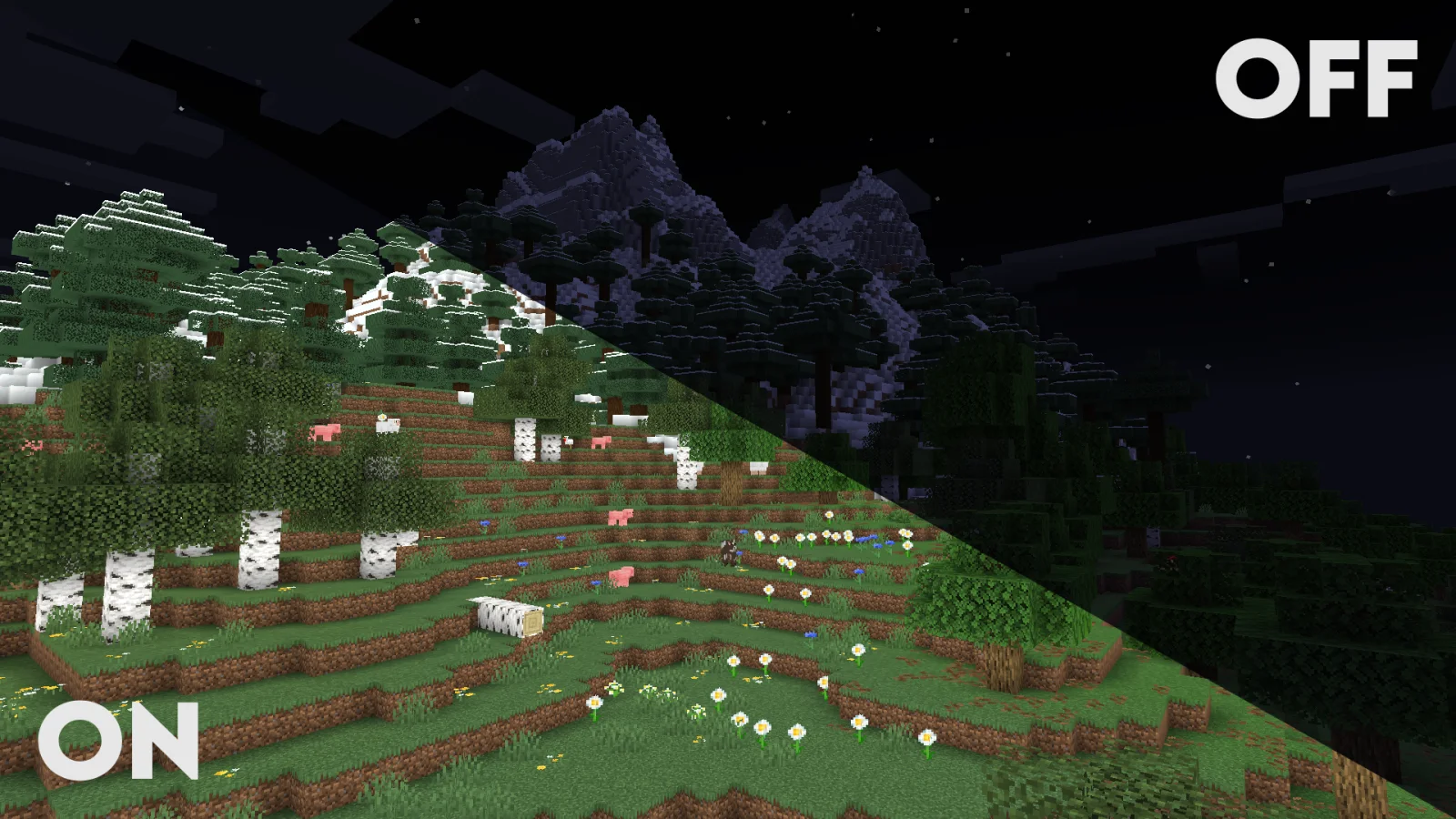
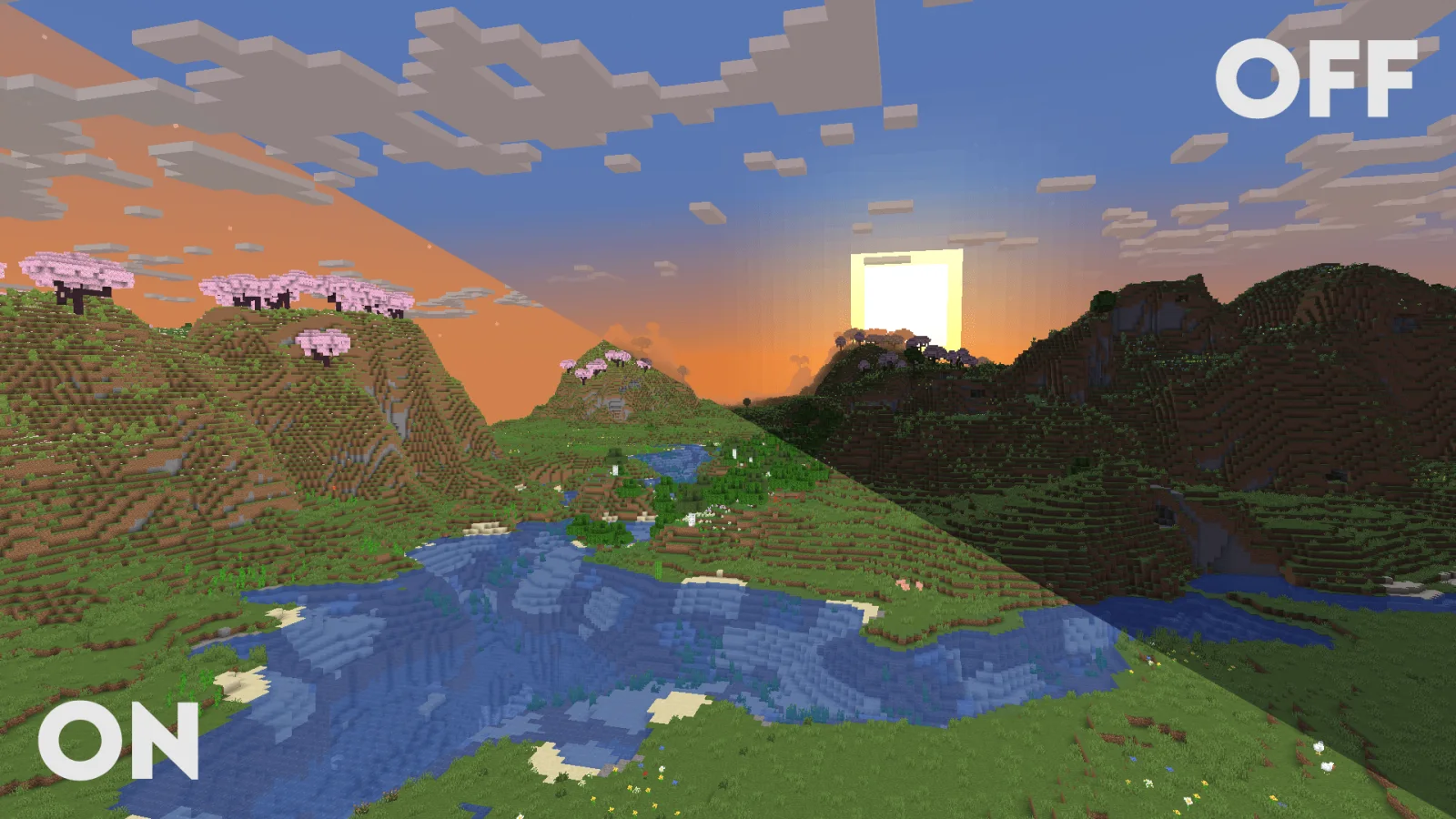
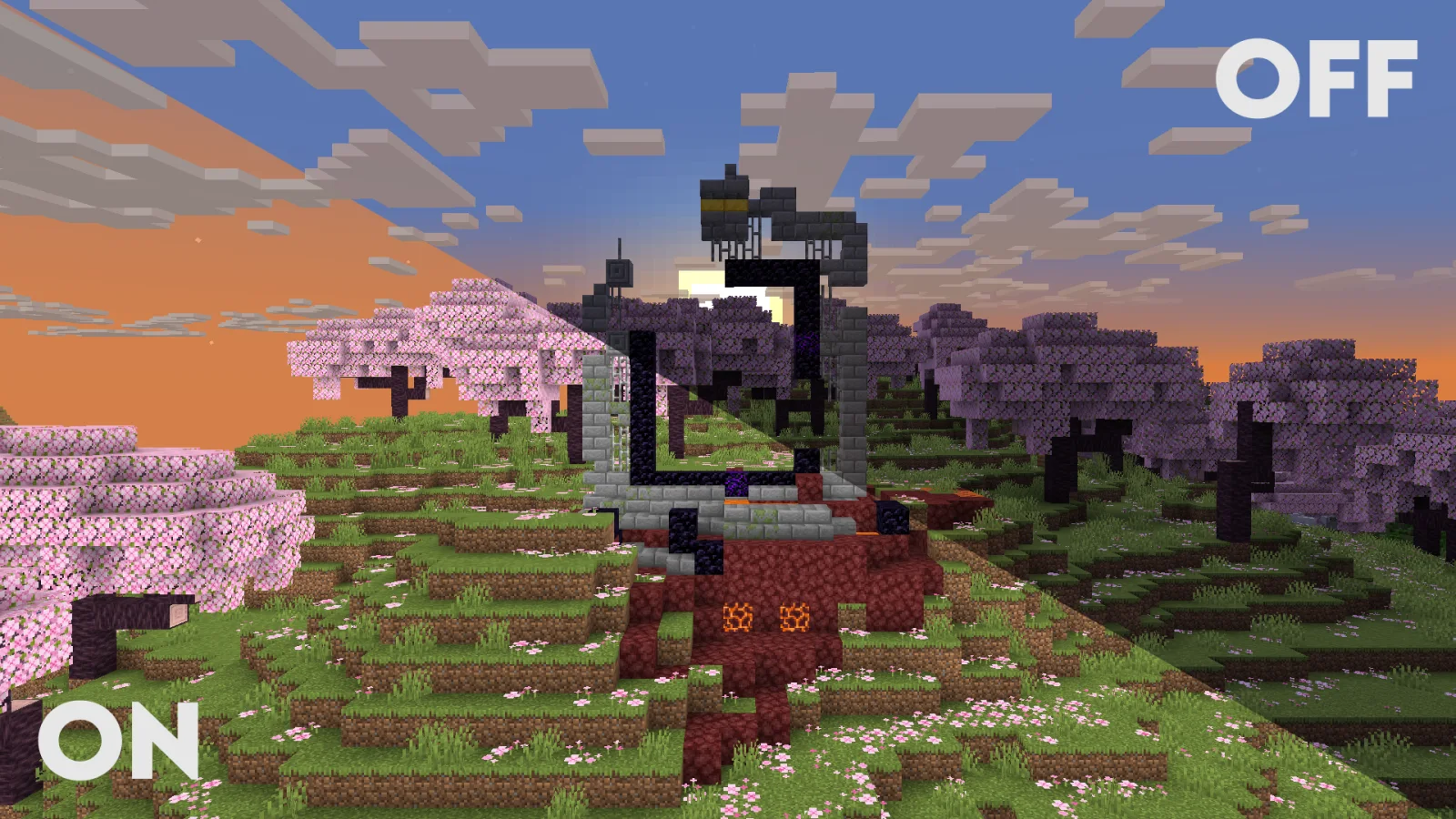
Clarity (pack de shaders) es obra de Astyll. FullBright2 is now named Clarity and it removes all shadows and fog wich makes you see clearly everywhere and can be used for mining or travelling at night.
Es compatible con Minecraft 1.8 – 26.x. Se ha descargado 1,403,475 veces en Modrinth. La última actualización salió el 24/06/2026.
Clarity ha publicado 12 versiones en Modrinth desde el 09/07/2024. 6 salieron en el último año. La más reciente es 1.1.3, publicada el 24/06/2026. Está hecha para Minecraft 1.10 – 1.20.3. Funciona en Iris y Optifine. La descarga ocupa 65 KB.
| Versión | Publicado | Minecraft | Tipo |
|---|---|---|---|
1.1.3 | 24/06/2026 | 1.10 – 1.20.3 | Estable |
1.1.2 | 27/03/2026 | 1.10 – 1.20.3 | Estable |
1.1.1 | 12/02/2026 | 1.10 – 1.21.1 | Estable |
1.1.0 | 23/01/2026 | 1.10 – 1.20.3 | Estable |
1.0.0 | 23/12/2025 | 1.10 – 1.20.3 | Estable |
Clarity is a shader pack that removes all shadows and fog in your game, making everything bright and easy to see in water and lava. With Clarity, you’ll always see clearly, no matter where you are in Minecraft! See the demonstration and screenshots [here](/shader/clarityshader/gallery). Its some sort of FullBright mod but then in shader variant.
Problems that need to be fixed
Nametag transparancy issues (iris bug)
Work in progress / To do
(These will all be togglable in the shader's settings)
Sidenote: This project was previously named FullBright2 but this was changed on 23/12/2025 12:00 GMT+1
Escrita por Astyll. Léela con imágenes en Modrinth.
Instala Iris (con Sodium) u OptiFine para tu versión de Minecraft: los shaders necesitan uno de ellos.
Descarga el archivo .zip desde Modrinth. No lo descomprimas.
En Minecraft, abre Opciones, luego Gráficos, luego Shader Packs y pulsa Abrir carpeta de shaders.
Suelta el archivo .zip en esa carpeta, elige Clarity en la lista y pulsa Listo.
Los shaders exigen mucho a la tarjeta gráfica. Si el juego va lento, elige un perfil más bajo en sus ajustes.
| Recurso | Descargas | Versiones | Última actualización | Precio |
|---|---|---|---|---|
| Clarityel que estabas viendo | 1.4M | 1.8 – 26.x | 24 jun 2026 | Gratis |
| BrighterAccessibilityqweren | 78K | 1.8 – 1.21 | 14 jul 2024 | Gratis |
 Night Vision Shaderslinusdev | 232K | 1.20 – 26.x | 28 sept 2026 | Gratis |
 FullsightWintooo | 5,613 | 1.21 | 19 ene 2026 | Gratis |
Sí. Clarity es compatible con Minecraft 26.x. Todas las versiones compatibles: 26.x, 1.21, 1.20, 1.19, 1.18, 1.17, 1.16, 1.13, 1.12, 1.8.
Sí. Clarity se puede descargar gratis desde Modrinth.
Sí. La última actualización salió en el último día.
Los más parecidos son BrighterAccessibility, Night Vision Shaders y Fullsight. Comparar todas las alternativas
BrighterAccessibilityShaders · 1.8 – 1.21Removes the shadows and fog from the game for visually impaired people. Has Distant Horizons support.
Night Vision ShadersShaders · 1.20 – 26.xA shaderpack that aims on giving brightness everywhere while keeping the game aesthetic.
FullsightShaders · 1.21Removes all obtrusive rendering. No shading, fog, ect. También a great template for creating your own shaderpacks.
 RAY TRACING POTATOShaders · 1.16 – 26.x
A performance-focused Minecraft shader with improved lighting, atmospheric fog, bloom, water visuals and shadows, designed with lower-end hardware in mind.
 Eclipse ShaderShaders · 1.16
A modern, high-performance shaderpack for Iris featuring cinematic lighting, physically-based water, dynamic shadows, and immersive volumetric fog.
Inicia sesión para dejar una reseña.