
 No Block Break ParticlesTexturenpakete · 1.8 – 26.x
A simple resource pack that aims to remove all the block breaking particles in all versions it can without causing issues with the game.
Kostenlos690,174 Downloads
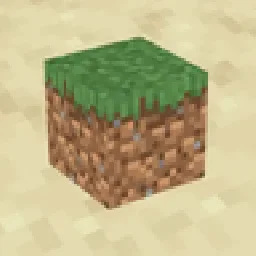
Removes block shading and makes the game more vibrant


Shadify (Texturenpaket) stammt von spunkyinsaan. Removes block shading and makes the game more vibrant.
Unterstützt wird Minecraft 1.16 – 26.x. Auf Modrinth gibt es 644,938 Downloads. Das letzte Update erschien am 22.09.2026.
Shadify hat seit 11.09.2026 10 Versionen auf Modrinth veröffentlicht. 10 davon erschienen im letzten Jahr. Die neueste ist 26.3, erschienen am 22.09.2026. Sie ist für Minecraft 26.3 gemacht. Sie läuft auf Minecraft. Der Download ist 245 KB groß.
| Version | Veröffentlicht | Minecraft | Typ |
|---|---|---|---|
26.3 | 22.09.2026 | 26.3 | Release |
26.2 | 11.09.2026 | 26.2 | Release |
26.1 | 11.09.2026 | 26.1, 26.1.1, 26.1.2 | Release |
1.21.11 | 11.09.2026 | 1.21.11 | Release |
1.21 | 11.09.2026 | 1.21 – 1.21.10 | Release |
Shadify is a Minecraft resource pack designed to remove the dull block shading and make your world look bright and more alive
If you’ve ever used the Simply No Shading mod, you’ll instantly recognize the effect but here, it’s done purely with a resource pack, meaning no mods required.
Geschrieben von spunkyinsaan. Mit Bildern auf Modrinth lesen.
Lade die .zip-Datei von Modrinth herunter. Entpacke sie nicht.
Öffne in Minecraft Optionen, dann Ressourcenpakete, dann Paketordner öffnen.
Lege die .zip-Datei in diesen Ordner und gehe zurück ins Spiel.
Schiebe Shadify in die rechte Liste und klicke auf Fertig.
Es ist für Minecraft 1.16 – 26.x gemacht. Auf anderen Versionen markiert Minecraft es als inkompatibel, oft funktioniert es aber trotzdem.
| Ressource | Downloads | Versionen | Letztes Update | Preis |
|---|---|---|---|---|
| Shadifydie du angesehen hast | 645K | 1.16 – 26.x | 22. Sept. 2026 | Kostenlos |
| No Block Break ParticlesNeoFur | 690K | 1.8 – 26.x | 8. Okt. 2026 | Kostenlos |
 Potato Graphicszippiik | 430K | 1.20 – 26.x | 8. Juli 2026 | Kostenlos |
 Zero Pumpkin-BlurLifeOrDeath96_YT | 30 | 1.20 – 1.21 | 9. Okt. 2026 | Kostenlos |
Ja. Shadify unterstützt Minecraft 26.x. Alle unterstützten Versionen: 26.x, 1.21, 1.20, 1.19, 1.18, 1.17, 1.16.
Ja. Shadify kannst du kostenlos bei Modrinth herunterladen.
Ja. Das letzte Update kam innerhalb des letzten Tages.
Am ähnlichsten sind No Block Break Particles, Potato Graphics und Zero Pumpkin-Blur. Alle Alternativen vergleichen
No Block Break ParticlesTexturenpakete · 1.8 – 26.xA simple resource pack that aims to remove all the block breaking particles in all versions it can without causing issues with the game.
Potato GraphicsTexturenpakete · 1.20 – 26.xGive your game a hilarious low-end makeover! This pack turns every block into a single pixel, dramatically simplifying textures and boosting performance…
Zero Pumpkin-BlurTexturenpakete · 1.20 – 1.21This project removes the pumpkin blur from the game so imagine your friend puts a curse of binding pumpkin on your head, well this texture pack removes that!
 Story Mode CloudsTexturenpakete · 1.21 – 26.x
Adds the clouds from Minecraft Story Mode into the main game.
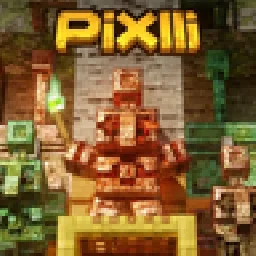 PixlliTexturenpakete · 1.12 – 26.x
A new pbr/pom resource pack that will give you more detail, preserving the vanilla of your game and creating a feeling of your favorite pixelation.
 Transparent GUI and HUDTexturenpakete · 1.8 – 26.x
1.8.8+; Makes all of the GUIs and HUDs in the game transparent (clear; see-through) for a sleek and modern-looking minimal design! + Fire and Pumpkin overlay…
Logg dich ein, um eine Bewertung zu schreiben.