
 No Block Break ParticlesTexture packs · 1.8 – 26.x
A simple resource pack that aims to remove all the block breaking particles in all versions it can without causing issues with the game.
Free690,174 downloads
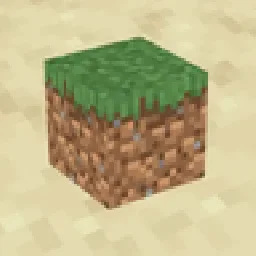
Removes block shading and makes the game more vibrant


Removes block shading and makes the game more vibrant
Shadify is a texture pack made by spunkyinsaan. It supports Minecraft 1.16 – 26.x. It has been downloaded 644,938 times on Modrinth. The last update came out on Sep 22, 2026.
Shadify has had 10 releases on Modrinth since Sep 11, 2026. 10 of them came out in the past year. The newest is 26.3, released on Sep 22, 2026. It is made for Minecraft 26.3. It runs on Minecraft. The download is 245 KB.
| Version | Released | Minecraft | Type |
|---|---|---|---|
26.3 | Sep 22, 2026 | 26.3 | Release |
26.2 | Sep 11, 2026 | 26.2 | Release |
26.1 | Sep 11, 2026 | 26.1, 26.1.1, 26.1.2 | Release |
1.21.11 | Sep 11, 2026 | 1.21.11 | Release |
1.21 | Sep 11, 2026 | 1.21 – 1.21.10 | Release |
Shadify is a Minecraft resource pack designed to remove the dull block shading and make your world look bright and more alive
If you’ve ever used the Simply No Shading mod, you’ll instantly recognize the effect but here, it’s done purely with a resource pack, meaning no mods required.
Written by spunkyinsaan. Read it with pictures on Modrinth.
Download the .zip file from Modrinth. Do not unzip it.
In Minecraft, open Options, then Resource Packs, then Open Pack Folder.
Drop the .zip file into that folder and go back to the game.
Move Shadify to the right-hand list and click Done.
It is made for Minecraft 1.16 – 26.x. On other versions Minecraft marks it as incompatible, but it often still works.
| Resource | Downloads | Versions | Last update | Price |
|---|---|---|---|---|
| Shadifythe one you looked at | 645K | 1.16 – 26.x | Sep 22, 2026 | Free |
| No Block Break ParticlesNeoFur | 690K | 1.8 – 26.x | Oct 8, 2026 | Free |
 Potato Graphicszippiik | 430K | 1.20 – 26.x | Jul 8, 2026 | Free |
 Zero Pumpkin-BlurLifeOrDeath96_YT | 30 | 1.20 – 1.21 | Oct 9, 2026 | Free |
Yes. Shadify supports Minecraft 26.x. All supported versions: 26.x, 1.21, 1.20, 1.19, 1.18, 1.17, 1.16.
Yes. Shadify is free to download from Modrinth.
Yes. The last update came out in the past day.
The closest ones are No Block Break Particles, Potato Graphics and Zero Pumpkin-Blur. Compare all alternatives
No Block Break ParticlesTexture packs · 1.8 – 26.xA simple resource pack that aims to remove all the block breaking particles in all versions it can without causing issues with the game.
Potato GraphicsTexture packs · 1.20 – 26.xGive your game a hilarious low-end makeover! This pack turns every block into a single pixel, dramatically simplifying textures and boosting performance…
Zero Pumpkin-BlurTexture packs · 1.20 – 1.21This project removes the pumpkin blur from the game so imagine your friend puts a curse of binding pumpkin on your head, well this texture pack removes that!
 Story Mode CloudsTexture packs · 1.21 – 26.x
Adds the clouds from Minecraft Story Mode into the main game.
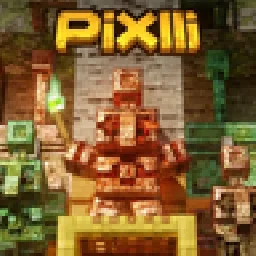 PixlliTexture packs · 1.12 – 26.x
A new pbr/pom resource pack that will give you more detail, preserving the vanilla of your game and creating a feeling of your favorite pixelation.
 Transparent GUI and HUDTexture packs · 1.8 – 26.x
1.8.8+; Makes all of the GUIs and HUDs in the game transparent (clear; see-through) for a sleek and modern-looking minimal design! + Fire and Pumpkin overlay…
Log in to leave a review.