
 PVP zegarn+Anime skyTexturenpakete · 1.8 – 26.x
[UPD 1.3.6] Minimalistic PvP resource pack with dark UI, custom sky, clean HUD & crosshair, small fire, and refined visuals (see description)
Kostenlos865,185 Downloads

1.8.8+; Makes all of the GUIs and HUDs in the game transparent (clear; see-through) for a sleek and modern-looking minimal design! + Fire and Pumpkin overlay…
Direkter Download von Modrinth · 633,331 Downloads
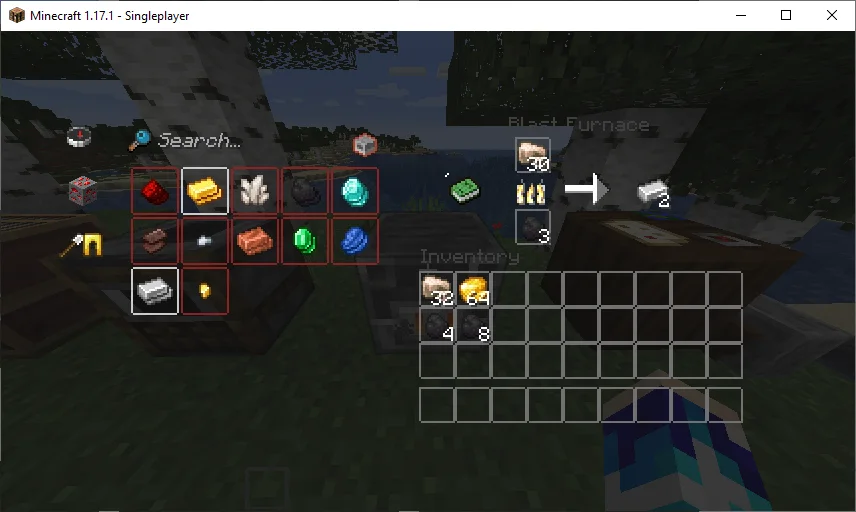
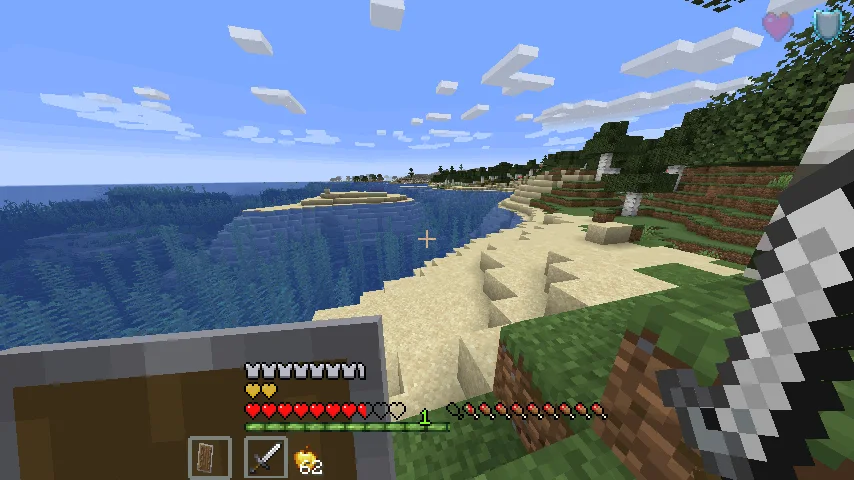
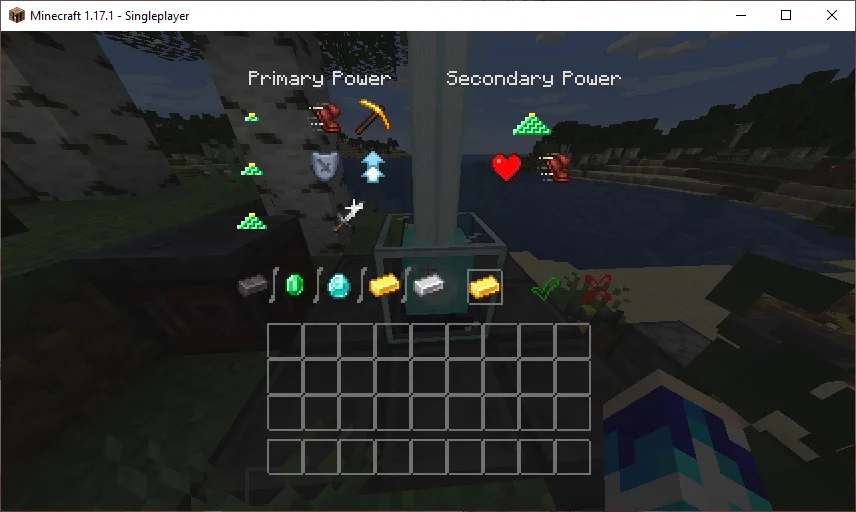
Transparent GUI and HUD (Texturenpaket) stammt von VirxEC. 1.8.8+; Makes all of the GUIs and HUDs in the game transparent (clear; see-through) for a sleek and modern-looking minimal design! + Fire and Pumpkin overlay…
Unterstützt wird Minecraft 1.8 – 26.x. Auf Modrinth gibt es 633,331 Downloads. Das letzte Update erschien am 20.06.2026.
Transparent GUI and HUD hat seit 16.03.2023 25 Versionen auf Modrinth veröffentlicht. 2 davon erschienen im letzten Jahr. Die neueste ist 1, erschienen am 19.06.2026. Sie ist für Minecraft 26.1 – 26.3 gemacht. Sie läuft auf Minecraft. Der Download ist 127 KB groß.
| Version | Veröffentlicht | Minecraft | Typ |
|---|---|---|---|
1 | 19.06.2026 | 26.1 – 26.3 | Release |
1.4 | 13.12.2025 | 1.21.9, 1.21.10, 1.21.11 | Release |
1.3 | 22.04.2025 | 1.21 – 1.21.10 | Release |
1.2 | 31.08.2024 | 1.21 – 1.21.5 | Release |
1.1 | 30.06.2024 | 1.21 | Release |
26.2.X Release 1 and 1.8.8-9 Release 2.3 are now available!
This is a texture pack that makes all of the GUIs (and HUDs) in the game transparent (transparent means see-through or clear), so you can see the gameplay going on in front of you! The GUI's are specifically designed so you can see both where items should go and so you can see in front of you.
In 1.14-26.2.X, these textures are supported:
In 1.14.X & down, this texture pack also supports shields. Due to a change in 19w45a, future versions can no longer support transparent shields.
This texture pack supports (as of 1.8.X - 1.13.X's latest release):
Geschrieben von VirxEC. Mit Bildern auf Modrinth lesen.
Lade die .zip-Datei von Modrinth herunter. Entpacke sie nicht.
Öffne in Minecraft Optionen, dann Ressourcenpakete, dann Paketordner öffnen.
Lege die .zip-Datei in diesen Ordner und gehe zurück ins Spiel.
Schiebe Transparent GUI and HUD in die rechte Liste und klicke auf Fertig.
Es ist für Minecraft 1.8 – 26.x gemacht. Auf anderen Versionen markiert Minecraft es als inkompatibel, oft funktioniert es aber trotzdem.
| Ressource | Downloads | Versionen | Letztes Update | Preis |
|---|---|---|---|---|
| Transparent GUI and HUDdie du angesehen hast | 633K | 1.8 – 26.x | 20. Juni 2026 | Kostenlos |
| PVP zegarn+Anime skyzegarn | 865K | 1.8 – 26.x | 7. Juli 2026 | Kostenlos |
 GUIScroutop | 154K | 1.20 – 26.x | 26. Jan. 2026 | Kostenlos |
 The Quintessential Quintuplets Custom GUI PackListar | 132K | 1.19 – 1.21 | 3. Aug. 2025 | Kostenlos |
Ja. Transparent GUI and HUD unterstützt Minecraft 26.x. Alle unterstützten Versionen: 26.x, 1.21, 1.20, 1.19, 1.18, 1.17, 1.16, 1.13, 1.12, 1.8.
Ja. Transparent GUI and HUD kannst du kostenlos bei Modrinth herunterladen.
Ja. Das letzte Update kam innerhalb des letzten Tages.
Am ähnlichsten sind PVP zegarn+Anime sky, GUI und The Quintessential Quintuplets Custom GUI Pack. Alle Alternativen vergleichen
PVP zegarn+Anime skyTexturenpakete · 1.8 – 26.x[UPD 1.3.6] Minimalistic PvP resource pack with dark UI, custom sky, clean HUD & crosshair, small fire, and refined visuals (see description)
GUITexturenpakete · 1.20 – 26.xFully black GUI for modern versions of Minecraft.
The Quintessential Quintuplets Custom GUI PackTexturenpakete · 1.19 – 1.21The Quintessential Quintuplets Custom GUI Pack
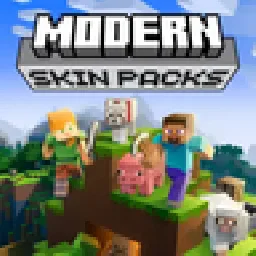 Modern Skin PacksTexturenpakete · 1.20 – 26.x
Post-legacy skin packs ported to Java!
 Low Fire EXTREMETexturenpakete · 1.13 – 26.x
This Resourcepack aims to make the fire overlay even lower then other packs
 basic pvp overlayTexturenpakete · 1.20 – 1.21
Basic needs for pvp - No fire on your screen, no shield/totem pop covering up your view, dark gui and transparent inventory.
Logg dich ein, um eine Bewertung zu schreiben.