
 PVP zegarn+Anime skyPacotes de texturas · 1.8 – 26.x
[UPD 1.3.6] Minimalistic PvP resource pack with dark UI, custom sky, clean HUD & crosshair, small fire, and refined visuals (see description)
Grátis865,185 downloads

1.8.8+; Makes all of the GUIs and HUDs in the game transparent (clear; see-through) for a sleek and modern-looking minimal design! + Fire and Pumpkin overlay…
Download direto do Modrinth · 633,331 downloads
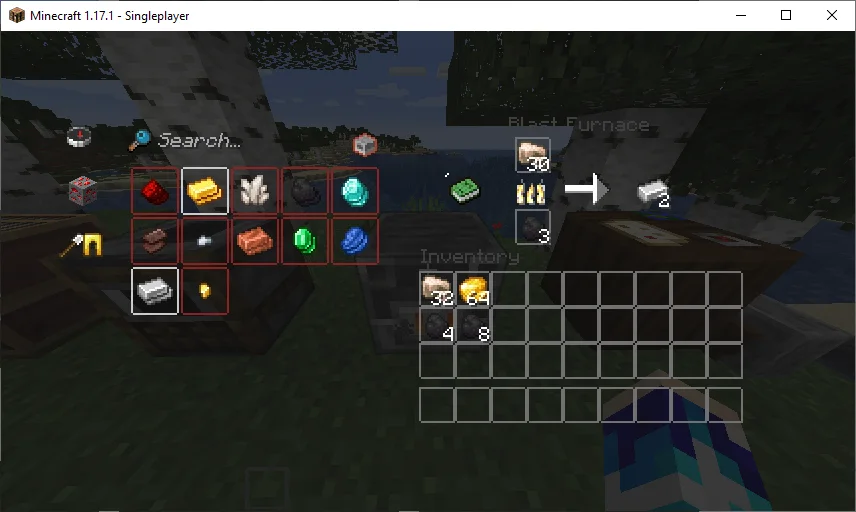
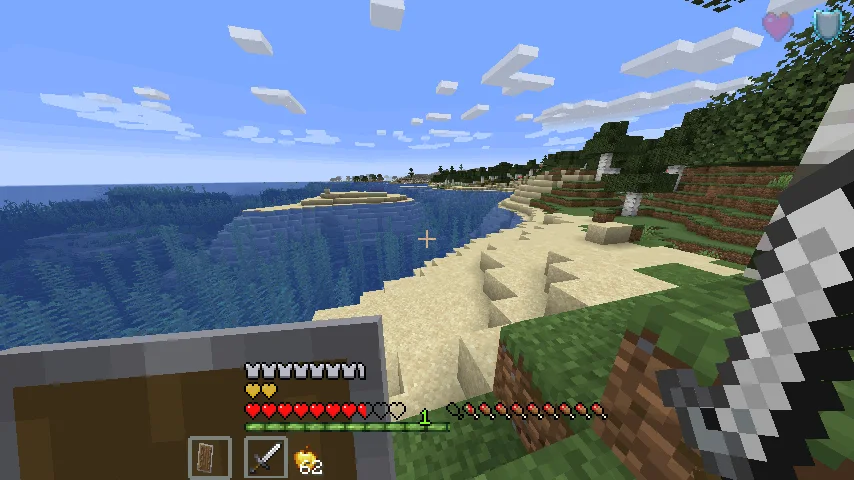
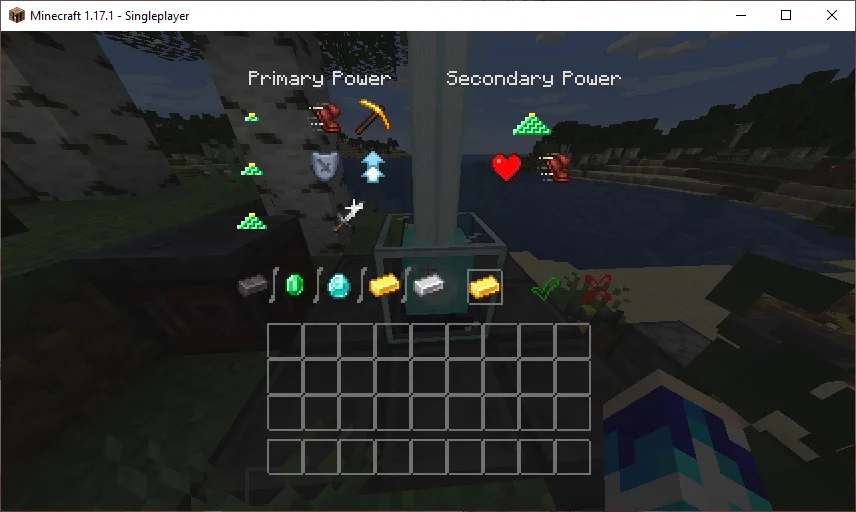
Transparent GUI and HUD (pacote de texturas) é obra de VirxEC. 1.8.8+; Makes all of the GUIs and HUDs in the game transparent (clear; see-through) for a sleek and modern-looking minimal design! + Fire and Pumpkin overlay…
É compatível com o Minecraft 1.8 – 26.x. Tem 633,331 downloads em Modrinth. A última atualização saiu em 20/06/2026.
Transparent GUI and HUD teve 25 versões no Modrinth desde 16/03/2023. 2 saíram no último ano. A mais recente é 1, lançada em 19/06/2026. Ela é feita para o Minecraft 26.1 – 26.3. Ela roda em Minecraft. O download tem 127 KB.
| Versão | Lançado | Minecraft | Tipo |
|---|---|---|---|
1 | 19/06/2026 | 26.1 – 26.3 | Estável |
1.4 | 13/12/2025 | 1.21.9, 1.21.10, 1.21.11 | Estável |
1.3 | 22/04/2025 | 1.21 – 1.21.10 | Estável |
1.2 | 31/08/2024 | 1.21 – 1.21.5 | Estável |
1.1 | 30/06/2024 | 1.21 | Estável |
26.2.X Release 1 and 1.8.8-9 Release 2.3 are now available!
This is a texture pack that makes all of the GUIs (and HUDs) in the game transparent (transparent means see-through or clear), so you can see the gameplay going on in front of you! The GUI's are specifically designed so you can see both where items should go and so you can see in front of you.
In 1.14-26.2.X, these textures are supported:
In 1.14.X & down, this texture pack also supports shields. Due to a change in 19w45a, future versions can no longer support transparent shields.
This texture pack supports (as of 1.8.X - 1.13.X's latest release):
Escrita por VirxEC. Leia com imagens no Modrinth.
Baixe o arquivo .zip pelo Modrinth. Não descompacte.
No Minecraft, abra Opções, depois Pacotes de recursos, depois Abrir pasta de pacotes.
Coloque o arquivo .zip nessa pasta e volte ao jogo.
Mova Transparent GUI and HUD para a lista da direita e clique em Concluído.
Foi feito para o Minecraft 1.8 – 26.x. Em outras versões o Minecraft marca como incompatível, mas muitas vezes funciona mesmo assim.
| Recurso | Downloads | Versões | Última atualização | Preço |
|---|---|---|---|---|
| Transparent GUI and HUDo que você estava vendo | 633K | 1.8 – 26.x | 20 jun 2026 | Grátis |
| PVP zegarn+Anime skyzegarn | 865K | 1.8 – 26.x | 7 jul 2026 | Grátis |
 GUIScroutop | 154K | 1.20 – 26.x | 26 jan 2026 | Grátis |
 The Quintessential Quintuplets Custom GUI PackListar | 132K | 1.19 – 1.21 | 3 ago 2025 | Grátis |
Sim. Transparent GUI and HUD é compatível com o Minecraft 26.x. Todas as versões compatíveis: 26.x, 1.21, 1.20, 1.19, 1.18, 1.17, 1.16, 1.13, 1.12, 1.8.
Sim. Você pode baixar Transparent GUI and HUD de graça em Modrinth.
Sim. A última atualização saiu no último dia.
Os mais parecidos são PVP zegarn+Anime sky, GUI e The Quintessential Quintuplets Custom GUI Pack. Comparar todas as alternativas
PVP zegarn+Anime skyPacotes de texturas · 1.8 – 26.x[UPD 1.3.6] Minimalistic PvP resource pack with dark UI, custom sky, clean HUD & crosshair, small fire, and refined visuals (see description)
GUIPacotes de texturas · 1.20 – 26.xFully black GUI for modern versions of Minecraft.
The Quintessential Quintuplets Custom GUI PackPacotes de texturas · 1.19 – 1.21The Quintessential Quintuplets Custom GUI Pack
 Modern Skin PacksPacotes de texturas · 1.20 – 26.x
Post-legacy skin packs ported to Java!
 Low Fire EXTREMEPacotes de texturas · 1.13 – 26.x
This Resourcepack aims to make the fire overlay even lower then other packs
 basic pvp overlayPacotes de texturas · 1.20 – 1.21
Basic needs for pvp - No fire on your screen, no shield/totem pop covering up your view, dark gui and transparent inventory.
Entre para deixar uma avaliação.