
 Invisible Armor ModelRessourcenpakete · 1.8 – 26.x
Invisible Armor Model is a resource pack for Minecraft Java Edition that removes the visual model of armor.
Kostenlos314,142 Downloads
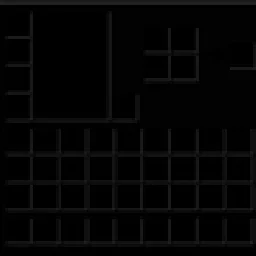
Dark GUI is a minimalist Minecraft Java Edition resource pack that transforms inventory menus, crafting screens, chests, furnaces, and other interfaces with a…

Dark GUI is a minimalist Minecraft Java Edition resource pack that transforms inventory menus, crafting screens, chests, furnaces, and other interfaces with a…
Dark Gui (Ressourcenpaket) stammt von Absolute_Vexation. Unterstützt wird Minecraft 1.21 – 26.x. Auf Modrinth gibt es 29 Downloads. Das letzte Update erschien am 19.10.2026.
Die neueste ist 1.0.0, erschienen am 19.10.2026. Sie ist für Minecraft 1.21.11 – 26.3 gemacht. Sie läuft auf Minecraft. Der Download ist 364 KB groß.
| Version | Veröffentlicht | Minecraft | Typ |
|---|---|---|---|
1.0.0 | 19.10.2026 | 1.21.11 – 26.3 | Release |
Give your Minecraft interface a sleek, dark makeover with Dark GUI, a resource pack designed for players who love clean, minimalistic visuals.
✨ Features
Compatibility: Minecraft Java Edition. Check the pack's metadata and test it against your intended Minecraft version before publishing.
Credits: The included pack metadata credits createtextures.com for the recolored container screens.
Transform your Minecraft menus and enjoy a darker, more streamlined interface with Dark GUI!
Geschrieben von Absolute_Vexation. Mit Bildern auf Modrinth lesen.
Lade die .zip-Datei von Modrinth herunter. Entpacke sie nicht.
Öffne in Minecraft Optionen, dann Ressourcenpakete, dann Paketordner öffnen.
Lege die .zip-Datei in diesen Ordner und gehe zurück ins Spiel.
Schiebe Dark Gui in die rechte Liste und klicke auf Fertig.
Es ist für Minecraft 1.21 – 26.x gemacht. Auf anderen Versionen markiert Minecraft es als inkompatibel, oft funktioniert es aber trotzdem.
| Ressource | Downloads | Versionen | Letztes Update | Preis |
|---|---|---|---|---|
| Dark Guidie du angesehen hast | 29 | 1.21 – 26.x | vor 22 Tagen | Kostenlos |
| Invisible Armor Modelfixyldev | 314K | 1.8 – 26.x | 15. Sept. 2026 | Kostenlos |
 Default Dark Mode: Legacy4Jaric3435 | 222K | 1.20 – 26.x | 1. Sept. 2026 | Kostenlos |
 Animated RGB GUI PackCrisXolt | 124K | 1.19 – 1.21 | 7. Juli 2024 | Kostenlos |
Ja. Dark Gui unterstützt Minecraft 26.x. Alle unterstützten Versionen: 26.x, 1.21.
Ja. Dark Gui kannst du kostenlos bei Modrinth herunterladen.
Ja. Das letzte Update kam innerhalb des letzten Tages.
Am ähnlichsten sind Invisible Armor Model, Default Dark Mode: Legacy4J und Animated RGB GUI Pack. Alle Alternativen vergleichen
Invisible Armor ModelRessourcenpakete · 1.8 – 26.xInvisible Armor Model is a resource pack for Minecraft Java Edition that removes the visual model of armor.
Default Dark Mode: Legacy4JRessourcenpakete · 1.20 – 26.xA resource pack that gives Legacy4J & Other Legacy4J-related Mods the Default Dark Mode style. Requires the version of Legacy4J that is compatible.
Animated RGB GUI PackRessourcenpakete · 1.19 – 1.21A GUI pack to make an animated RGB XP bar, hotbar, and Inventory screens! OptiFine or Animatica (Fabric) is required.
 Skyblock Dark UIRessourcenpakete · 1.21 – 26.x
A Hypixel Skyblock Dark UI Resource Pack designed for modern Minecraft Versions inspired by the PacksHQ Dark UI
 Default Dark Mode: ExpansionRessourcenpakete · 1.12 – 26.x
🌙➕This resource pack is an add-on of Default Dark Mode. It adds/fixes over 135+ mods! It is recommended to use both resource packs together for the best…
 Pato's 3D BrewsRessourcenpakete · 1.20 – 1.21
A Minecraft resource pack that adds 3D bottle models and drinking animations for potions, honey, and all other bottles!
Logg dich ein, um eine Bewertung zu schreiben.