
 Invisible Armor ModelPaquetes de recursos · 1.8 – 26.x
Invisible Armor Model is a resource pack for Minecraft Java Edition that removes the visual model of armor.
Gratis314,719 descargas
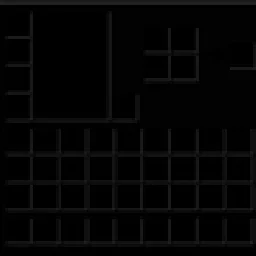
Dark GUI is a minimalist Minecraft Java Edition resource pack that transforms inventory menus, crafting screens, chests, furnaces, and other interfaces with a…

Dark Gui (paquete de recursos) es obra de Absolute_Vexation. Dark GUI is a minimalist Minecraft Java Edition resource pack that transforms inventory menus, crafting screens, chests, furnaces, and other interfaces with a…
Es compatible con Minecraft 1.21 – 26.x. Se ha descargado 29 veces en Modrinth. La última actualización salió el 19/10/2026.
La más reciente es 1.0.0, publicada el 19/10/2026. Está hecha para Minecraft 1.21.11 – 26.3. Funciona en Minecraft. La descarga ocupa 364 KB.
| Versión | Publicado | Minecraft | Tipo |
|---|---|---|---|
1.0.0 | 19/10/2026 | 1.21.11 – 26.3 | Estable |
Give your Minecraft interface a sleek, dark makeover with Dark GUI, a resource pack designed for players who love clean, minimalistic visuals.
✨ Features
Compatibility: Minecraft Java Edition. Check the pack's metadata and test it against your intended Minecraft version before publishing.
Credits: The included pack metadata credits createtextures.com for the recolored container screens.
Transform your Minecraft menus and enjoy a darker, more streamlined interface with Dark GUI!
Escrita por Absolute_Vexation. Léela con imágenes en Modrinth.
Descarga el archivo .zip desde Modrinth. No lo descomprimas.
En Minecraft, abre Opciones, luego Paquetes de recursos y luego Abrir carpeta de paquetes.
Suelta el archivo .zip en esa carpeta y vuelve al juego.
Mueve Dark Gui a la lista de la derecha y pulsa Hecho.
Está hecho para Minecraft 1.21 – 26.x. En otras versiones Minecraft lo marca como incompatible, pero a menudo funciona igual.
| Recurso | Descargas | Versiones | Última actualización | Precio |
|---|---|---|---|---|
| Dark Guiel que estabas viendo | 29 | 1.21 – 26.x | hace 22 días | Gratis |
| Invisible Armor Modelfixyldev | 315K | 1.8 – 26.x | 15 sept 2026 | Gratis |
 Default Dark Mode: Legacy4Jaric3435 | 222K | 1.20 – 26.x | 1 sept 2026 | Gratis |
 Animated RGB GUI PackCrisXolt | 124K | 1.19 – 1.21 | 7 jul 2024 | Gratis |
Sí. Dark Gui es compatible con Minecraft 26.x. Todas las versiones compatibles: 26.x, 1.21.
Sí. Dark Gui se puede descargar gratis desde Modrinth.
Sí. La última actualización salió en el último día.
Los más parecidos son Invisible Armor Model, Default Dark Mode: Legacy4J y Animated RGB GUI Pack. Comparar todas las alternativas
Invisible Armor ModelPaquetes de recursos · 1.8 – 26.xInvisible Armor Model is a resource pack for Minecraft Java Edition that removes the visual model of armor.
Default Dark Mode: Legacy4JPaquetes de recursos · 1.20 – 26.xA resource pack that gives Legacy4J & Other Legacy4J-related Mods the Default Dark Mode style. Requires the version of Legacy4J that is compatible.
Animated RGB GUI PackPaquetes de recursos · 1.19 – 1.21A GUI pack to make an animated RGB XP bar, hotbar, and Inventory screens! OptiFine or Animatica (Fabric) is required.
 Skyblock Dark UIPaquetes de recursos · 1.21 – 26.x
A Hypixel Skyblock Dark UI Resource Pack designed for modern Minecraft Versions inspired by the PacksHQ Dark UI
 Default Dark Mode: ExpansionPaquetes de recursos · 1.12 – 26.x
🌙➕This resource pack is an add-on of Default Dark Mode. It adds/fixes over 135+ mods! It is recommended to use both resource packs together for the best…
 Pato's 3D BrewsPaquetes de recursos · 1.20 – 1.21
A Minecraft resource pack that adds 3D bottle models and drinking animations for potions, honey, and all other bottles!
Inicia sesión para dejar una reseña.