
 Invisible Armor ModelResource packs · 1.8 – 26.x
Invisible Armor Model is a resource pack for Minecraft Java Edition that removes the visual model of armor.
Free314,719 downloads
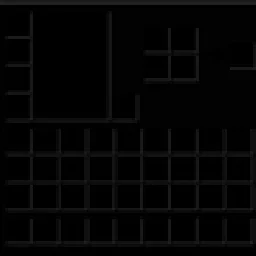
Dark GUI is a minimalist Minecraft Java Edition resource pack that transforms inventory menus, crafting screens, chests, furnaces, and other interfaces with a…

Dark GUI is a minimalist Minecraft Java Edition resource pack that transforms inventory menus, crafting screens, chests, furnaces, and other interfaces with a…
Dark Gui is a resource pack made by Absolute_Vexation. It supports Minecraft 1.21 – 26.x. It has been downloaded 29 times on Modrinth. The last update came out on Oct 19, 2026.
The newest is 1.0.0, released on Oct 19, 2026. It is made for Minecraft 1.21.11 – 26.3. It runs on Minecraft. The download is 364 KB.
| Version | Released | Minecraft | Type |
|---|---|---|---|
1.0.0 | Oct 19, 2026 | 1.21.11 – 26.3 | Release |
Give your Minecraft interface a sleek, dark makeover with Dark GUI, a resource pack designed for players who love clean, minimalistic visuals.
✨ Features
Compatibility: Minecraft Java Edition. Check the pack's metadata and test it against your intended Minecraft version before publishing.
Credits: The included pack metadata credits createtextures.com for the recolored container screens.
Transform your Minecraft menus and enjoy a darker, more streamlined interface with Dark GUI!
Written by Absolute_Vexation. Read it with pictures on Modrinth.
Download the .zip file from Modrinth. Do not unzip it.
In Minecraft, open Options, then Resource Packs, then Open Pack Folder.
Drop the .zip file into that folder and go back to the game.
Move Dark Gui to the right-hand list and click Done.
It is made for Minecraft 1.21 – 26.x. On other versions Minecraft marks it as incompatible, but it often still works.
| Resource | Downloads | Versions | Last update | Price |
|---|---|---|---|---|
| Dark Guithe one you looked at | 29 | 1.21 – 26.x | 22 days ago | Free |
| Invisible Armor Modelfixyldev | 315K | 1.8 – 26.x | Sep 15, 2026 | Free |
 Default Dark Mode: Legacy4Jaric3435 | 222K | 1.20 – 26.x | Sep 1, 2026 | Free |
 Animated RGB GUI PackCrisXolt | 124K | 1.19 – 1.21 | Jul 7, 2024 | Free |
Yes. Dark Gui supports Minecraft 26.x. All supported versions: 26.x, 1.21.
Yes. Dark Gui is free to download from Modrinth.
Yes. The last update came out in the past day.
The closest ones are Invisible Armor Model, Default Dark Mode: Legacy4J and Animated RGB GUI Pack. Compare all alternatives
Invisible Armor ModelResource packs · 1.8 – 26.xInvisible Armor Model is a resource pack for Minecraft Java Edition that removes the visual model of armor.
Default Dark Mode: Legacy4JResource packs · 1.20 – 26.xA resource pack that gives Legacy4J & Other Legacy4J-related Mods the Default Dark Mode style. Requires the version of Legacy4J that is compatible.
Animated RGB GUI PackResource packs · 1.19 – 1.21A GUI pack to make an animated RGB XP bar, hotbar, and Inventory screens! OptiFine or Animatica (Fabric) is required.
 Skyblock Dark UIResource packs · 1.21 – 26.x
A Hypixel Skyblock Dark UI Resource Pack designed for modern Minecraft Versions inspired by the PacksHQ Dark UI
 Default Dark Mode: ExpansionResource packs · 1.12 – 26.x
🌙➕This resource pack is an add-on of Default Dark Mode. It adds/fixes over 135+ mods! It is recommended to use both resource packs together for the best…
 Pato's 3D BrewsResource packs · 1.20 – 1.21
A Minecraft resource pack that adds 3D bottle models and drinking animations for potions, honey, and all other bottles!
Log in to leave a review.