
 BlindShader · 1.17 – 26.x
Simulates blindness with noise, pulse, and light distortion effects.
Kostenlos20,315 Downloads
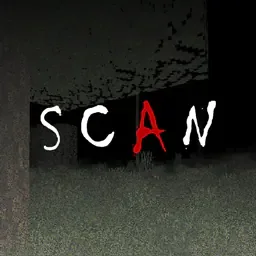
Scan the space around you - each pulse of light shows you where you are...
Opens Modrinth · 28,805 downloads there


Scan the space around you - each pulse of light shows you where you are...
SCAN (Shaderpack) stammt von LoLip_p. Unterstützt wird Minecraft 1.8 – 26.x. Auf Modrinth gibt es 28,805 Downloads. Das letzte Update erschien am 23.08.2026.
SCAN hat seit 11.11.2025 2 Versionen auf Modrinth veröffentlicht. 2 davon erschienen im letzten Jahr. Die neueste ist 0.0.2, erschienen am 23.08.2026. Sie ist für Minecraft 1.10 – 1.20.3 gemacht. Sie läuft auf Iris und Optifine. Der Download ist 17 KB groß.
| Version | Veröffentlicht | Minecraft | Typ |
|---|---|---|---|
0.0.2 | 23.08.2026 | 1.10 – 1.20.3 | Release |
0.0.1 | 11.11.2025 | 1.10 – 1.20.3 | Release |
My unusual attempt to create an oppressive atmosphere and fear due to the poor visibility of the device. Every 2 seconds, the device's update bar moves from top to bottom, illuminating the surrounding space, which helps you orient yourself at least a little. You can see more details in the GIF.
The ideological heir: LiDAR
Geschrieben von LoLip_p. Mit Bildern auf Modrinth lesen.
Installiere Iris (mit Sodium) oder OptiFine für deine Minecraft-Version: Shader brauchen eins davon.
Lade die .zip-Datei von Modrinth herunter. Entpacke sie nicht.
Öffne in Minecraft Optionen, dann Grafikeinstellungen, dann Shaderpacks und klicke auf Shaderpack-Ordner öffnen.
Lege die .zip-Datei in diesen Ordner, wähle SCAN in der Liste und klicke auf Fertig.
Shader belasten die Grafikkarte. Wird das Spiel langsam, wähle in den Shader-Einstellungen ein niedrigeres Profil.
Ja. SCAN unterstützt Minecraft 26.x. Alle unterstützten Versionen: 26.x, 1.21, 1.20, 1.19, 1.18, 1.17, 1.16, 1.13, 1.12, 1.8.
Ja. SCAN kannst du kostenlos bei Modrinth herunterladen.
Ja. Das letzte Update kam innerhalb des letzten Tages.
BlindShader · 1.17 – 26.xSimulates blindness with noise, pulse, and light distortion effects.
Logg dich ein, um eine Bewertung zu schreiben.