
 BlindShaderlar · 1.17 – 26.x
Simulates blindness with noise, pulse, and light distortion effects.
Ücretsiz20,315 indirme


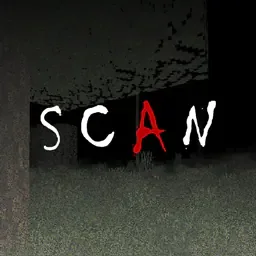
Scan the space around you - each pulse of light shows you where you are...
SCAN, LoLip_p tarafından yapılmış bir shader paketi. Desteklediği sürümler: Minecraft 1.8 – 26.x. Modrinth üzerinde 28,805 kez indirildi. Son güncelleme 23.08.2026 tarihinde çıktı.
SCAN, 11.11.2025 tarihinden beri Modrinth üzerinde 2 sürüm yayınladı. Bunların 2 tanesi son bir yılda çıktı. En yenisi 23.08.2026 tarihinde çıkan 0.0.2. Minecraft 1.10 – 1.20.3 için yapıldı. Iris ve Optifine üzerinde çalışır. İndirme boyutu 17 KB.
| Sürüm | Yayın tarihi | Minecraft | Tür |
|---|---|---|---|
0.0.2 | 23.08.2026 | 1.10 – 1.20.3 | Kararlı |
0.0.1 | 11.11.2025 | 1.10 – 1.20.3 | Kararlı |
My unusual attempt to create an oppressive atmosphere and fear due to the poor visibility of the device. Every 2 seconds, the device's update bar moves from top to bottom, illuminating the surrounding space, which helps you orient yourself at least a little. You can see more details in the GIF.
The ideological heir: LiDAR
Yazan: LoLip_p. Resimli halini Modrinth sayfasında oku.
Minecraft sürümün için Iris (Sodium ile) ya da OptiFine kur: shaderlar bunlardan birine ihtiyaç duyar.
.zip dosyasını Modrinth üzerinden indir. Zipten çıkarma.
Minecraft'ta Seçenekler, Görüntü Ayarları, Shader Paketleri'ni aç ve Shader Paketi Klasörünü Aç'a tıkla.
.zip dosyasını o klasöre bırak, listeden SCAN seç ve Bitti'ye tıkla.
Shaderlar ekran kartını zorlar. Oyun yavaşlarsa shader ayarlarından daha düşük bir profil seç.
Evet. SCAN, Minecraft 26.x sürümünü destekliyor. Desteklenen tüm sürümler: 26.x, 1.21, 1.20, 1.19, 1.18, 1.17, 1.16, 1.13, 1.12, 1.8.
Evet. SCAN, Modrinth üzerinden ücretsiz indirilebilir.
Evet. Son güncelleme son 24 saat içinde çıktı.
BlindShaderlar · 1.17 – 26.xSimulates blindness with noise, pulse, and light distortion effects.
Yorum yazmak için giriş yap.