
 BlindShaders · 1.17 – 26.x
Simulates blindness with noise, pulse, and light distortion effects.
Free20,315 downloads
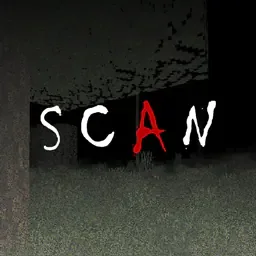
Scan the space around you - each pulse of light shows you where you are...
Opens Modrinth · 28,805 downloads there


Scan the space around you - each pulse of light shows you where you are...
SCAN is a shader pack made by LoLip_p. It supports Minecraft 1.8 – 26.x. It has been downloaded 28,805 times on Modrinth. The last update came out on Aug 23, 2026.
SCAN has had 2 releases on Modrinth since Nov 11, 2025. 2 of them came out in the past year. The newest is 0.0.2, released on Aug 23, 2026. It is made for Minecraft 1.10 – 1.20.3. It runs on Iris and Optifine. The download is 17 KB.
| Version | Released | Minecraft | Type |
|---|---|---|---|
0.0.2 | Aug 23, 2026 | 1.10 – 1.20.3 | Release |
0.0.1 | Nov 11, 2025 | 1.10 – 1.20.3 | Release |
My unusual attempt to create an oppressive atmosphere and fear due to the poor visibility of the device. Every 2 seconds, the device's update bar moves from top to bottom, illuminating the surrounding space, which helps you orient yourself at least a little. You can see more details in the GIF.
The ideological heir: LiDAR
Written by LoLip_p. Read it with pictures on Modrinth.
Install Iris (with Sodium) or OptiFine for your Minecraft version: shaders need one of them.
Download the .zip file from Modrinth. Do not unzip it.
In Minecraft, open Options, then Video Settings, then Shader Packs, and click Open Shader Pack Folder.
Drop the .zip file into that folder, pick SCAN in the list and click Done.
Shaders are heavy on the graphics card. If the game gets slow, pick a lower profile in the shader settings.
Yes. SCAN supports Minecraft 26.x. All supported versions: 26.x, 1.21, 1.20, 1.19, 1.18, 1.17, 1.16, 1.13, 1.12, 1.8.
Yes. SCAN is free to download from Modrinth.
Yes. The last update came out in the past day.
BlindShaders · 1.17 – 26.xSimulates blindness with noise, pulse, and light distortion effects.
Log in to leave a review.