
 Remove Damage OverlayShader · 1.17 – 1.21
Removes hit color (tint) from all entities!
Kostenlos28,632 Downloads
Change hit color (tint) of all entities to ANY color!
Direkter Download von Modrinth · 24,986 Downloads
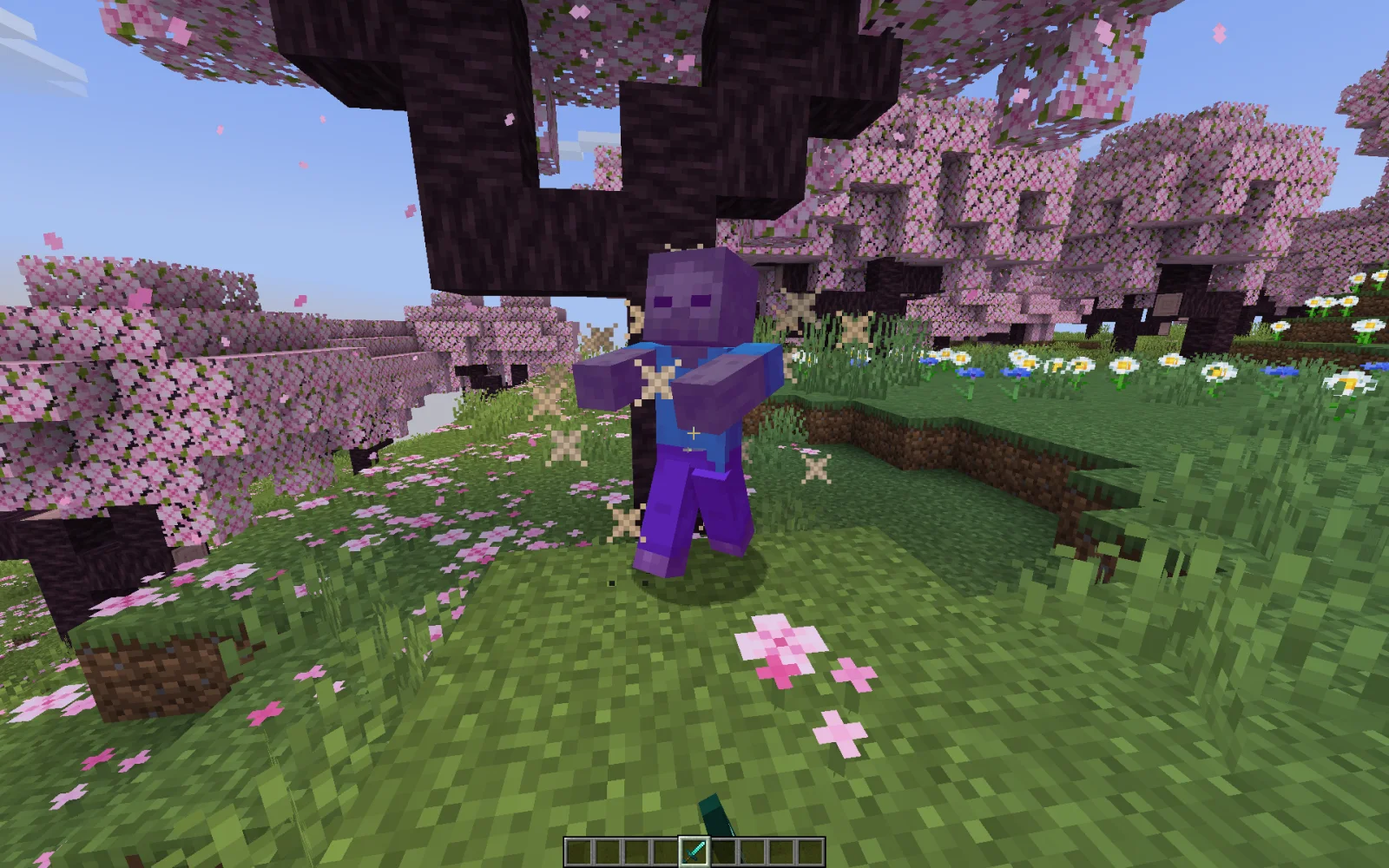
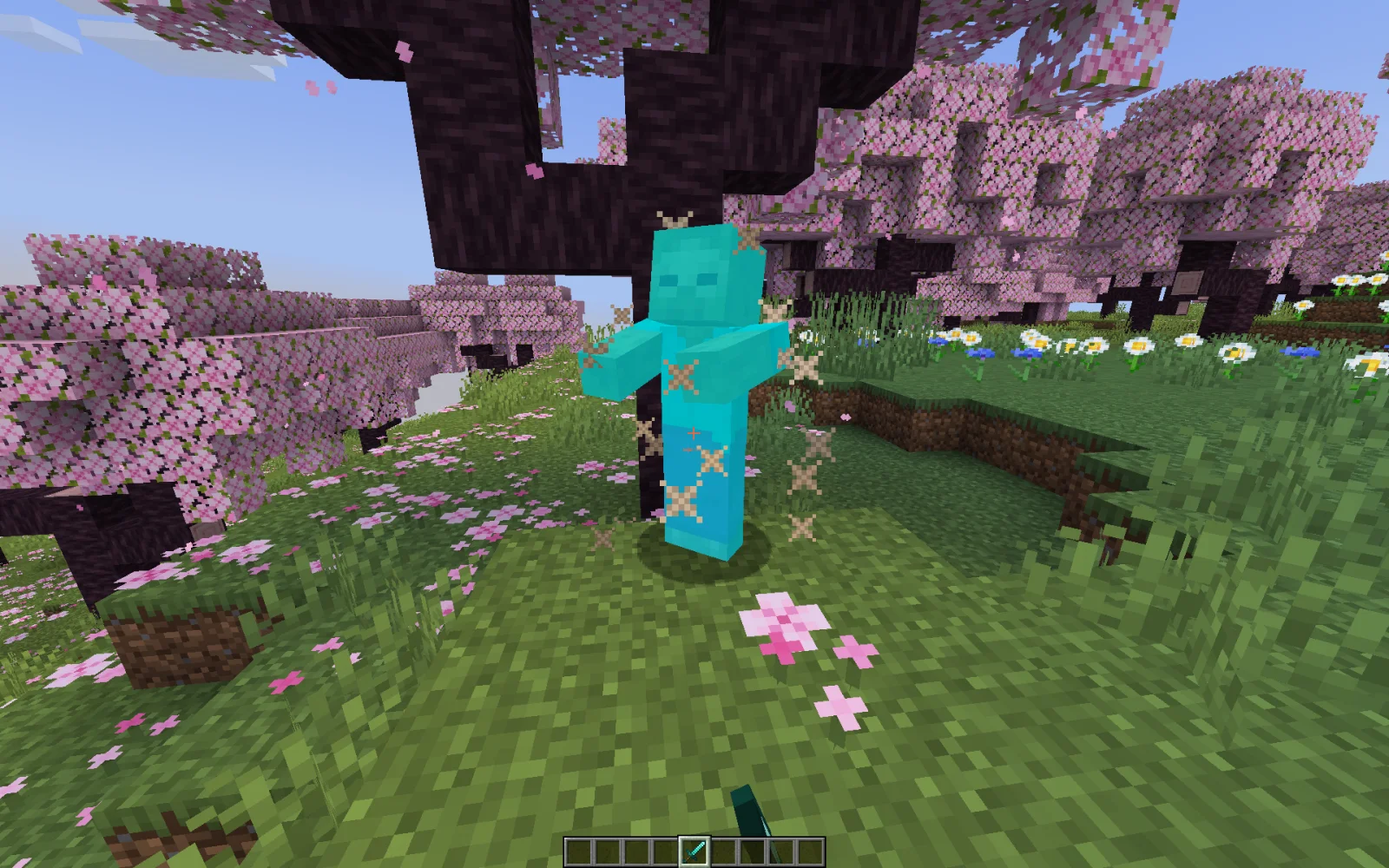
Custom Damage Overlay Color (Shaderpack) stammt von SuperAnt_. Change hit color (tint) of all entities to ANY color!
Unterstützt wird Minecraft 1.17 – 1.21. Auf Modrinth gibt es 24,986 Downloads. Das letzte Update erschien am 02.01.2026.
Custom Damage Overlay Color hat seit 21.09.2024 5 Versionen auf Modrinth veröffentlicht. Eine davon erschien im letzten Jahr. Die neueste ist 1.2, erschienen am 02.01.2026. Sie ist für Minecraft 1.20.2 – 1.21.11 gemacht. Sie läuft auf Minecraft. Der Download ist 401 KB groß.
| Version | Veröffentlicht | Minecraft | Typ |
|---|---|---|---|
1.2 | 02.01.2026 | 1.20.2 – 1.21.11 | Release |
1.1 | 13.09.2025 | 1.20.2 – 1.21.8 | Release |
1.0 | 21.09.2024 | 1.17, 1.17.1 | Release |
1.0 | 21.09.2024 | 1.18 – 1.20.1 | Release |
1.0 | 21.09.2024 | 1.20.2 – 1.21.5 | Release |
This resource pack allows to change overlay color of all entities when they take damage. By defult this resource pack changes it to green, as an example.
Go into the resource pack and open a file assets/minecraft/shaders/include/change_damage_overlay.glsl, choose a color and put it into the second line of the file. For example if you want to change the color to purple (#AA00FF) with 50% transparency, the second line of the file would look like this:
vec4 RGBColor = vec4(170,0,255,127);
And if you want cyan (#00FFFF) color with the same transparency as in vanilla, it would look like this:
vec4 RGBColor = vec4(0,255,255,178);
Geschrieben von SuperAnt_. Mit Bildern auf Modrinth lesen.
Installiere Iris (mit Sodium) oder OptiFine für deine Minecraft-Version: Shader brauchen eins davon.
Lade die .zip-Datei von Modrinth herunter. Entpacke sie nicht.
Öffne in Minecraft Optionen, dann Grafikeinstellungen, dann Shaderpacks und klicke auf Shaderpack-Ordner öffnen.
Lege die .zip-Datei in diesen Ordner, wähle Custom Damage Overlay Color in der Liste und klicke auf Fertig.
Shader belasten die Grafikkarte. Wird das Spiel langsam, wähle in den Shader-Einstellungen ein niedrigeres Profil.
Noch nicht. Die neueste unterstützte Version ist Minecraft 1.21.
Ja. Custom Damage Overlay Color kannst du kostenlos bei Modrinth herunterladen.
Ja. Das letzte Update kam innerhalb des letzten Tages.
Remove Damage OverlayShader · 1.17 – 1.21Removes hit color (tint) from all entities!
Logg dich ein, um eine Bewertung zu schreiben.