
 Energy Shaders JavaShader · 1.20 – 26.x
Energy Shaders for Java. A vanilla Minecraft shaderpack that aims on making the game more vibrant and aesthetic. Giving Minecraft a completely new Style. No…
Kostenlos98,351 Downloads
This shaderpack turns your game into a retro 1980s-style CRT screen
Direkter Download von Modrinth · 11,303 Downloads
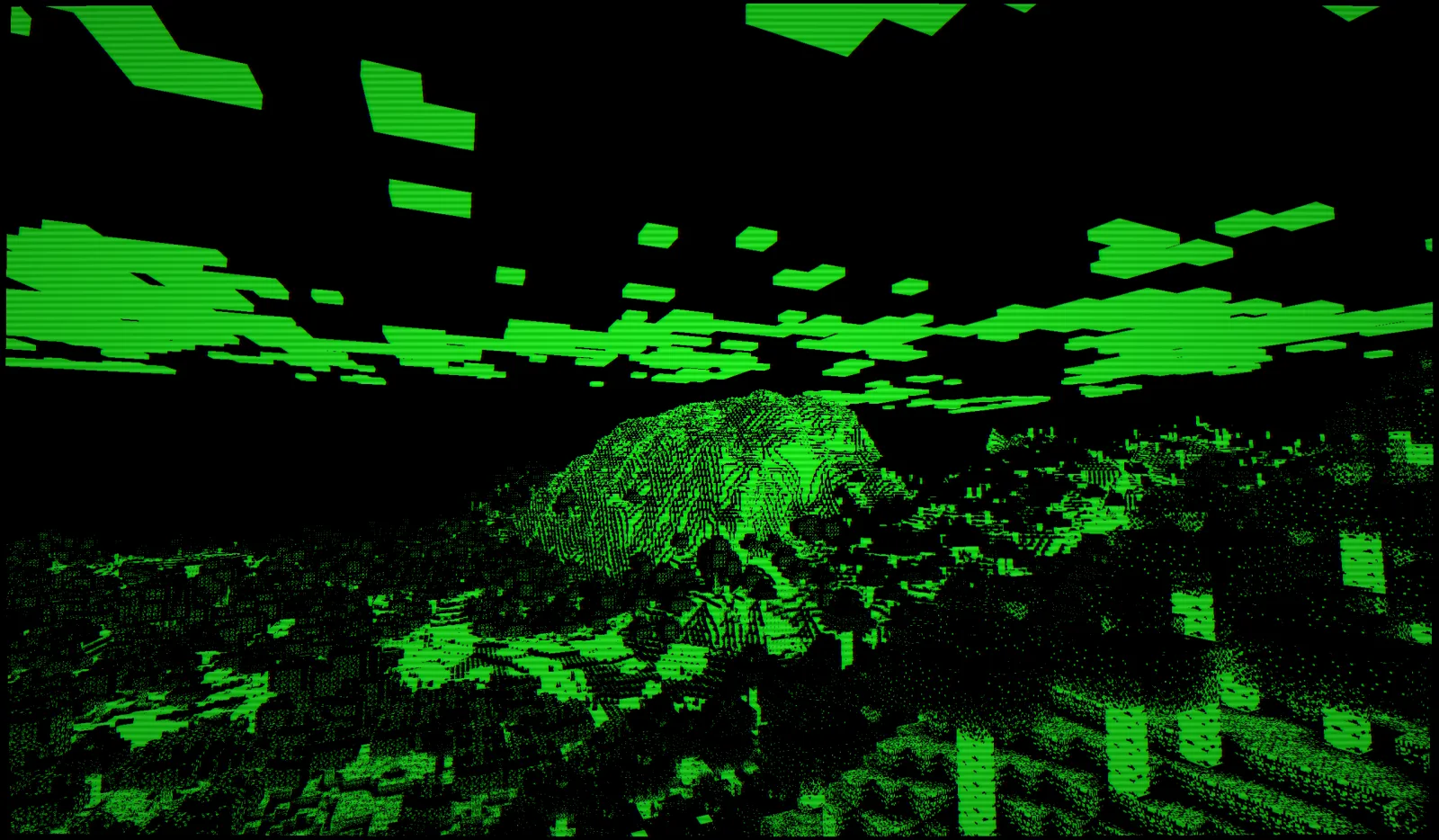
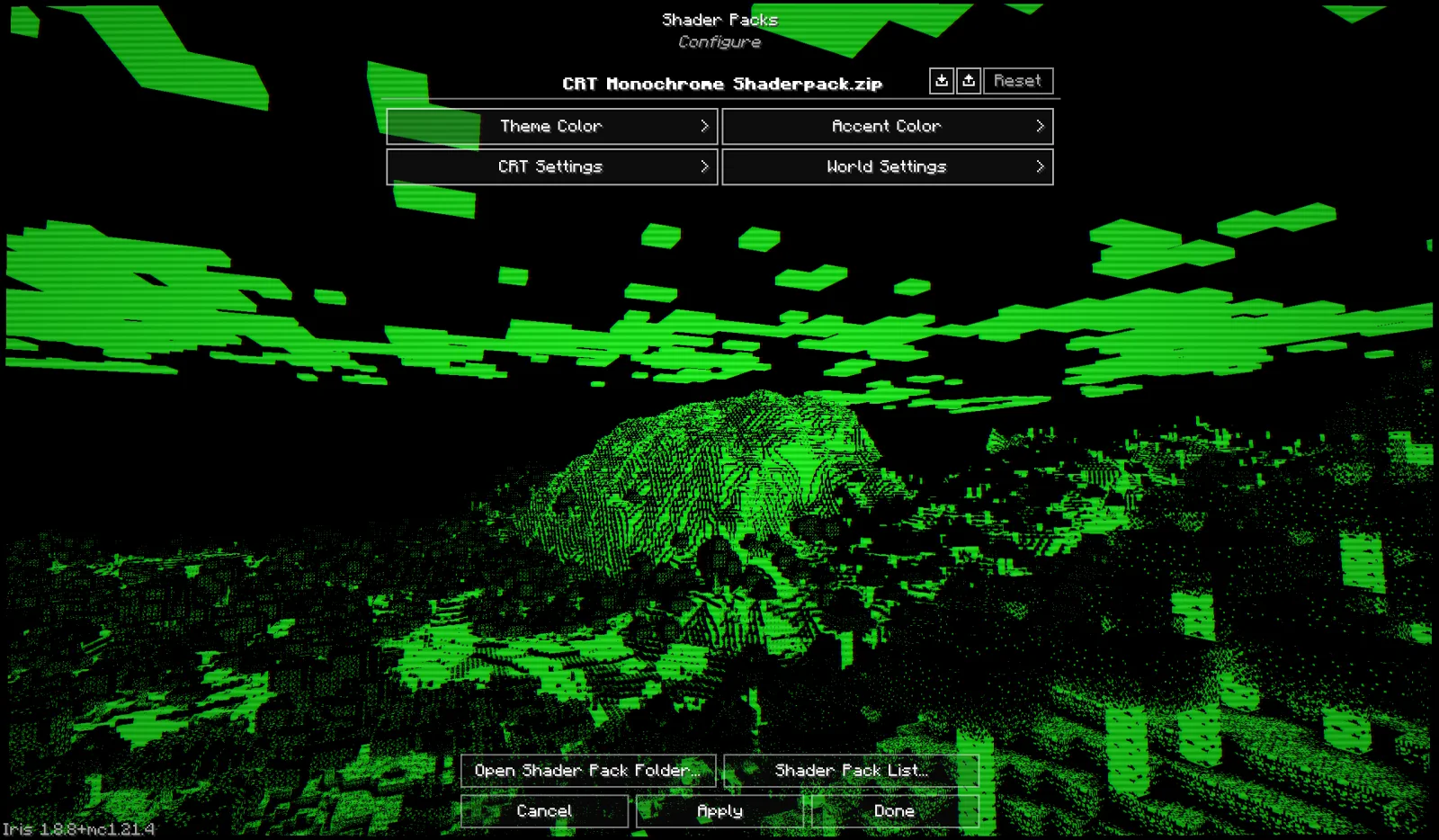
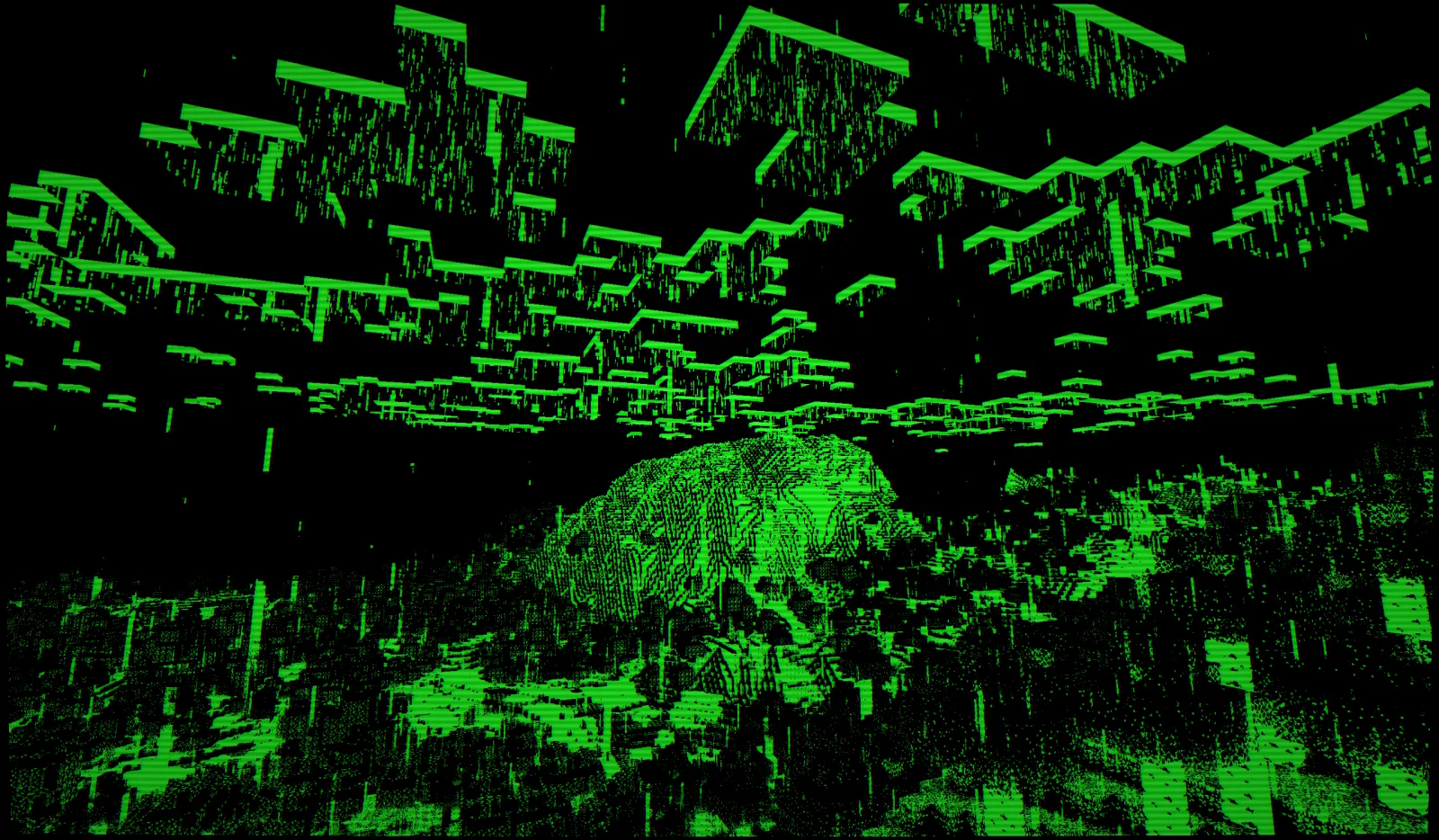
CRT Monochrome Shaderpack (Shaderpack) stammt von h1ggsk. This shaderpack turns your game into a retro 1980s-style CRT screen.
Unterstützt wird Minecraft 1.8 – 1.21. Auf Modrinth gibt es 11,303 Downloads. Das letzte Update erschien am 25.01.2026.
Die neueste ist 1.0, erschienen am 25.01.2026. Sie ist für Minecraft 1.10 – 1.20.3 gemacht. Sie läuft auf Iris und Optifine. Der Download ist 9 KB groß.
| Version | Veröffentlicht | Minecraft | Typ |
|---|---|---|---|
1.0 | 25.01.2026 | 1.10 – 1.20.3 | Release |
CRT Monochrome Shaderpack ist Open Source. Die neueste Version auf GitHub ist CRT Monochrome Shaderpack 1.0, veröffentlicht am 25.01.2026.
Release 1.0 of CRT Monochrome Shaderpack. Add to .minecraft/shaderpacks folder and make sure Iris/OptiFine is installed to load the shader.
Full Changelog: https://github.com/H1ggsK/crt-monochrome-shaderpack/commits/1.0
"End of Line."
CRT Monochrome Shaderpack is a lightweight GLSL shader pack for Minecraft Java Edition (Iris/OptiFine) that replicates the high-contrast, phosphor-display aesthetic of early 80s computing.
It replaces standard rendering with a strict two-tone wireframe/threshold visualization, simulating a monochromatic CRT monitor inside the game.
By default, the pack utilizes the "P1 Apple Green" (#33FF33) color scheme, mimicking the high-persistence green phosphor monitors of the Apple II era. The world is rendered as a stark contrast between illuminated geometry and a pure black void.
The pack includes a fully procedural CRT post-processing stack:
While the default is Green, the pack is fully configurable via the Shader Options menu in-game.
You can manually mix the phosphor color using 0-255 sliders.
If you see the screen "smearing" or trails following your movement, your Depth Buffer is not being cleared correctly.
If hand items look like solid blocks of color:
Note: For the best experience, ensure "Render Regions" is enabled if using OptiFine.
If you feature this shader pack in a stream or video, please provide credit by linking to the official project page or mentioning h1ggsk. I’d love to see what you create with it!
Copyright © 2026 h1ggsk. All Rights Reserved.
This software is the intellectual property of h1ggsk.
Geschrieben von h1ggsk. Mit Bildern auf Modrinth lesen.
Installiere Iris (mit Sodium) oder OptiFine für deine Minecraft-Version: Shader brauchen eins davon.
Lade die .zip-Datei von Modrinth herunter. Entpacke sie nicht.
Öffne in Minecraft Optionen, dann Grafikeinstellungen, dann Shaderpacks und klicke auf Shaderpack-Ordner öffnen.
Lege die .zip-Datei in diesen Ordner, wähle CRT Monochrome Shaderpack in der Liste und klicke auf Fertig.
Shader belasten die Grafikkarte. Wird das Spiel langsam, wähle in den Shader-Einstellungen ein niedrigeres Profil.
| Ressource | Downloads | Versionen | Letztes Update | Preis |
|---|---|---|---|---|
| CRT Monochrome Shaderpackdie du angesehen hast | 11K | 1.8 – 1.21 | 25. Jan. 2026 | Kostenlos |
| Energy Shaders Javalinusdev | 98K | 1.20 – 26.x | 28. Sept. 2026 | Kostenlos |
 Fabulous VHSneddiebones | 35K | 1.20 – 26.x | 20. Apr. 2026 | Kostenlos |
 CRT ShaderBouncingElf10 | 25K | 1.8 – 26.x | 18. Aug. 2024 | Kostenlos |
Noch nicht. Die neueste unterstützte Version ist Minecraft 1.21.
Ja. CRT Monochrome Shaderpack kannst du kostenlos bei Modrinth herunterladen.
Ja. Das letzte Update kam innerhalb des letzten Tages.
Am ähnlichsten sind Energy Shaders Java, Fabulous VHS und CRT Shader. Alle Alternativen vergleichen
Energy Shaders JavaShader · 1.20 – 26.xEnergy Shaders for Java. A vanilla Minecraft shaderpack that aims on making the game more vibrant and aesthetic. Giving Minecraft a completely new Style. No…
Fabulous VHSShader · 1.20 – 26.xThis shaderpack adds a VHS style to the good old game minecraft!
CRT ShaderShader · 1.8 – 26.xA stylized shader aimed to make your game look retro!
 MellowShader · 1.8 – 26.x
Shaderpack with a painterly aesthetic made for people who want to actually play the game. It's easy on your eyes and on your computer!
 CTR VCRShader · 1.12 – 26.x
Retro stylized shader that brings artifacts from CRT and VCR / VHS
 Amethyst ShadersShader · 1.8 – 1.21
[WIP] A Semi-Realistic Minecraft Shaderpack, with a Vibrant Visuals Style. Based on Complementary Reimagined.
Logg dich ein, um eine Bewertung zu schreiben.